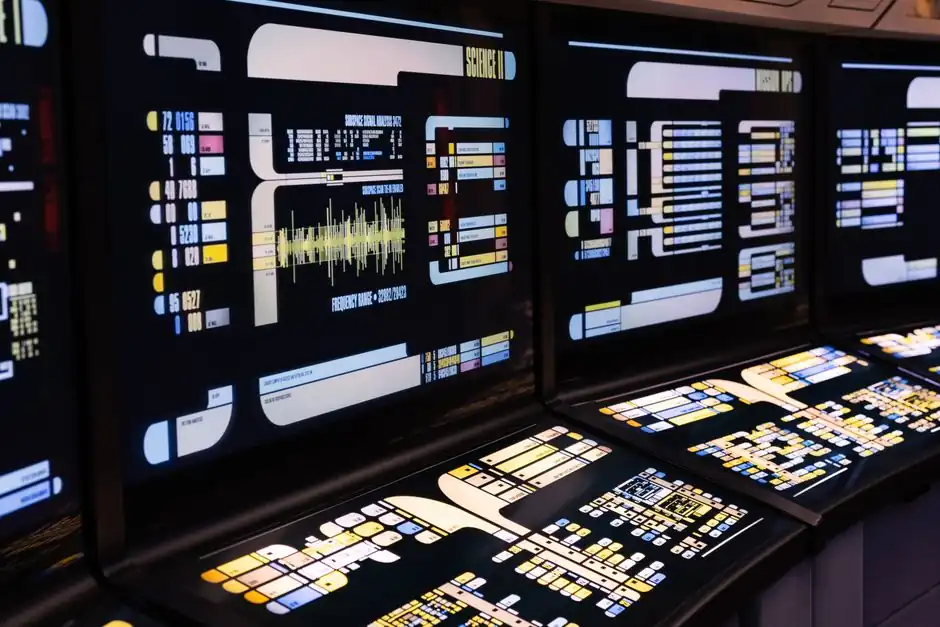
An industrial display is not a brighter consumer panel. The engineering gap runs through six independent decision layers, and a wrong call on any one of them can cut service life from a documented 5–10 years down to a single washdown cycle [S2][S3].
This spec map covers the 2026 selection criteria engineers actually fight over: touch technology, cover glass, surface treatment, IP/IK sealing, temperature and vibration envelope, brightness tiering against measured ambient lux, and the LVDS/HDMI/USB-HID integration details that decide whether a panel is drop-in or a six-month hardware rework [S3][S5][S6].
The 6-Layer Decision Stack for an Industrial Touch Display
A spec written as "15-inch industrial PCAP, 1000 nits, IP65" is three layers dressed up as one. PCAP senses a finger through an electrostatic grid under the cover glass, supports 10–40 simultaneous touch points, and lives behind a sealed easy-clean surface; resistive senses pressure between two coated layers, costs less, and survives heavy industrial gloves, salt spray, and styli that PCAP rejects [S2][S3]. PCAP is the default for new industrial designs, resistive is the considered exception, and the decision is driven by glove/spray duty, not by which technology is newer [S3].
Layer 2, cover glass, specifies material and thickness: aluminosilicate or soda-lime, 0.4–3.9 mm thick, with compressive strength CS greater than 450 MPa and depth-of-layer DOL greater than 8 µm on chemically strengthened parts [S3]. Layer 3, surface treatment, picks from anti-glare (AG), anti-reflective (AR), anti-fingerprint (AF), or optical bonding; the cover glass is what makes a 1000-nit panel readable in 10,000 lux, not the backlight alone [S3]. A practical note: thicker cover glass raises IK impact rating but can attenuate a PCAP sensor, so the two trade off directly and the datasheet alone will not flag the conflict [S3].
Brightness Tiering Against Measured Ambient Lux
The procurement habit of specifying "2000 nits" as a safety margin is the single most common waste line on an industrial display BOM, and it shortens backlight life in the process [S5]. The correct comparison is the ratio of display luminance to reflected ambient luminance, not the raw nit figure: a glossy panel at 4% reflectance sitting in 10,000 lux ambient delivers roughly 127 cd/m² of reflected glare, so a 400-nit panel sits at a 3:1 ratio (technically readable, uncomfortable), while a 1000-nit panel delivers an 8:1 ratio, which most display engineers treat as the working minimum [S5].
Real-world ambient bands, measured at the panel face, map to brightness tiers as follows: indoor office and control room at 300–600 lux is fully served by 400 nits; factory floor under fluorescent at 400–1,000 lux wants 400–600 nits; covered outdoor or loading dock at 2,000–10,000 lux is the 1000-nit zone; open outdoor under overcast sky at 10,000–25,000 lux needs 1,000–1,500 nits; direct summer sun at 50,000–100,000 lux is the practical ceiling, where 2,000 nits plus active cooling is the integrated solution [S3][S5]. For new industrial designs the working rule is 250–400 nits indoor controlled lighting, 500–800 nits for bright indoor near windows, and 1000+ nits for direct outdoor sun, with adaptive dimming mandatory on any night-shift installation to avoid operator fatigue [S3].
IP/IK Sealing, Temperature Envelope, and Mechanical Stack

IP ratings (IEC 60529) and IK impact ratings (IEC 62262) are the two numbers that decide whether a display survives its mounting location. IP54 is the lower bound for general industrial use, IP65 the typical washdown and food-grade line, IP66 the high-pressure hose-down zone, and IP6 9K the steam-clean and road-vehicle duty, while IK01 to IK10 maps glass impact survival from 0.14 J up to 20 J [S3]. A panel specified only to IP54 will fail in a brewery CIP bay; a panel specified to IP69K without IK08 will shatter on the same line when a valve cover is dropped on it [S3].
Operating temperature is the second hard filter. Industrial-grade LCDs are rated −20 to +70°C, while consumer LCDs land at 0–40°C, and that 20-degree swing on the low end is the difference between a panel booting in an unheated outdoor enclosure in January and a panel that refuses to drive the liquid crystals until the heater warms up [S2]. Vibration and shock testing to IEC 60068 is the third axis: forklift terminals, rail HMI, and mobile equipment see continuous broadband vibration that will delaminate a consumer-grade optical bond in months, which is why the durability envelope is sold as a combined spec, not three independent boxes [S2][S3].
Panel Technology Trade-off: TN vs VA vs IPS for Industrial HMIs
Twisted Nematic (TN) panels are fast and cheap, but narrow viewing angles and color shift disqualify them from any operator-facing HMI used by more than one person or read at an off-axis angle. Vertical Alignment (VA) panels deliver strong native contrast and deeper blacks, which suits dashboards and data-centric displays, with response time now competitive after overdrive tuning. In-Plane Switching (IPS) panels, normally implemented as TFT active-matrix, give wide viewing angles, stable color reproduction, and strong image quality, which is why they are the default for medical imaging, premium industrial HMIs, and automotive instrument clusters where both visual performance and reliability matter [S4].
Resolution and pixel density are downstream of viewing distance, not upstream of panel choice: the same 1920×1080 panel that reads cleanly at 0.8 m on a control room desk looks coarse at 2 m on a SCADA overview wall, which is why the selection criteria for industrial displays place viewing distance, color accuracy, and content type ahead of raw resolution on the spec sheet [S4]. For an in-depth look at how the operator-side HMI selection logic stacks up against this panel-side spec, see this HMI touch panel spec map.
Integration: LVDS, HDMI, USB-HID, and the Drop-In Question
Selecting or replacing an LVDS industrial LCD by connector appearance alone is a documented rework path. The real checklist is pinout, voltage rail, timing parameters, cable length and impedance, mechanical stack-up, and a sample validation step, because the same physical LVDS connector can carry 1-lane or 2-lane configurations, single-channel or dual-channel, and 6-bit versus 8-bit color, none of which the photo on a datasheet will reveal [S6]. For new designs HDMI and DisplayPort are displacing LVDS in higher-resolution panels, but LVDS remains the standard fit for 7–21.5 inch industrial modules where EMI immunity and cable length matter more than pixel count [S6].
Touch controller integration typically routes over USB-HID, which is the path of least resistance on a Panel PC or open-frame module, while I²C and serial touch remain the options when the touch IC sits on the same board as the LCD driver. Mounting is the final integration call: panel-mount for cabinet doors, VESA (75×75 or 100×100) for swing-arm or pedestal installations, and open-frame for kiosk and OEM integration, each with a different bezel, gasket, and EMI gasket implication [S2][S3][S6].
Screen Sizing Bands and Where Each Fits
Industrial panel PCs cluster into three sizing bands that map to operator distance and information density. The 7–10 inch compact band fits handheld terminals, machine-side HMIs, and forklift cabs; the 12–15 inch balanced band is the workhorse for line-side control stations and SCADA clients; the 17–21.5 inch large band handles multi-tag SCADA overviews, recipe screens, and machine vision monitor roles where a single operator reads several subsystems at once [S7][S8]. Selecting outside these bands usually means paying for a custom bezel, a non-standard backlight, or a touch controller that the supply chain treats as a special order [S8].
Two practical shortlist signals close the spec: the HMI display size should be tied to operator reading distance and the number of process variables shown simultaneously, not to the available cutout in a cabinet door, and brightness, IP/IK, and temperature envelope should be picked against a measured worst-case ambient lux and a documented washdown or impact duty, against the assumption that brighter and tougher are always better [S5][S7]. For a sister selection topic on adjacent industrial equipment, see the industrial display reference page.
Component reference pages worth checking: industrial adhesive, and industrial borescope.