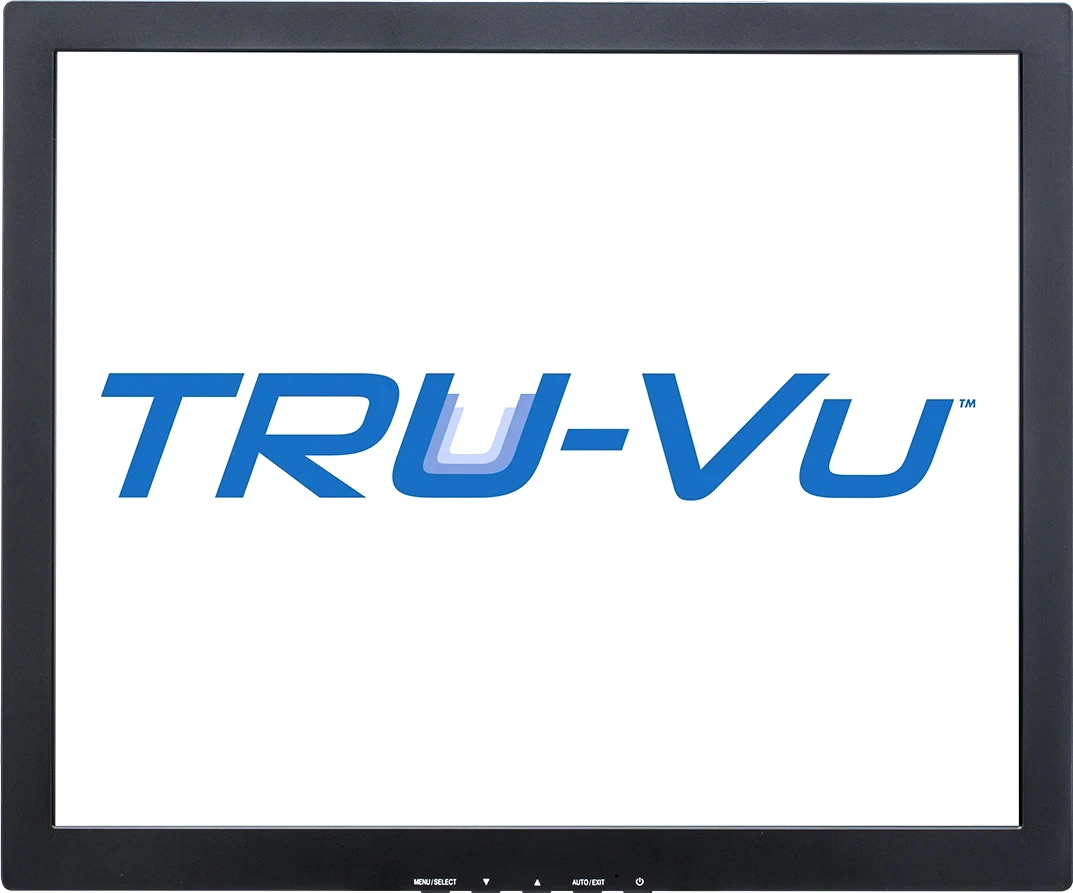
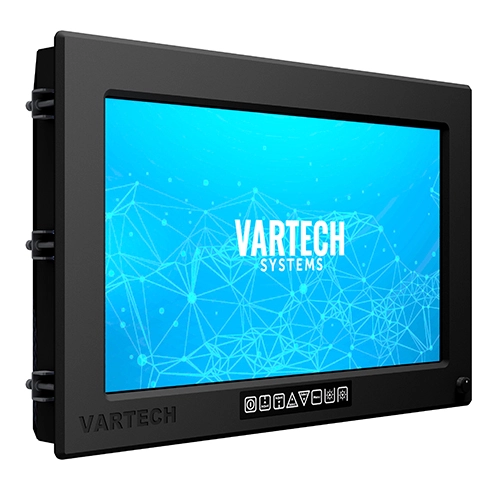
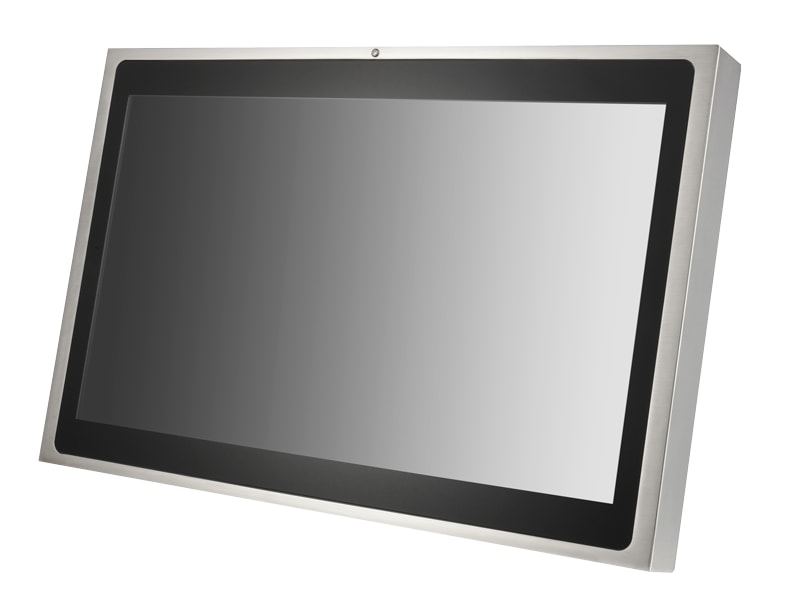
An industrial display is a ruggedized flat-panel monitor built to show machine, process, and HMI information reliably in factory, vehicle, marine, and outdoor environments where a consumer monitor would fail. It combines an industrial-grade LCD or LED panel with a sealed enclosure, a touch sensor, optical treatments for ambient light, a wide power input, and qualification to vibration, shock, and temperature standards. The defining difference from a consumer screen is not the picture: it is the guaranteed multi-year service life, the fixed panel revision, and the environmental sealing.
This guide treats the display as the visible half of the human-machine interface. The computing engine behind it (an HMI panel, an industrial PC, or a remote PLC and SCADA host) is covered in adjacent SpecForge entries. Here the focus is the glass, the backlight, the touch layer, the enclosure, and the spec-sheet numbers a procurement engineer must verify before committing to a model.
Photo: David Lippincott for Chassis Plans, CC BY-SA 3.0, via Wikimedia Commons
This guide is written for purchasing and design engineers specifying displays for automation, vehicle, and outdoor duty. It runs six chapters from definition and scale, through panel and mounting types, touch and optical bonding technologies, enclosure and environmental standards, spec-sheet decoding, and a selection decision sequence, closing with seven selection FAQs and maker comparisons. Parameters reference public standards including the IEC 60068 environmental series, IEC 60529 (IP), NEMA 250, IEC 60945 (marine), and the IEC 60079 (hazardous-area) series.
Chapter 1 / 06
What is an Industrial Display
An industrial display is a flat-panel monitor designed to present visual information (process values, machine status, video, alarms, and operator graphics) under conditions that destroy ordinary monitors: continuous duty, wide temperature swings, vibration, dust, washdown water, electrical noise, and direct sunlight. It is the output half of the human-machine interface. Where the term "HMI panel" usually means a display fused with an embedded computer and runtime software, "industrial display" most often refers to the monitor alone, driven by an external industrial PC, controller, or video source over HDMI, DisplayPort, DVI, VGA, or a serial video link.
Functionally a unit has five layers stacked from the operator inward: (1) a front cover or touch sensor, frequently chemically strengthened glass with anti-glare or anti-reflective treatment; (2) the optional bonding resin or air gap that joins the cover to the panel; (3) the LCD or LED panel itself with its color filters and liquid-crystal cell; (4) the backlight, almost universally LED today, that supplies the brightness measured in nits; and (5) the driver board, power supply, and interface electronics, all wrapped in a sealed metal enclosure with a defined ingress rating. Selection is the art of matching each of these layers to a duty profile.
The technology lineage runs from the cathode-ray tube monitors that dominated control rooms into the 1990s, through the thin-film-transistor (TFT) LCD that replaced them, to today's LED-backlit and increasingly LED-direct and OLED panels. The shift from cold-cathode fluorescent (CCFL) backlights to LED, largely complete across the industrial base by the 2010s, roughly doubled backlight life, removed a mercury hazard, and enabled the high-brightness sunlight-readable panels that earlier CCFL units could not reach economically. Touch input migrated in parallel, from five-wire resistive film to projected capacitive (PCAP) glass borrowed from the smartphone industry.
The application scale spans an enormous range of size and duty. At the small end sit 3.5 to 7 inch panels embedded in instruments and handhelds; the broad middle holds 10 to 24 inch HMI and control-cabinet monitors, by far the highest-volume segment; and the large end reaches 32, 55, and beyond for control-room video walls and digital signage. Across that range the operating temperature requirement may run from a benign indoor 0 to 50 degrees Celsius up to a vehicle or outdoor window of roughly minus 30 to plus 70 degrees Celsius, with each widening of the window narrowing the field of qualified panels and raising cost.
Four engineering attributes decide whether a display is genuinely "industrial" rather than a consumer panel in a metal box: rated service life (backlight half-life and electronics MTBF), environmental sealing and qualification, readability under the worst expected ambient light, and long-term panel availability. Industrial panels typically reach 50,000 to 100,000 hours of backlight half-life, equivalent to roughly 5.7 to 11 years of continuous operation, against the 20,000 to 30,000 hours common in consumer panels. The last attribute, availability, is the one most often forgotten and most painful in service: a consumer panel revision can vanish within a year, while an industrial supplier commits to a fixed or long-life part for the validated machine.
Chapter 2 / 06
Panel and Mounting Types
Two independent axes describe the physical product: the panel resolution and aspect ratio, and the mechanical mounting form factor. Confusing the two is a common specification error. Resolution determines how much information and detail the screen can render; mounting determines how the unit integrates into the machine, cabinet, or console and which ingress seal it can achieve. The table below lists the resolution standards still common across industrial panels, where 4:3 and 5:4 formats persist far longer than in the consumer market because legacy HMI graphics were drawn for them.
Standard
Pixels (H x V)
Aspect ratio
Typical industrial use
VGA
640 x 480
4:3
Small embedded panels, legacy HMI
XGA
1024 x 768
4:3
Mainstream 10 to 15 inch HMI monitors
SXGA
1280 x 1024
5:4
17 to 19 inch control-cabinet monitors
WXGA
1366 x 768
~16:9
Widescreen entry panels
FHD (1080p)
1920 x 1080
16:9
Modern HMI, machine vision review
WUXGA
1920 x 1200
16:10
Engineering and SCADA workstations
4K UHD
3840 x 2160
16:9
Large control-room video walls
Resolution and aspect ratio should follow the source graphics, not fashion. A legacy SCADA mimic drawn at SXGA 5:4 looks stretched and ugly forced onto a 16:9 panel, so many automation lines still buy SXGA and XGA monitors deliberately. New projects standardize on FHD or WUXGA, and only control-room video walls and high-detail machine-vision review stations justify 4K, which demands more graphics bandwidth and a capable driver board. Pixel density also matters at the operating distance: a wall-mounted overview screen viewed from meters away needs far fewer pixels per inch than an arm-reach inspection display.
The mounting form factor is the second decision and the one that governs sealing and serviceability. The four mainstream options are compared below; the right choice is dictated by where the operator stands and what surface the display lives in.
Form factor
How it mounts
Front seal achievable
Typical setting
Panel mount
Clamps through a flat cutout, studs from behind
IP65 / NEMA 4 front
Cabinet doors, machine enclosures
Open frame
Bare chassis, integrated by OEM behind a panel
Set by OEM front
Kiosks, vending, custom machines
VESA mount
75 / 100 mm hole pattern on arm, wall, or stand
IP65 / IP66 all-around (sealed units)
Operator stations, pendant arms
Rackmount
19-inch rack ears, 1U to 9U height
Front IP-rated optional
Control rooms, server rooms
Panel mount is the workhorse of the automation cabinet. The display sits in a rectangular cutout in the door, the sealed bezel faces the operator, and studs or clamps pull it tight against a gasket from the rear, delivering the IP65 or NEMA 4 front seal while the back electronics live protected inside the cabinet. Open frame ships as a bare metal chassis with no decorative bezel, intended for an OEM to build a custom front panel around, common in kiosks, vending machines, and bespoke equipment where the final fascia is the integrator's design. VESA mount uses the standard 75 or 100 mm hole grid to hang the unit on an articulating arm, wall plate, or pedestal so the operator faces it directly; fully sealed VESA units can reach IP65 or IP66 on every surface. Rackmount units, including pull-out keyboard-and-LCD drawers, fit a 19-inch rack at standardized heights for control-room and server-room consoles.
Chapter 3 / 06
Display and Touch Technologies
Three technology choices dominate the engineering of an industrial display: the panel and backlight type, the surface and optical treatment that decides readability under ambient light, and the touch sensor. None has a single right answer; each maps to a duty profile. This chapter takes them in turn, starting with the panel families summarized in the table below.
Panel type
Strength
Limitation
Typical industrial fit
TFT LCD, LED backlit
Mature, wide brightness range, long life
Limited true black, viewing-angle dependent
The default for almost all HMI and monitors
IPS LCD
Wide viewing angle, stable color
Slightly higher cost than TN LCD
Operator stations viewed off-axis
High-brightness LCD
1000 to 1600 nits, sunlight readable
Higher power and heat, costlier
Outdoor, vehicle, marine bridge
OLED
True black, fast response, thin
Burn-in risk with static images, shorter life
Niche; avoided for fixed HMI layouts
Direct-view LED
Very large, very bright, modular
Coarse pixel pitch up close
Control-room video walls
Panel and backlight. The overwhelming majority of industrial displays are thin-film-transistor (TFT) LCDs with an LED backlight. Within LCD, in-plane switching (IPS) panels are preferred where operators view the screen from steep angles, because color and contrast stay stable off-axis, whereas cheaper twisted-nematic (TN) panels shift. The backlight sets the brightness ceiling in nits and is the dominant wear item: LED backlight half-life, the time to fall to 50 percent of initial brightness, runs 50,000 to 90,000 hours for industrial-grade modules, against 20,000 to 30,000 hours for consumer panels. OLED offers perfect blacks and fast response but is generally avoided for industrial HMIs because fixed graphics burn in and lifetime is shorter; direct-view LED is reserved for large video walls.
Surface and optical treatment decide whether the screen is usable in its lighting environment. A bare TFT panel under a protective cover glass has one or more air gaps, and because air has a refractive index near 1.0 while glass is near 1.5, each air-to-glass interface reflects roughly 4 to 4.5 percent of incident light. Several stacked interfaces can push total reflectance past 15 to 20 percent, washing out the image in daylight. Two treatments fix this. Anti-glare (AG) etches or coats a matte texture that scatters reflections, trading a little sharpness for diffusion; anti-reflective (AR) applies a thin-film coating that cancels reflection by interference and preserves sharpness. For genuine sunlight readability they are combined with optical bonding.
Optical bonding replaces the air gap between the cover or touch sensor and the LCD polarizer with a clear resin of matched refractive index near 1.5, eliminating the internal air-to-glass boundaries. Total surface reflectance falls from the 4 to 4.5 percent of an air gap to roughly 0.5 to 1.5 percent, and the apparent contrast ratio under bright ambient light can improve several fold; combined with AR coating, an effective contrast above 15:1 is achievable even under tens of thousands of lux. Bonding has two further benefits: with no internal air pocket the display cannot fog with condensation, and the bonded stack is mechanically stiffer, improving shock and vibration endurance. The cost is a more expensive, less reversible assembly, so bonding is specified for outdoor, vehicle, marine, and cold-store duty rather than dim indoor rooms.
Touch technology is the third axis, and for most new designs the answer is projected capacitive (PCAP). PCAP senses a finger through a chemically strengthened glass front that can reach about 9H surface hardness, so it resists scratches, cleaning chemicals, and impact; it supports multi-touch and gestures; and it seals flush for IP65 wipe-down. Modern PCAP controller firmware can be tuned for thick industrial or surgical gloves, a passive stylus, and surface water, using water-rejection algorithms that distinguish a real touch from droplets. Five-wire resistive remains relevant where any object including a hard stylus must register, where budget is paramount, or where conductive surface contamination would defeat capacitive sensing; its trade-offs are single-touch only, lower optical transmission through the film stack, and a flexible top membrane that wears over time.
Chapter 4 / 06
Enclosure and Environmental Standards
An industrial display lives or dies on its enclosure and its environmental qualification. Two rating systems describe ingress protection: the international IP code of IEC 60529, and the North American NEMA 250 type numbers. They are related but not identical, and conflating them causes real field failures. The first digit of an IP code rates solids and dust, the second rates water; NEMA type numbers bundle dust, water, and in the X variants corrosion into a single designation. The approximate mapping most relevant to displays is set out below.
Rating
Dust / solids
Water
Approx. equivalent
IP54
Dust protected
Splashing water
~ NEMA 12
IP65
Dust tight
Low-pressure jets
~ NEMA 4
IP66
Dust tight
Powerful jets
~ NEMA 4 / 4X
IP67
Dust tight
Temporary immersion
~ NEMA 6
NEMA 4X
Dust tight
Hose-down
IP66 + corrosion resistance
The single most important caveat is that most industrial monitors carry their IP65 or NEMA 4 rating on the front face only. The sealed bezel that mounts through the panel cutout faces the operator and resists wipe-down and splashing, while the rear electronics housing is frequently only IP54 or NEMA 12 and is assumed to sit inside a sealed cabinet. A datasheet line reading "IP65 front, IP54 rear" is normal for a panel-mount unit and unacceptable for a freestanding washdown or outdoor install, which needs an all-around IP65 or IP66 enclosure. The X suffix on NEMA 4X is not cosmetic: it mandates a corrosion-resistance test that plain IP ratings omit entirely, which is why marine and food-plant specs call for 4X rather than bare IP66.
Beyond sealing, an industrial display must survive mechanical and thermal stress, qualified to the IEC 60068 environmental test series, the lingua franca of industrial qualification. The relevant parts are summarized below; a credible datasheet cites the specific test and severity level, not a vague claim of "vibration resistant."
Standard
Test
What it qualifies
IEC 60068-2-1
Test A: Cold
Low-temperature operation and storage
IEC 60068-2-2
Test B: Dry heat
High-temperature operation and storage
IEC 60068-2-6
Test Fc: Vibration (sinusoidal)
Continuous machine and transport vibration
IEC 60068-2-27
Test Ea: Shock
Mechanical shock and drop events
On top of this baseline sit the sector-specific approvals. Marine bridge and navigation displays require IEC 60945 (general requirements for shipborne radio and navigation equipment) together with a classification-society type approval such as DNV; an Electronic Chart Display and Information System (ECDIS) display additionally needs calibration to the standard chart color palette and a deeply dimmable backlight for night watch. Hazardous-area displays installed where flammable gas or dust may be present must carry ATEX and IECEx certification to the IEC 60079 series for the relevant zone. Rail rolling stock follows EN 50155, and road vehicles follow E-mark and ISO 16750. EMC immunity to electrical noise, surge, and electrostatic discharge is mandatory across all of these and is verified to the relevant IEC 61000 immunity tests.
Temperature is where ambition meets physics. A wide operating window of minus 30 to plus 70 degrees Celsius sounds like a free upgrade but is not: the LCD itself slows and darkens in the cold, often requiring a built-in heater and a heater-on delay before the panel will display correctly, while heat is the dominant enemy of backlight life. As a rule of thumb, roughly every 10 degrees Celsius of additional panel temperature halves backlight half-life, so a unit specified for 70 degrees ambient may deliver well under 10,000 hours if actually run that hot, against 50,000 hours in a temperate cabinet. Specify the temperature window to the real worst case, not an aspirational one, because every degree of margin costs money and panel options.
Chapter 5 / 06
Key Specification Parameters
A display datasheet can list thirty or more lines, but only a handful drive a sound selection. The parameters below are the ones a procurement engineer must read carefully, because each maps directly to a failure mode if it is wrong: too dim to read, too narrow a viewing angle, a panel that vanishes from the catalog, or a backlight that dies inside the warranty.
Brightness, measured in nits (candela per square meter), is the headline figure and the most misread. Indoor control rooms are comfortable at 250 to 350 nits, which is the rated brightness of a mainstream industrial panel such as the Advantech IDS-3300 series. Partial daylight near shop windows wants 700 to 1000 nits, and true sunlight-readable outdoor and vehicle displays run 1000 to 1600 nits. Crucially, brightness is necessary but not sufficient for daylight readability: a high-nit panel behind a reflective air gap still washes out, which is why sunlight-readable specs always pair high brightness with optical bonding and AR coating.
Contrast ratio is the ratio of the brightest white to the darkest black the panel can produce, quoted in a dark room (a typical industrial LCD is around 1000:1). The number that matters outdoors, however, is the apparent or effective contrast under ambient light, which surface reflectance dominates: optical bonding plus AR coating can hold effective contrast above 15:1 even under 50,000 lux, whereas an unbonded panel collapses to near-unity and becomes unreadable. Treat the dark-room contrast ratio as a lab figure and the ambient-light behavior as the real selection criterion for daylight duty.
Resolution and pixel density should match the source graphics and the viewing distance, as covered in Chapter 2. An overview screen viewed from across a room needs far fewer pixels than an arm-reach inspection display, and forcing legacy 4:3 or 5:4 HMI graphics onto a 16:9 panel distorts them. Viewing angle, quoted as horizontal and vertical degrees to a defined contrast threshold, decides whether operators standing off to the side can read the screen; IPS panels deliver wide, stable angles while TN panels shift color and invert at steep angles.
Operating and storage temperature windows gate the entire panel selection and, with brightness and heat, govern backlight life. Power input deserves attention: industrial units commonly accept a wide DC range such as 9 to 36 V for vehicle and marine use, where a fixed 12 or 24 V consumer brick would brown out on a noisy vehicle bus. Interfaces should be checked against the source: HDMI, DisplayPort, DVI, and VGA for video, plus USB or serial for the touch controller, and confirm cable length limits for long runs.
Service life and availability close the list and are the most overlooked. LED backlight half-life of 50,000 to 90,000 hours and a stated electronics MTBF describe how long the unit runs; the long-life or fixed-revision panel commitment describes whether you can still buy an identical spare in five years. The output signal and protocol of the touch controller (USB-HID, serial, or PS/2 emulation), the presence of an on-screen-display lock to stop operators changing settings, and the burn-in mitigation features (pixel shift, scheduled dimming) round out the lines that separate a true industrial display from a repackaged consumer monitor.
Chapter 6 / 06
Selection Decision Factors
To turn the preceding five chapters into a model on a purchase order, work through the sequence below in order. Most selection mistakes are not a single wrong number but a decision taken at the wrong level, such as choosing a size before fixing the ambient-light requirement. These eight steps double as a fixed RFQ template.
Ambient light and readability: First classify the install as dim indoor, partial daylight, or full sunlight, because this decides brightness (250 to 350, 700 to 1000, or 1000 to 1600 nits) and whether optical bonding plus AR coating is mandatory. Get this wrong and no other choice rescues the display.
Size, resolution, and aspect ratio: Set the diagonal from the viewing distance and cabinet space, then match resolution and aspect ratio to the source graphics. Keep legacy SXGA or XGA HMI mimics on 5:4 or 4:3 panels rather than stretching them onto 16:9.
Mounting form factor: Choose panel mount for cabinet doors, open frame for OEM integration, VESA for arms and stands, or rackmount for consoles, recognizing that the form factor caps the achievable ingress seal.
Touch technology: Default to projected capacitive for multi-touch, glass durability, and wipe-down sealing; fall back to five-wire resistive only for hard-stylus, lowest-cost, or hostile-surface cases. Confirm glove, stylus, and water-rejection tuning if needed.
Ingress and environmental rating: Specify the IP or NEMA rating and, critically, whether it is front-only or all-around. Demand IEC 60068 cold, dry-heat, vibration, and shock qualification at stated severity, not vague claims.
Temperature and power: Fix the operating and storage window to the real worst case, including any cold-start heater need, and the power input range (a wide 9 to 36 V DC for vehicle and marine, a sealed AC inlet for fixed plant).
Certifications: Add the sector approvals the install demands, including IEC 60945 plus DNV for marine and ECDIS color calibration, ATEX and IECEx for hazardous areas, EN 50155 for rail, E-mark and ISO 16750 for road vehicles, and the relevant EMC immunity standard.
Service life and total cost of ownership: Weigh backlight half-life, electronics MTBF, and the long-life or fixed-panel commitment against price. A consumer panel that saves money upfront but goes end-of-life in a year forces a costly requalification when the machine needs a spare.
One dimension that never appears on the spec table but decides the next decade is manufacturer serviceability: the supplier's commitment to a long-life or fixed panel revision, spare-part lead time, RMA turnaround, and firmware or driver support after the machine ships. Established industrial display makers address these explicitly. Advantech publishes long-life industrial monitor lines such as the IDS-3200 and IP65-front IDS-3300 series and the panel-mount FPM family; Hatteland Technology specializes in marine bridge and DNV-certified displays; Winmate and IEI build rugged, marine, and vehicle panels; and Beijer Electronics and Pro-face supply HMI-grade displays. For an outdoor, marine, or hazardous install, the depth of certification and the firmness of the long-life commitment matter as much as any optical number.
FAQ
What is the difference between an industrial display and a consumer monitor?
An industrial display is engineered for a service life of 50,000 to 100,000 backlight hours of continuous duty, roughly 5.7 to 11 years, against the 20,000 to 30,000 hours typical of consumer panels. It adds a sealed enclosure (IP65 or NEMA 4 on the front bezel), a wider operating temperature window, vibration and shock qualification to IEC 60068, a wide DC power input, and most importantly a guaranteed long-life or fixed-revision panel so spare parts remain available years after purchase. Consumer monitors swap panels silently between batches, which is unacceptable for a validated production line.
How many nits of brightness do I need for a sunlight-readable display?
Indoor control rooms are comfortable at 250 to 350 nits, the brightness of a standard industrial panel such as the Advantech IDS-3300. Partial daylight or shop-floor windows call for 700 to 1000 nits. True sunlight-readable outdoor and vehicle displays run 1000 to 1600 nits. Brightness alone is not enough: under 50,000 lux ambient light, optical bonding plus an anti-reflective coating is what raises the apparent contrast ratio to 15:1 or better, because it cuts surface reflectance from the 4 to 4.5 percent of an air gap down to roughly 0.5 to 1.5 percent. A 1500 nit panel behind a reflective air gap still washes out.
What is optical bonding and when is it worth the cost?
Optical bonding fills the air gap between the cover glass or touch sensor and the LCD polarizer with a clear resin whose refractive index (about 1.5) matches the glass, eliminating the air-to-glass boundaries that each reflect 4 to 4.5 percent of light. Total surface reflectance drops to roughly 0.5 to 1.5 percent, apparent sunlight contrast can improve several fold, and the gap can no longer fog with internal condensation. Bonding also stiffens the stack, improving shock and vibration endurance. It is worth the cost for outdoor, vehicle, marine, and cold-store displays; for a dim indoor control room an air-gap panel is cheaper and adequate.
Projected capacitive or resistive touch for an industrial display?
Projected capacitive (PCAP) is now the default for new industrial touch monitors: it supports multi-touch and gestures, uses a chemically strengthened glass surface up to 9H hardness that resists scratches and cleaning agents, and seals flush for IP65 wipe-down. Modern PCAP controller firmware can be tuned for thick gloves, a passive stylus, and water on the surface using water-rejection algorithms. Five-wire resistive still wins where any object including a hard stylus must work, where the budget is tight, or where strong EMI or surface water would defeat capacitive sensing, but it offers single-touch only, lower light transmission, and a film surface that wears.
What does an IP65 or NEMA 4 rating on the front bezel actually guarantee?
IP65 means total dust ingress protection (the 6) plus protection against low-pressure water jets from any direction (the 5). NEMA 4 is the closest North American equivalent and additionally implies a hose-down and corrosion-free test regime; NEMA 4X adds a mandatory corrosion-resistance requirement that plain IP ratings do not cover. Crucially, most industrial monitors are rated IP65 or NEMA 4 only on the front face that mounts through the panel cutout; the rear electronics housing is often only IP54 or NEMA 12 and must sit inside a sealed cabinet. Confirm whether the rating is front-only or all-around before specifying a washdown or outdoor install.
Which mounting form factor should I choose: panel, open frame, VESA, or rackmount?
Panel mount fits a flat cutout in a cabinet door or machine enclosure, with the sealed bezel facing the operator and studs clamping from behind; it is the most common HMI form factor and the one that delivers the IP65 front seal. Open frame is a bare metal chassis with no bezel, meant to be integrated behind a custom front panel or into a kiosk or vending machine by the OEM. VESA mount uses a standard 75 or 100 mm hole pattern for arm, wall, or pedestal mounting where the operator approaches from the front. Rackmount fits a 19-inch rack at fixed heights (1U to 9U) for control-room and server-room consoles.
What certifications matter for marine, hazardous-area, or vehicle displays?
Marine bridge and ECDIS displays need IEC 60945 (general maritime equipment) plus a classification-society type approval such as DNV, and ECDIS panels additionally require color calibration to the IHO chart palette and a dimmable backlight for night navigation. Hazardous-area displays need ATEX and IECEx certification to the IEC 60079 series for the relevant zone. Rolling-stock displays follow EN 50155, and road-vehicle units follow E-mark and ISO 16750. Underpinning all of them is environmental qualification to the IEC 60068 series: 60068-2-1 cold, 60068-2-2 dry heat, 60068-2-6 vibration, and 60068-2-27 shock, plus the relevant EMC immunity standard.
Industrial Display Manufacturers
Source-backed product routes. Open a company dossier for procurement scope and cited evidence.

/FPM-215W_B_2120190820161535.jpg)