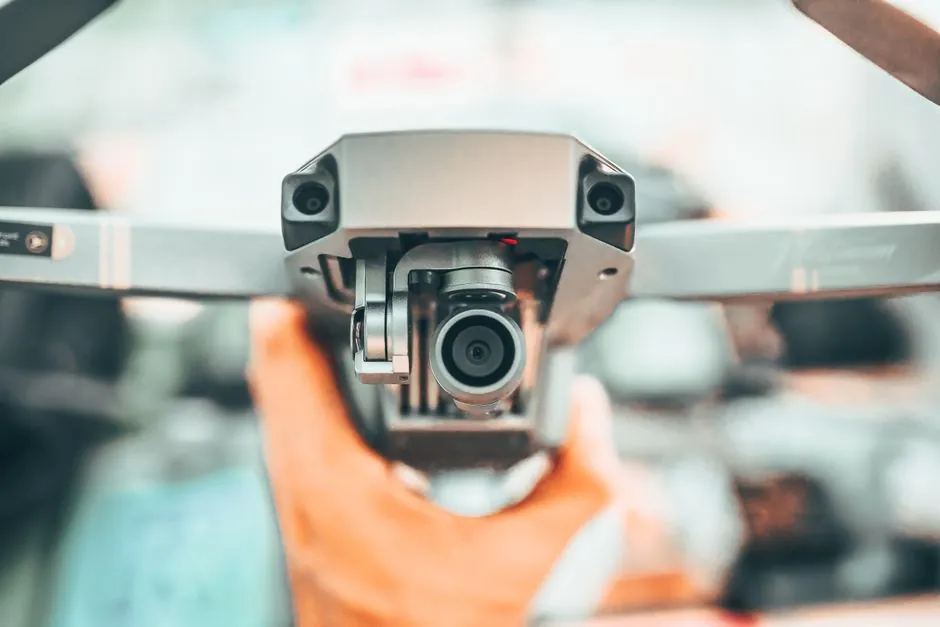
Standalone smart cameras bundle the imager, processor, optics, and I/O into one IP-rated housing, so one unit handles one inspection job on the line without an external PC; industrial cameras are digital image capture devices that stream frames to a PC, frame grabber, or embedded vision computer over GigE Vision, USB3 Vision, CameraLink, or LVDS [S2][S4].
Both classes ship with imagers at the nominally 1000 x 1000 pixel class and up, with color and line-scan options, and most modern units use CMOS sensors that have effectively displaced CCD in new designs [S2][S4]. The right pick depends on job count, line topology, and who has to program the unit.
Architecture and Component Boundaries
A smart camera is a self-contained unit that combines a machine vision camera, a single-board computer, and rules-based image processing software in one housing, with all cabling reduced to power, network, and discrete I/O [S6]. An industrial camera, by contrast, is the image capture element only: it requires a host PC, frame grabber, or embedded vision computer to run the vision software and turn pixels into pass/fail decisions [S2][S4].
Smart cameras run as single-socket units, while PC-based vision systems can generally handle multiple camera inputs, which is the single biggest architectural split for greenfield lines [S2]. Between the two sits the embedded vision computer, a stand-alone box with frame storage and intelligence, tethered to a separate camera and able to run several cameras, but with a fixed set of application routines [S2]. For an overview of where vision sits in the wider plant data layer, see the smart camera reference page.
Two Smart Camera Subtypes: Open vs Closed
Open smart cameras are Linux-based (rarely Windows) and require setup, configuration, and programming of image processing libraries; they deliver the most flexibility but only to engineers with both coding and vision domain knowledge [S1]. Closed smart cameras split into two sub-classes: identification sensors, hard-coded to a single task such as barcode reading with minimal parameterization, and vision sensors, which handle multiple tasks but still need a user who can tune algorithms and parameters [S1].
Traditional smart cameras pair a machine vision camera with a single-board computer running rules-based image processing, while newer deep-learning cameras add a neural inference engine to the same package, which is the meaningful step change for variable-appearance inspection [S6]. Because identification sensors and vision sensors have a limited and fixed performance envelope compared with an open smart camera, they should not be specified for inspection tasks that are expected to grow in scope [S2].
Industrial Camera Subtypes: Area Scan, Line Scan, Sensor Tech
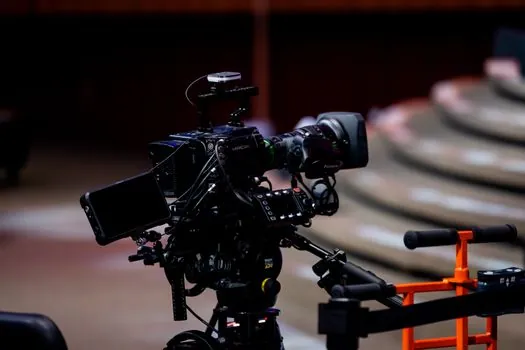
Area-scan (matrix) cameras are simpler and less technically demanding and capture 2-D images from a grid of pixels; line-scan cameras use a single 1-D array of pixels and are preferred for continuous webs, cylindrical surfaces, and very high resolution per scanned line, where matrix cameras are unsuitable [S4]. All three architectures are available with line-scan options, but virtually only PC-based imaging plus some smart cameras support that mode [S2].
Sensor choice is CCD vs CMOS. CCD sensors are passive-pixel arrays that integrate charge during exposure and shift it to common readout electronics, while CMOS sensors integrate amplifiers and often analog-to-digital conversion per pixel, which is why CMOS has displaced CCD in most new machine vision designs [S4]. Sensor format is still quoted in inches (a 1" format traces to a 16 mm diagonal video tube, not a 1-inch diagonal), and pixel size must be matched to lens resolving power, since smaller pixels bring higher noise and lower photosensitivity [S4].
Decision Matrix: Smart Camera vs Industrial Camera
Specifying engineers usually compare on four criteria: integration scope, programming effort, multi-camera headroom, and per-line cost.
Integration scope: a smart camera collapses the camera, processor, optics, and lighting into one box, which simplifies mounting on robots and tight spaces; an industrial camera plus PC system needs enclosure space, power planning, and a network switch, with GigE Vision and USB3 Vision now the default digital interfaces alongside GenICam as the generic programming standard [S1][S4].
Programming effort: a closed vision sensor or identification sensor is configured by parameters, while an open Linux smart camera needs the same image processing libraries a PC system would, but inside a smaller hardware envelope [S1][S2].
Multi-camera headroom: PC-based systems handle many cameras in parallel, smart cameras handle one, and embedded vision computers sit in the middle with several cameras but a fixed routine set [S2].
Per-line cost: PC-based systems and higher-end smart cameras are often competitively priced on the headline unit, but the PC-based system adds the host PC, frame grabber or NIC, and software licence, which dominate total cost on multi-camera lines [S2].
Interface and Standards That Tie the Two Together
By the early 2000s, consumer interfaces such as FireWire, Ethernet, and USB had stabilized, and Ethernet and USB became the machine vision defaults; the mid-2000s then brought GenICam, GigE Vision, and USB3 Vision, which gave industrial cameras a vendor-neutral programming model and removed the frame grabber from most area-scan applications [S1]. These standards are what let one industrial camera and one PC system serve multi-camera lines without per-vendor lock-in.
On the smart camera side, the same transport options plus a discrete I/O channel for triggers and reject signals are the usual interface, with the unit itself typically carrying an industrial IP65 or IP67 housing so it can mount directly on a conveyor or robot arm [S1][S5]. For plants that already run edge gateways for protocol conversion, the same network and OTA infrastructure that manages edge gateways can host modern smart cameras and industrial cameras side by side.
Where Smart Cameras Win, Where They Do Not
Smart cameras are ideal for unique inspection projects in manufacturing, where a single fixed inspection needs to be deployed quickly without a full PC vision line, and where the inspection logic is stable [S1]. They are also the right call when cabinet space is limited, the unit must mount on a robot end-effector, and the inspection does not need to scale to additional cameras or stations [S1][S2].
Industrial cameras are best suited for regular industrial image processing, where the line runs many cameras, where vision software has to be revised often, and where the customer already runs a vision software stack on a PC [S1][S2]. Specifying a smart camera for a multi-camera line forfeits the per-PC software reuse that makes PC systems flexible, and specifying an industrial camera plus PC for a single-station inspection buys flexibility the job does not need [S2].
Limits, Failure Modes, and Sourcing Signals
Vision sensors and identification sensors have a fixed performance envelope and lack flexibility; a different sensor is required for a different task, which is the most common reason a smart camera deployment is later replaced with an industrial camera plus PC system [S1][S2]. Windows-based smart cameras are occasionally encountered, but the end of Microsoft support for an embedded Windows version should be treated as an obsolescence milestone, since post-support security exposure is a documented risk on these devices [S1].
On the industrial camera side, sensor format in inches is a historical convention (a 1" sensor has about a 16 mm diagonal, not 25.4 mm), two sensors with the same format can still differ in dimension and aspect ratio, and undersized pixels relative to lens resolving power will burn resolution into noise without improving detail capture [S4]. The next node to watch is how deep-learning inference on the edge, already shipping in newer smart cameras, reshapes the line between closed and open smart cameras, and how Ethernet-based standards continue to absorb the function of legacy frame grabbers [S1][S6].
For the relevant spec sheets and selection criteria, see smart meter, and smart valve positioner.