
For 2D industrial camera selection, the three dominant physical interfaces split cleanly on bandwidth, cable reach, and host integration: GigE Vision covers 1 to 10 GigE with up to 100 m cable and Power over Ethernet, USB3 Vision runs 5 to 10 Gbps over a 3 to 5 m passive link, and Camera Link delivers roughly 10 Gbps over a 10 m MDR/SDR cable that needs a frame grabber [S2][S4].
Software standardisation is what keeps this comparison fair: GigE Vision (released by the AIA in May 2006) and USB3 Vision both sit on the GenICam Generic Interface for Cameras API, so a single host stack can address cameras from any compliant vendor [S5]. Camera Link predates that ecosystem and relies on a frame-grabber SDK, which is why it is increasingly replaced in new builds by 2.5/5/10 GigE [S2].
Bandwidth and effective throughput
Gigabit Ethernet tops out at a gross 125 MB/s with roughly 100 MB/s net, and the GigE Vision standard (GVCP for control, GVSP for streaming) is rated for that line rate [S3]. USB 3.0 lifts the ceiling to about 5 Gbps, which works out to throughput roughly three times GigE Vision at a significantly lower CPU load, according to the 2020 standardisation round-up [S5]. USB 3.1 Gen 2 pushes the link to 10 Gbps, matching the practical ceiling of 10 GigE Vision without needing a Cat-6A re-pull in every cell [S2].
Camera Link sits in the same 10 Gbps neighbourhood when configured as a full 10-tap base/medium/full configuration, but the 80-bit-wide LVDS pair and the requirement for a dedicated frame grabber keep it out of the plug-and-play bracket [S2][S3]. For line-scan applications above ~1 GB/s, designers still reach for Camera Link HS or CoaXPress rather than the classic Camera Link connector.
Cable reach, power, and connector mechanics
Cable length is the most decision-relevant difference in a factory floor layout. GigE Vision supports up to 100 m on a passive Cat-5/Cat-6 cable and can power the camera through PoE, so a single Cat run handles data and supply [S3][S4]. USB3 Vision tops out around 3 m passive and 5 m with active cables, which is fine for a benchtop AOI cell but rules out cell-to-cell distribution [S4].
Camera Link's MDR/SDR cable is specified at about 10 m, and Camera Link HS extends to roughly 15 m per channel with fibre options above 100 m, but every metre still needs a frame grabber on the host side [S2]. For vibration-heavy cells near robotic arms, the RJ45 locking clip is the weak point of GigE Vision; vendors counter this with screw-mounted industrial heads, and GigE Vision 2.1 was published with a specified connector design to stop the proprietary mating mess [S5].
CPU load, latency, and multi-camera behaviour
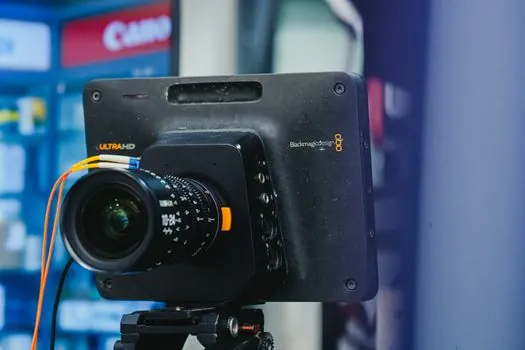
The CPU cost of image acquisition depends on the protocol, not just the wire. A well-tuned GigE driver such as Basler's pylon holds CPU at roughly 5 to 10 percent of one core per gigabit stream, and the IEEE 1588 hardware trigger in GigE Vision 2.0 cuts software jitter to the microsecond range [S3][S5]. USB3 Vision offloads more of the protocol to the host controller, which is why the USB 3.0 path shows noticeably lower CPU than GigE at the same frame rate [S5].
Multi-camera behaviour diverges sharply: GigE Vision was designed from the outset for shared Ethernet infrastructure, with multicast, PTP time synchronisation, and a per-device bandwidth budget [S3][S5]. USB3 Vision can run several cameras on a powered hub but does not natively share a common time base, and Camera Link scales only by adding more frame-grabber channels. For a battery of 8 to 16 area-scan cameras on one line, GigE Vision remains the lowest-friction option.
Selection matrix: which interface for which job
The decision reduces to four criteria, and the table below lines them up against the three contenders. Use it as a hard filter, not a preference list, before quoting a model.
Bandwidth: Camera Link wins at 10 Gbps over a single assembly, but 10 GigE Vision and USB 3.1 Gen 2 tie on paper. Cable reach: GigE Vision's 100 m passive run dwarfs USB3 Vision's 3 to 5 m and Camera Link's 10 m. Cost: USB3 Vision is the cheapest entry point, partly because the USB3 range carries more rolling-shutter CMOS sensors aimed at cost-sensitive lines [S9]; GigE Vision is mid-pack; Camera Link needs a frame grabber that can run USD 500 to 3,000 per channel. Integration: GigE Vision and USB3 Vision both ride GenICam, so a single SDK covers configuration, while Camera Link stays in the frame-grabber vendor ecosystem [S2][S5].
Pick Camera Link only when the line is already Camera Link-native, the host has a spare full-height slot, or a Camera Link HS upgrade path is in the budget. For new builds the rule of thumb is: USB3 Vision under 5 m and under ~3 GB/s, GigE Vision everywhere else, and 2.5/5/10 GigE for anything above 1 GB/s or any multi-camera cell.
Failure modes and constraints worth flagging

GigE Vision's main constraint is the silicon path: image data passes through the OS network stack unless a hardware-accelerated NIC and driver are present, and at line-scan rates above 1 GB/s, generic office switches drop frames because they lack priority queuing [S3][S5]. The CPU cost is real, so on a small industrial PC (Intel Celeron class) the budget per camera is closer to 15 to 20 percent of one core.
USB3 Vision's failure mode is cable and connector: passive cables beyond 3 m become marginal on Gen 2, and the micro-B and screw-lock USB 3.0 connectors cycle-rate lower than M12 industrial ethernet. Camera Link's risk is obsolescence of the frame-grabber and host slot, plus the proprietary cable assemblies that lock a line into a single vendor's pin-out. For a deeper look at how these constraints play into machine-vision system design, the machine vision system reference outlines the host-side considerations, while the industrial camera page covers sensor-side trade-offs.
Standards, interoperability, and GenICam
All three interfaces now route configuration and streaming through GenICam, the EMVA-maintained Generic Interface for Cameras, which exposes a common feature tree (exposure time, gain, trigger mode) regardless of the physical link [S5]. GigE Vision (AIA, May 2006) uses GVCP and GVSP, USB3 Vision uses the USB3 Vision transport layer, and Camera Link HS is the only Camera Link flavour that sits on GenICam; the classic Camera Link is GenICam-compatible only through a frame-grabber translation layer [S5].
This is why a 2026 spec sheet does not need to recite raw bandwidth: pick the physical layer, and the SDK choice usually follows. If the application is image-based identification rather than 2D area scan, the machine vision ID reference explains how interface choices shift when code reading is the goal, and the vision controller page covers the host hardware that ties the pipeline together. For background on the imaging pipeline itself, the vision imaging entry is a useful cross-check on exposure and bandwidth budgets.
Field use cases observed across the research

In 2D area scan below 5 MP at 30 to 60 fps, USB3 Vision dominates single-station cells because the BOM is lowest and cabling is trivial; the trade-off is a hard ceiling near 350 MB/s sustained, which the research material flags as the practical limit before CPU and protocol overhead bite [S2][S4].
In multi-camera lines covering 5 to 25 MP sensors, GigE Vision in its 1G and 2.5G variants remains the default, with 5 GigE and 10 GigE versions absorbing the high-resolution tail; the 100 m cable and PoE simplify retrofit on existing plant ethernet, and 2.5 GigE is often cited as the sweet spot for cost-per-megabyte [S2][S4]. Camera Link is now mostly a retrofit story: it stays in the spec for legacy lines running 10-tap configurations and for line-scan applications where the customer already owns the frame-grabber infrastructure [S2][S3]. For an industry-specific read on how this plays out alongside other factory hardware, the timing belt selection for automotive production lines article shows the same cable-and-cost reasoning applied to motion components.
The next decision node is the host side: whether the PC has a free PCIe slot for a frame grabber, whether the NIC supports hardware-accelerated GigE, and whether the line is willing to re-pull Cat-6A for 10 GigE. Watch for GigE Vision 2.1 connector compliance in vendor datasheets, and for any Camera Link HS price erosion that would pull the high-speed tier back under the 10 GigE line.