
A standalone lock is normally the practical choice for 1 door, a small user group, and local administration, while networked access control becomes justified when access changes frequently or must be managed across multiple doors [S1][S3].
The decision is not determined by the lock hardware alone: the key variables are the number of doors, user turnover, required audit history, operating schedules, network infrastructure, and the cost of maintaining access credentials [S1][S2].
Define the operational boundary before selecting hardware
A standalone smart lock is a self-contained electronic lock for 1 door. It can provide fingerprint, PIN, RFID, mobile-app control, Wi-Fi or Bluetooth remote unlocking, and physical-key backup, depending on the model [S1].
A networked access control system combines per-door readers and lock hardware with controllers, gateways, power supplies, credential-issuance equipment, and management software. Central administration supports user schedules, role-based permissions, access logs, remote lockdown, and integration with visitor or human-resources processes [S1].
The practical scope test is simple: if staff must visit each lock to change a credential, or if opening records must be consolidated across the property, the requirement has moved beyond a standalone device [S3]. A standalone smart lock can connect to a cloud platform for remote administration, while an access control system provides centralized user management for multi-door facilities [S1].
Compare administration, records, infrastructure, and cost
Standalone and networked locks separate most clearly on where changes occur. A keypad or smart lock stores its credentials at the door, while a managed system changes people, door groups, schedules, and permissions from a shared dashboard [S3].
This comparison shows why door count alone is not decisive. A single commercial door with frequent contractor changes may justify centralized management, while several doors with stable, local users may be adequately served by independent locks [S1][S2].
Match the system to user turnover and access schedules
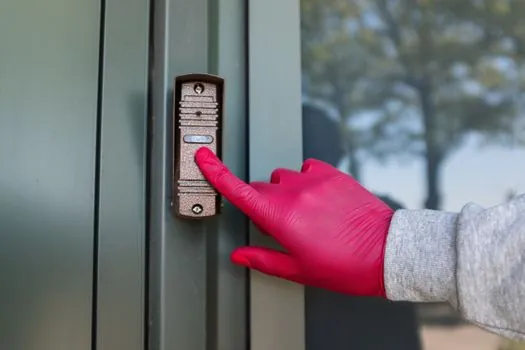
User turnover is a stronger selection trigger than the number of people alone. If an employee leaves, a standalone keypad may require walking to every door and deleting that person's code, whereas a managed platform can remove the credential across all doors from one interface [S3].
Time-based access is another dividing point. A standalone keypad lock is programmed at the door and keeps its codes inside the lock [S3]. Networked systems can apply unlock hours, user-group hours, and holiday rules through the central dashboard [S3].
Use a local lock for a stable group such as 5 employees on a low-traffic rear door, or for a storage room used by a few long-term personnel. Consider managed access when cleaners, contractors, visitors, or staff rotate frequently, or when different groups need access to different doors [S2][S3].
Use standalone locks for narrow scopes, not simple buildings
A standalone lock fits a home, rental unit, small office, suite, supply closet, or isolated door where there are few users, local programming is acceptable, and centralized reporting is not required [S1][S5]. Connected residential locks can add remote control, access logging, automation, and integration with surveillance or motion-detection systems [S4].
Networked access control is the stronger fit for offices, hotels, apartment complexes, hospitals, schools, and enterprise estates where one administrator must manage many users, apply differentiated permissions, or retain consolidated event records [S1].
Do not select a standalone lock for a site solely because the door hardware resembles an electronic lock. A standalone smart lock is suited to 1 door and a small user population, while an access control system can administer 1 door or hundreds of doors [S5]. The distinction is management capability and operating workload, not the count alone.
Resolve failure modes, egress, and mechanical fit
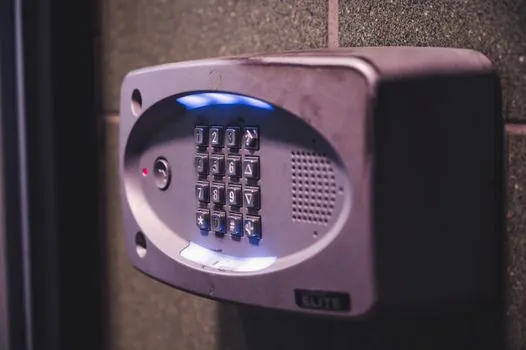
Battery failure and override design can outweigh remote-control convenience. The Alarm Lock Trilogy keypad trims discussed run on batteries, whereas a mechanical pushbutton lock has no battery [S2][S3].
The door must also close and latch on its own, and people inside must always be able to get out [S3]. On narrow aluminum glass doors, keypad trim must match the internal deadlatch, so verify latch dimensions before ordering the lock [S3].
Managed access adds a software subscription that depends on the platform, while a standalone keypad lock has no monthly software fee [S3].
Plan integration and verification around real workflows
Networked access control fits sites that need integration with alarms, fire systems, visitor management, human resources, or centralized reporting [S1][S2]. A connected lock can also support smart-home integration through platforms such as Tuya, while a broader access-control platform may have different integration capabilities [S1].
Verify at least 5 operational details before ordering: 1, door count and construction, including narrow aluminum and glass construction; 2, expected daily entries and credential types; 3, staff, contractor, and visitor turnover; 4, required schedules, groups, and audit retention; and 5, whether the doors must remain locally usable during a network or power failure [S1][S2][S3].
For perimeter monitoring beyond the lock itself, compare reader coverage with a perimeter alarm or surveillance camera only where video or intrusion detection is an explicit requirement. The access-control decision should be based on door administration and event accountability, not on adding unrelated security functions to the lock specification.
The next procurement action is to count doors, users, monthly credential changes, and required reports, then price both configurations over the intended service life; a jump from local locks to managed access becomes defensible when the recurring administration or audit requirement justifies the added infrastructure.