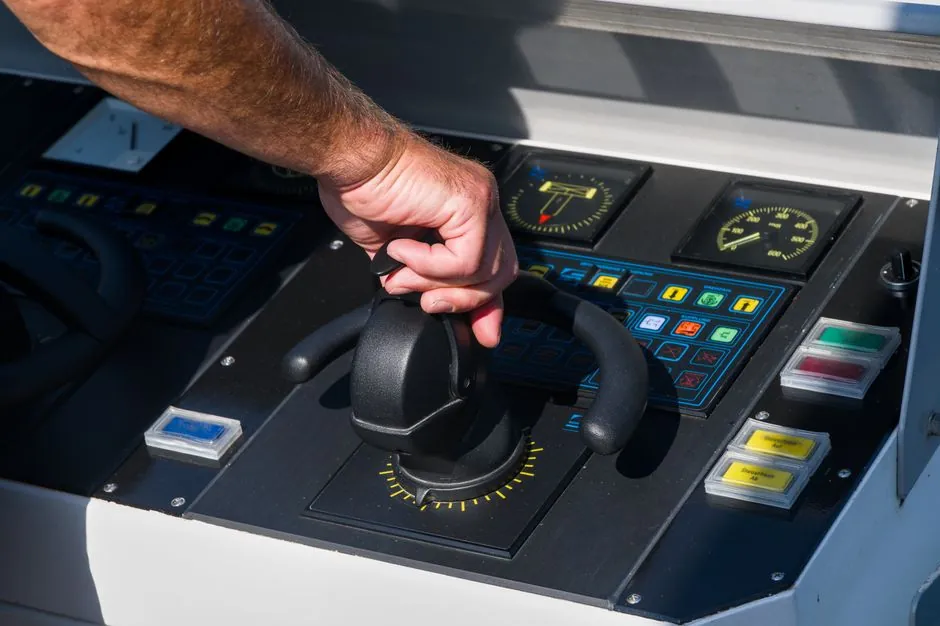
An HMI touch panel can consolidate real-time process data, commands, alarms, diagnostics and remote maintenance into one interface, while eliminating separate switches, buttons and associated cabinet wiring [S1][S5][S6].
HMI touch panels support touch gestures including tapping, swiping, scrolling and multi-touch, and their touchscreens can become dirty or scratched during use [S2][S5].
What an HMI Touch Panel Changes in Machine Operation
An HMI touch panel is more than a touchscreen: the touchscreen is the input element, while the complete graphical user interface provides information, feedback, commands, status indications, warnings and operating options through graphics, symbols and text [S1].
This scope supports machine or process visualization, monitoring, and operator input [S1][S5][S7]. An HMI touch panel allows users to control and monitor machines or automation systems through a touchscreen interface [S5].
The engineering benefit is consolidation. A high-quality HMI can place user interaction at one location, reducing panel space, wiring and labor compared with distributed controls [S6]. An HMI includes the display of information, feedback mechanisms, the presentation of data in an understandable form, and the user interface [S1].
Main Advantages for Control, Maintenance and Design
Graphical screens can present complex processes in a clearer form than a fixed bank of buttons, while configurable on-screen controls can be sized and placed according to the task. Direct selection of visible menu items supports intuitive operation, and role-based access can help restrict users to appropriate system content and functions [S1][S3].
Real-time feedback shortens the operator's path from detection to action. Connected systems can present production data, equipment status, performance metrics and fault warnings on the same screen, allowing adjustments to be made without moving between separate instruments [S5].
Maintenance gains extend beyond monitoring. Multi-touch also permits pinch-to-zoom, swiping, dragging and rotation, which can make navigation and inspection more efficient where the application requires it [S2][S5].
Environmental and Mechanical Disadvantages

A directly touched display may become dirty and less visible, while dirt, dust and moisture are less likely to enter the spaces between buttons on a touchscreen [S2]. Cleaning is still required, but the display surface itself becomes the component exposed to dirt, scratches, moisture and accidental impact [S2].
A capacitive touch panel is a control display that uses the conductive touch of a human finger or a specialized device for input [S3].
The trade-off is glove and stylus compatibility. Capacitive sensing depends on the conductive effect of a finger or a suitable specialized device, so operators wearing ordinary gloves may require specialized gloves or a compatible stylus [S3]. The input method should therefore be tested with the gloves, moisture conditions and cleaning practices used on the actual shift.
Comparison of Main Touch Panel Options
Resistive, projected capacitive and surface capacitive systems differ across glove use, multi-touch capability, visibility under contamination, environmental resistance and accessibility. Touch technology determines not only sensing performance but also the physical and procedural controls required around the machine [S3][S8].
A capacitive touch panel supports multi-touch, enabling operations such as pinch-to-zoom, rotation, swiping and dragging [S2][S3][S5].
For accessibility, none of these approaches should be evaluated by resolution alone.
Where Touch HMIs Fit and Where They Do Not
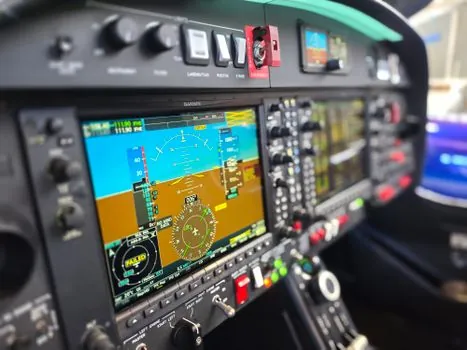
Touch HMIs support configurable visualization, repeated access to process data and operator input, while integrating display and input space can save space [S2][S6][S7]. Typical installations cover industrial automation, healthcare equipment, transportation, building automation and public-service systems [S5].
They are less suitable as the only operator interface where gloves prevent reliable capacitive input, where the display is exposed to heavy dust, damp or heavy soiling without a defined cleaning regime, or where visual impairment makes unassisted touch operation impractical [S1][S2][S3].
Critical commands also merit careful interaction design. A touchscreen does not inherently provide the mechanical feedback of a guarded push button, and a direct touch can leave fingerprints or dirt on the display, reducing visibility. Screens that provide engineered click feedback can reduce uncertainty, but physical controls remain defensible for emergency functions, high-frequency actions or environments where operators wear unsuitable gloves [S2].
Selection Criteria and Commissioning Checks
Select the panel by application demands rather than by image quality alone. The commissioning specification should define the expected glove, stylus and wet-hand conditions; the cleaning chemicals; the dust, humidity and soiling exposure; the required touch gestures; and the accessibility measures [S1][S2][S3][S4].
Connectivity must match the machine architecture. Documented HMI options include Ethernet, Wi-Fi, Bluetooth, RS232 and RS485, while PLC integration and links to higher-level control or management systems extend monitoring and maintenance functions [S1][S5]. Network design, software support and remote access should be evaluated as part of the complete system rather than as properties of the display alone.
For display selection outside the HMI enclosure, the broader industrial display advantages, disadvantages, and selection guide provides a separate framework. An HMI panel should also be checked against the SCADA software architecture when plant-level monitoring, alarm handling or centralized control is required.
A practical acceptance test should verify display readability, touch response, glove operation, alarm acknowledgement, command authorization, diagnostic access and recovery after a network interruption.