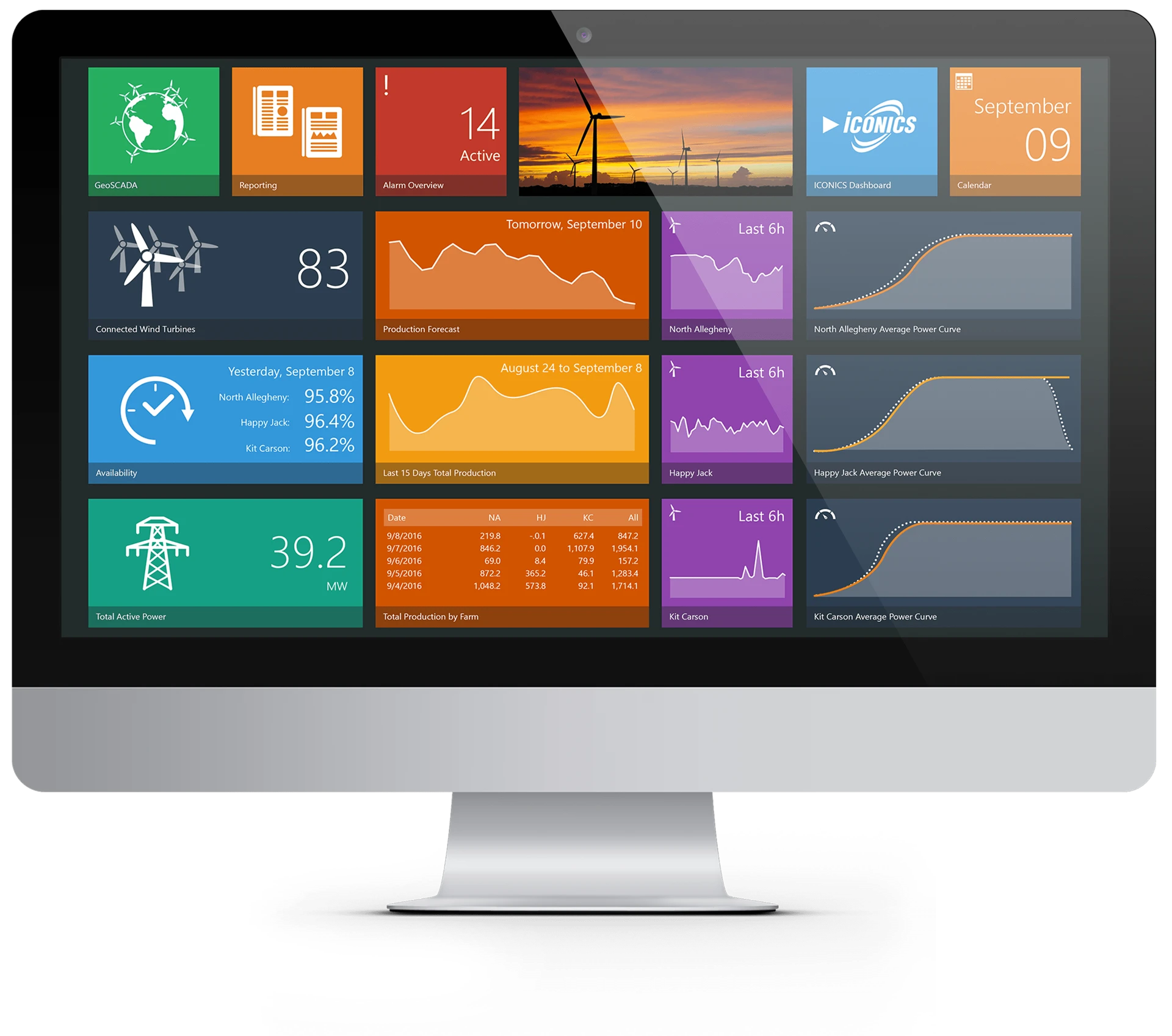
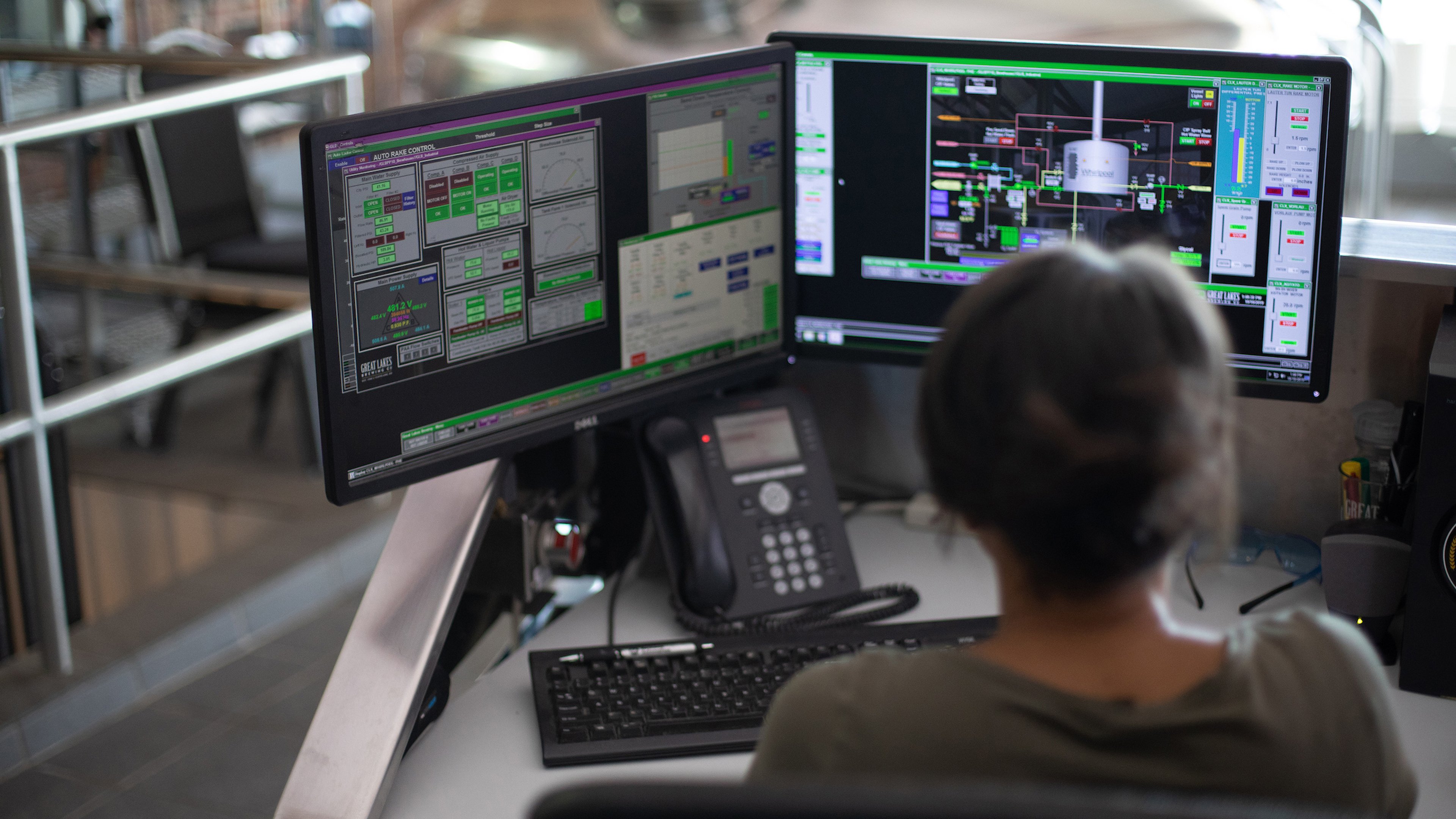
SCADA (Supervisory Control and Data Acquisition) software is the supervisory layer of industrial automation. It acquires real-time data from geographically distributed field controllers, PLCs and RTUs, visualizes that data through human-machine interface screens, raises alarms, archives the readings in a historian, and lets operators issue commands across an entire plant or utility network from a central control room.
Unlike a standalone HMI bound to one machine, SCADA software coordinates many controllers over industrial networks, so its real engineering value lives in its communication drivers, redundancy model, historian, alarm engine, and cybersecurity posture rather than in screen graphics alone. Selecting a platform means matching those subsystems to the size, distribution, and risk profile of the process.
Photo: Mixabest, CC BY-SA 3.0, via Wikimedia Commons
This guide is aimed at industrial purchasing engineers, control engineers, and design engineers. It covers 6 chapters from what SCADA is, deployment topologies, communication protocols, historians and alarming, to spec-sheet and licensing decoding and selection decisions, with 7 selection FAQs and platform comparisons, helping you frame a complete supervisory control knowledge base in roughly 30 minutes. All structural and security references draw on ISA-95 (IEC 62264), the Purdue Enterprise Reference Architecture, IEC 62443, OPC UA (IEC 62541), Modbus, DNP3, and IEC 60870-5 public standards.
Chapter 1 / 06
What is SCADA Software
SCADA stands for Supervisory Control and Data Acquisition. It is the software-and-hardware architecture that lets a small team of operators watch and control a process that may span a single building or thousands of kilometers of pipeline, grid, or water network. The software acquires telemetry from field devices, archives it with timestamps, runs analytics and alarms, hosts the visualization that operators interact with, and distributes that data across the control network. SCADA, alongside the PLC and the HMI, forms the backbone of process and infrastructure automation worldwide.
A complete SCADA system is an amalgamation of hardware and software. The hardware side includes the field instruments, Remote Terminal Units (RTUs), Programmable Logic Controllers (PLCs), and the Master Terminal Unit or SCADA server that aggregates everything. The software side includes the Human-Machine Interface (HMI), the central historian database, the alarm and event engine, the communication drivers, and the engineering tools used to build screens and tag databases. A PLC or RTU executes deterministic control logic at the device every few milliseconds; the SCADA software sits above, supervising rather than directly closing fast control loops.
It is important to separate three terms that buyers routinely conflate. An HMI is the operator interface alone, usually a local screen for one machine. SCADA is the supervisory system: it gathers data from many distributed controllers, historizes it, and presents it across multiple clients. A DCS (distributed control system) is a tightly integrated controller-plus-software product engineered around one continuous process, where the control logic executes inside the system itself. The classic distinction is that SCADA supervises distributed assets with control living in separate PLCs and RTUs, while a DCS bundles control and supervision into one engineered platform. Modern products blur this line, but the conceptual split still guides selection.
The history of SCADA tracks the rise of industrial telemetry. Early systems in the 1960s and 1970s used proprietary hardwired panels and dedicated telemetry circuits to bring remote substation and pipeline status back to a control room. The microprocessor and the minicomputer turned those panels into software, and through the 1980s and 1990s SCADA migrated onto commodity PCs and Ethernet, gaining graphical HMI screens, relational logging, and standardized communication drivers. The arrival of OPC in the late 1990s decoupled SCADA software from any single PLC brand, and the more recent OPC UA standard (IEC 62541) and MQTT Sparkplug extended that openness toward secure IT/OT convergence and cloud analytics.
To place SCADA correctly within a plant, engineers use the Purdue Enterprise Reference Architecture, which aligns with the ISA-95 (IEC 62264) standard for enterprise-control integration. The model assigns each automation function a level: Level 0 is the physical process, Level 1 is basic control with PLCs and RTUs, Level 2 is supervisory control where HMI and SCADA live, Level 3 is site operations and manufacturing execution, and Level 4 is enterprise business systems. SCADA software is primarily a Level 2 function that frequently reaches into Level 3 through historian and MES integration. Designing against this model keeps data paths and security boundaries explicit instead of accidental, which directly supports the cybersecurity discipline covered in Chapter 4.
Chapter 2 / 06
Deployment Topologies and Editions
SCADA software is not a single shape. The same platform can be deployed as a single-seat machine package, a redundant multi-client control room, a multi-site enterprise network, or a thin browser-based and cloud-connected system. The topology you choose drives licensing cost, network design, redundancy strategy, and cybersecurity exposure far more than the choice of graphics library does. The table below contrasts the four mainstream deployment patterns on the dimensions that matter during architecture review.
Topology
Typical Scale
Clients
Redundancy
Typical Use
Single-node (machine)
10 to 500 tags
1
None or cold spare
OEM skid, single machine
Client-server (control room)
1k to 50k tags
2 to 20
Hot standby pair
Plant control room
Distributed multi-site
50k to 1M+ tags
20 to 100+
Server clusters
Utility, pipeline, grid
Web / thin-client
1k to 100k tags
Browser, unlimited
Gateway redundancy
Multi-site visualization
Single-node deployment runs the SCADA runtime, HMI, and any logging on one industrial PC or panel PC next to the machine. It is the cheapest and simplest pattern and suits original-equipment-manufacturer skids, test rigs, and small standalone processes. Its weakness is obvious: the single PC is a single point of failure, so critical processes add at minimum a cold spare with a restorable configuration image, and recovery time is measured in the time it takes a technician to swap hardware and reload the project.
Client-server deployment separates the SCADA server, which owns the tags, drivers, historian, and alarms, from one or more operator clients that only render screens. This is the dominant pattern for plant control rooms. It enables the most important reliability feature in industrial SCADA: a redundant server pair in hot-standby, where a backup server continuously mirrors the primary and assumes control within seconds of a fault. Best practice places primary and backup on separate physical hosts with separate power feeds, because redundancy that shares a failure domain provides false assurance.
Distributed multi-site deployment federates many servers, often geographically separated, into one logical system for utilities, pipelines, transmission grids, and water networks. Tag counts reach hundreds of thousands to millions, wide-area links are slow or intermittent, and the architecture leans on store-and-forward telemetry protocols such as DNP3 and IEC 60870-5-104 that buffer events during outages. Server clustering and replicated historians keep the system available when individual nodes fail. Web and thin-client deployment serves operator screens to a standard browser or mobile device, removing per-seat client installation and licensing, which is why platforms with native web visualization have grown quickly for multi-site and remote-monitoring use.
Editions and modularity matter commercially. Most platforms split functionality into a runtime, a development or engineering license, optional historian, optional reporting, optional mobile or web modules, and protocol-driver packs. A quote that looks inexpensive at the runtime line can multiply once redundancy, historian, web clients, and the drivers your devices actually need are added. Always price the full bill of materials for the target topology, not the entry runtime alone.
Chapter 3 / 06
Industrial Communication Protocols
The most consequential technical decision in a SCADA project is how the software talks to field devices. A platform is only as useful as its driver library, and the protocol you choose for each asset determines latency, bandwidth, security, and resilience over unreliable links. Five protocol families dominate industrial SCADA. There is no single best protocol; real systems usually run several at once, with a gateway translating between them. The table below compares the families on the engineering metrics that drive driver selection.
Protocol
Transport
Model
Built-in Security
Best Fit
Modbus RTU / TCP
Serial / TCP 502
Polling, register map
None native
Local PLCs, drives, meters
DNP3
Serial / TCP 20000
Event, timestamped
Secure Auth v5 option
Electric and water utilities
IEC 60870-5-104
TCP 2404
Event, timestamped
IEC 62351 option
Wide-area grid telemetry
OPC UA
TCP / HTTPS
Object model, sub.
Encryption + auth built in
IT/OT convergence, cloud
MQTT Sparkplug B
TCP 1883 / 8883
Publish / subscribe
TLS
Cellular, remote, IIoT
Modbus, developed by Modicon (now Schneider Electric) in 1979, is the most widely implemented industrial protocol in the world. It uses a simple master-polls-slave register model over serial (Modbus RTU) or Ethernet (Modbus TCP, port 502). Its strengths are universal device support and simplicity; its weaknesses are the absence of native authentication or encryption and the lack of timestamping or event buffering, so it is best confined to a trusted local network polling PLCs, variable-frequency drives, and power meters at fast scan rates.
DNP3 and IEC 60870-5-104 are purpose-built for wide-area utility telemetry. Both carry source timestamps and buffer events at the remote device, so a substation or pump station can report exactly what happened, in order, during a communications outage once the link is restored. This report-by-exception, store-and-forward behavior is essential when a SCADA master oversees hundreds of remote sites on slow or intermittent links. DNP3 dominates North American electric and water utilities; IEC 60870-5-104 is widespread in European and international grid SCADA. Both have security extensions (DNP3 Secure Authentication and IEC 62351) for the threat environment described in the next chapter.
OPC UA (IEC 62541) is the modern standard for IT/OT convergence. Rather than a flat register map, it exposes a rich, self-describing object model with metadata, supports both polling and publish/subscribe, and crucially bakes in authentication, signing, and encryption at the protocol level. That security posture makes OPC UA the natural conduit between an OT zone and the enterprise or cloud in an IEC 62443 compliant design. MQTT with Sparkplug B adds a lightweight publish/subscribe broker model that excels over cellular, satellite, and other unreliable or bandwidth-limited links; edge nodes publish by exception and the broker fans data out to any number of subscribers, which suits dispersed IIoT and remote-asset monitoring. Because no single protocol covers every asset, protocol-translation gateways that bridge, for example, legacy Modbus devices into OPC UA or Sparkplug are a standard part of real architectures.
Chapter 4 / 06
Historian, Alarming and Standards
Three subsystems separate a serious SCADA platform from a glorified screen editor: the historian that stores telemetry for years, the alarm engine that turns data into operator action, and the cybersecurity framework that keeps the whole thing defensible. None of these is visible in a graphics demo, yet each determines whether the system is fit for a regulated, high-availability, or safety-relevant process.
A data historian is a time-series database engineered to ingest millions of tag samples and return them quickly for trending and analytics, even across multi-year datasets. Plain SCADA logging into a relational table works for short retention but degrades badly at plant scale. Historians apply specialized compression: deadband filtering discards changes smaller than a configured threshold, and the swinging-door algorithm keeps only the inflection points needed to reconstruct a trend within a tolerance band. On slowly changing signals these techniques routinely achieve 90 percent or greater reduction, and columnar time-series stores report still higher ratios, while a time-override rule ensures a flat signal is recorded periodically as proof of life. Established products include GE Vernova Proficy Historian, AVEVA Historian (formerly Wonderware), and OSIsoft PI; modern stacks sometimes layer a general time-series database such as TimescaleDB beneath the SCADA tier.
The alarm and event engine is the most safety-relevant software in the control room. Good practice follows ISA-18.2 and the equivalent IEC 62682 alarm-management standard: every alarm must be actionable, prioritized, and rationalized so operators are not buried under nuisance alerts during an upset, which is precisely when clear alarms matter most. The engine timestamps events, manages acknowledgment and shelving, and feeds the historian so that post-incident analysis can reconstruct the alarm sequence. Scan rate and deadband settings feed directly into alarm quality: too tight a deadband floods the system with noise, too loose a deadband hides real excursions.
Because SCADA controls physical infrastructure, cybersecurity is a first-class specification, not an add-on. The governing standard is IEC 62443 (formerly ISA-99). It directs you to segment the architecture into zones, which are groups of assets with shared security requirements, connected by conduits, which are controlled communication channels, and to assign each zone a target Security Level. The table below summarizes the four levels.
Security Level
Protects Against
Attacker Profile
Typical Application
SL 1
Casual or accidental misuse
None deliberate
Non-critical local HMI
SL 2
Intentional misuse, simple means
Low skill, low resource
General plant SCADA
SL 3
Intentional attack, IACS-specific means
Moderate skill and resource
Critical infrastructure
SL 4
Intentional attack, extended resources
High skill, well funded
National-grid, defense
These levels map onto the Purdue model: keep the SCADA supervisory zone behind an industrial DMZ that separates it from the enterprise IT zone, and allow only brokered traffic, such as a single OPC UA server, through the conduit, never a direct path from the internet to controllers. The standard distinguishes the Capability Security Level (SL-C), which is what a product can technically deliver, from the Achieved Security Level (SL-A), which is what your installed and configured system actually provides, and these are frequently not the same. When the protocols of Chapter 3 carry data across a conduit, prefer their secured variants: OPC UA encryption, DNP3 Secure Authentication, and IEC 62351 for IEC 60870-5.
Chapter 5 / 06
Specifications and Licensing Decoded
Reading a SCADA quotation is a skill in itself, because the headline runtime price rarely reflects the installed cost. The same platform can be ordered a dozen ways, and the line items that dominate total cost (tags, clients, redundancy, historian, drivers) are exactly the ones an entry quote tends to omit. Below are the parameters that actually drive a SCADA selection and what each really means.
Tag count is the central licensing metric on most legacy platforms. A tag is one named process value the software polls, displays, or archives: one analog input, one motor command, one calculated total. Vendors license in tiers, commonly 128, 256, 512, 1024, 4096, and unlimited, so cost climbs with I/O. Count every distinct address you read or write, including alarm bits and derived tags, then add 20 to 30 percent headroom for expansion. The trap is double counting or, worse, undercounting and being forced into an expensive tier mid-project.
Licensing model varies sharply by vendor and is the single biggest cost driver. The table below compares the mainstream commercial models.
Model
Charged By
Representative Platform
Cost Behavior at Scale
Per-tag tiered
I/O point count
Siemens WinCC, Rockwell FactoryTalk View SE
Rises with tags
Per-server unlimited
Server instance
Inductive Automation Ignition
Flat per server
Per-client / seat
Operator stations
AVEVA System Platform, GE iFIX
Rises with clients
Subscription / SaaS
Annual term
Various cloud SCADA
Recurring annual
The contrast is stark for large multi-client systems. Per-tag tiered platforms such as Siemens WinCC charge by variable count, with tiers that segment the market; full functionality on Rockwell FactoryTalk often requires several separately licensed components. Inductive Automation Ignition instead licenses per server with unlimited tags and clients, which independent comparisons put at roughly 70 to 90 percent cheaper for large multi-client deployments versus per-seat models. Whichever model you compare, normalize the quotes to the same installed scope before judging price.
Redundancy support should be a checkbox you verify, not assume. Confirm whether hot-standby server redundancy is included or a paid option, what the documented failover time is, and whether the historian and gateways can be made redundant too. Historian and reporting are frequently separate modules; confirm retention, compression behavior, and whether historian tags are licensed separately from runtime tags. Driver and protocol packs are the most common hidden cost: verify that drivers for your exact PLCs, RTUs, and meters (the Modbus, DNP3, IEC 60870-5, OPC UA, and MQTT families of Chapter 3) are included or priced. Web and mobile clients, alarm notification, and scripting or SDK access round out the list. Finally, weigh platform openness: native OPC UA support, documented APIs, and standard databases reduce lock-in, while a closed stack can make the next expansion a captive negotiation.
Chapter 6 / 06
Selection Decision Factors
To turn the preceding five chapters into a specific platform choice, follow the decision sequence below. Most SCADA selection mistakes come not from a single wrong answer but from deciding licensing or graphics before the architecture and security requirements are fixed. These eight steps can serve as a fixed evaluation template and RFQ skeleton.
Define scope and topology: Fix tag count, number of sites, number of operator clients, and whether the system is single-node, client-server, distributed multi-site, or web-based (Chapter 2). Everything downstream depends on this, so resist locking it in prematurely.
Map the Purdue level and security zones: Place the SCADA at Level 2, define the zones and conduits, and set a target IEC 62443 Security Level per zone (Chapter 4). For critical infrastructure, SL 3 or above with an industrial DMZ is the baseline, not an upgrade.
Inventory devices and protocols: List every PLC, RTU, drive, and meter with its protocol, then confirm the platform ships native drivers (Modbus, DNP3, IEC 60870-5-104, OPC UA, MQTT Sparkplug B) or budget for gateways. Missing drivers are the most common project surprise.
Specify redundancy and availability: Set a target availability such as 99.9 percent (about 8.8 hours downtime per year), decide where hot-standby and clustering are required, and require documented failover times. Verify by scheduled failover testing, because untested redundancy often fails when needed.
Size historian and data strategy: Choose scan rate per signal class (around 1 second for general process data, 100 to 250 milliseconds for fast loops), set deadband near 0.1 percent of span, estimate raw and compressed storage, and decide between built-in logging and a dedicated historian.
Choose the licensing model deliberately: Match per-tag, per-server, per-client, or subscription to your scale (Chapter 5). For many clients and many tags, per-server unlimited models often win; for small fixed systems, a tiered runtime can be cheaper. Normalize quotes to identical scope.
Evaluate engineering and openness: Assess development environment quality, scripting and SDK access, native OPC UA support, standard-database storage, and version-control friendliness. Openness directly lowers the cost of the next expansion and reduces vendor lock-in.
Total cost of ownership (TCO): Sum license, drivers, redundancy, historian, web and mobile, engineering labor, annual maintenance or subscription, and the cost of the in-house or integrator skills the platform demands. The cheapest license can carry the highest lifetime cost once integration and support are included.
One last and commonly overlooked dimension is vendor and integrator serviceability: the availability of certified system integrators, local training and support, the size of the user community, long-term version support and migration paths, and how upgrades are handled across a live 24/7 system. A platform with a deep integrator ecosystem and a stable upgrade path, such as Siemens WinCC, AVEVA System Platform, Rockwell FactoryTalk View, GE iFIX, or Inductive Automation Ignition, often beats a marginally cheaper or more feature-rich option that you cannot staff or maintain over a ten-year service life. The right SCADA platform is the one your team can run, secure, and grow, not merely the one that demonstrates well.
FAQ
What is the difference between SCADA, HMI, and DCS?
An HMI is the visualization layer alone: a screen, usually local, that lets an operator watch and command one machine or one panel. SCADA adds supervisory scope on top of HMI: it acquires data from many geographically distributed PLCs and RTUs, archives it in a historian, alarms on it, and presents it across multiple operator clients. A DCS (distributed control system) is a tightly integrated controller-plus-software product engineered around a single continuous process such as a refinery or power block, with deterministic control executing inside the system itself. The practical rule: SCADA supervises distributed assets and the control logic lives in separate PLCs or RTUs, whereas a DCS bundles control and supervision into one engineered platform. The boundary has blurred as modern SCADA platforms add redundancy and the controllers gain Ethernet.
What does tag-based licensing mean and how do I count tags?
A tag is one named process value the SCADA polls, displays, or archives: one analog input, one motor run command, or one calculated total. Most legacy platforms license by tag count in tiers such as 128, 256, 512, 1024, 4096, and unlimited, so cost rises with I/O. Siemens WinCC and Rockwell FactoryTalk View use this model. Count every distinct address you read or write, including alarm bits and derived tags, then add 20 to 30 percent headroom for future expansion. Inductive Automation Ignition breaks from this model by licensing per server with unlimited tags and clients, which can be 70 to 90 percent cheaper for large multi-client deployments. Always confirm whether clients, historian tags, and redundancy are separate line items before comparing quotes.
Should I choose OPC UA, Modbus, or DNP3 for device communication?
Match the protocol to the asset and distance. Modbus TCP and Modbus RTU are the simplest and most universal, ideal for local PLCs, drives, and meters where you poll registers over a fast network. DNP3 and IEC 60870-5-104 are built for wide-area utility telemetry: they carry timestamps and event buffers so a substation can report what happened during a comms outage once the link returns. OPC UA is the modern IT/OT convergence standard with a rich object model, built-in authentication and encryption, and cloud connectivity, which suits IEC 62443 compliant architectures. MQTT with Sparkplug B adds report-by-exception publish/subscribe that scales well over cellular or unreliable links. Many real systems run several protocols at once, with a gateway translating between them.
What is a data historian and do I need one separate from SCADA?
A historian is a time-series database optimized to store millions of tag samples for years and return them quickly for trending and analytics. Plain SCADA logging into a relational table works for weeks of data but degrades at plant scale. Historians apply compression such as swinging-door or deadband filtering, often reaching 90 percent or more reduction on slowly changing signals, while preserving the events that matter. Use a dedicated historian (GE Proficy Historian, AVEVA Historian, OSIsoft PI, or a time-series database like TimescaleDB) when you need multi-year retention, sub-second resolution on thousands of tags, or analytics across many sites. For a single small machine, the SCADA platform's built-in logging is usually sufficient.
How do I make a SCADA system highly available and redundant?
Build redundancy at every layer that a single failure would stop. Run the SCADA server as a redundant pair in hot-standby so the backup assumes control within seconds of a primary fault, ideally on separate physical hosts and separate power feeds. Use redundant network paths and, for critical I/O, redundant or ring-topology field networks. Replicate or cluster the historian so data collection continues during a node failure. Provide redundant communication to dual-homed PLCs where the process warrants it. Define a target availability such as 99.9 percent (about 8.8 hours downtime per year) and verify failover by scheduled testing, because untested redundancy frequently fails on the day it is needed.
How does IEC 62443 apply to a SCADA deployment?
IEC 62443 (formerly ISA-99) is the leading standard for industrial control system cybersecurity. It asks you to segment the architecture into zones (groups of assets with shared security needs) connected by conduits (controlled communication channels), then assign each zone a target Security Level from SL 1 (protection against casual or accidental misuse) up to SL 4 (protection against a well-resourced, motivated attacker). In practice this maps onto the Purdue model: keep the SCADA supervisory zone separated from the enterprise IT zone by an industrial DMZ, allow only brokered traffic such as an OPC UA server through the conduit, and avoid direct paths from the internet to controllers. Capability Security Level (SL-C) describes what a product can do, while Achieved Security Level (SL-A) is what your installed system actually delivers.
What is the Purdue model and where does SCADA sit in it?
The Purdue Enterprise Reference Architecture, aligned with ISA-95 (IEC 62264), is a layered map of where automation systems live and how data should flow between them. Level 0 is the physical process (sensors, valves, motors). Level 1 is basic control (PLCs, RTUs, intelligent electronic devices). Level 2 is supervisory control, where HMI and SCADA servers provide operator oversight and visualization. Level 3 is site operations and manufacturing execution (MES, historians, scheduling). Level 4 is enterprise business systems (ERP). An industrial DMZ sits between Levels 3 and 4 to broker IT/OT traffic. SCADA software is primarily a Level 2 function, often reaching into Level 3 for historian and MES integration. Using the model during design keeps security zones and data paths explicit rather than accidental.
SCADA Software Manufacturers
Source-backed product routes. Open a company dossier for procurement scope and cited evidence.
Partnership powers Henkel to drive innovation and sustainability in its production sites through Schneider Electric’s energy technology, including monitoring software and advisory services.