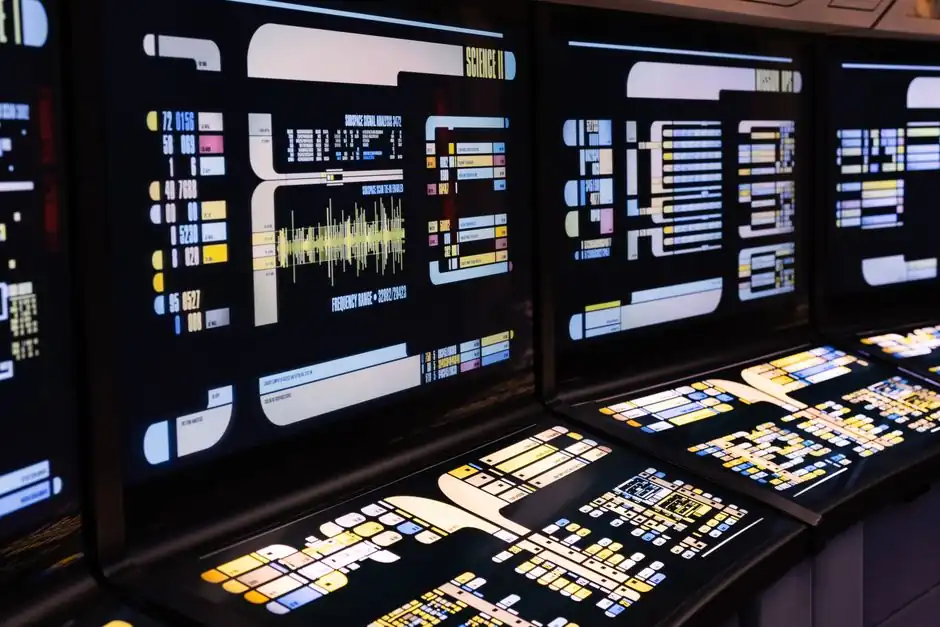
An HMI touch panel specification written for a motor-control-center build must lock five line items before price matters: display size and cabinet cutout, resolution, touch technology, front-face ingress rating, and supported industrial protocols [S1][S3][S4].
Typical industrial HMI offerings now span 4.3" to 21.5" diagonal, with the 7" and 10.1" sizes dominating MCC door mounting because their cutouts (about 176 × 136 mm and 271 × 186 mm) fit standard 24 VDC control compartment real estate [S1][S3]. Modern panels also carry 380+ protocol drivers, IP66 front-face sealing, and operating ranges from roughly 14 to 140 °F, which collectively decide whether a single HMI can sit on a motor-control door without extra enclosures [S4].
Screen size, resolution, and the cutout that locks the cabinet door
Panel diagonal drives cabinet cutout, and cutout drives door fabrication cost, so the size call is the first RFQ line item to freeze. Honeywell's WEB-HMI4/C at 4.3" cuts a 136 × 96 mm hole with a 5.35 × 3.78" faceplate, while the 7" WEB-HMI7/C needs 176 × 136 mm and the 10.1" WEB-HMI10/CX jumps to 271 × 186 mm [S3]. Depth behind the bezel is 29 mm on the smaller WEBs units and 35 mm on the 15.6" Smart Display HMI-15C11WL0, which matters when an MCC cabinet has shallow 100 mm wiring gutters [S1][S3].
Resolution scales with diagonal: 480 × 272 on 4.3", 800 × 480 on 5" and 7", 1280 × 800 on 10.1", 1366 × 768 on 15.6" legacy WEBs, and 1920 × 1080 on the 15.6" Smart Display HMI-15C11WL0 and the 21.5" WEB-HMI21/C [S1][S3]. For motor-status screens with one-line-per-cubicle layouts, 800 × 480 reads cleanly on 7"; for mimic diagrams with feeder graphics, 1280 × 800 is the practical floor [S3]. Buyers who skip the resolution line frequently get requoted when a vendor assumes 800 × 480 stock and the spec writer actually wanted full HD.
Touch technology: resistive for gloves, capacitive for multi-touch
Resistive touch on legacy WEB-HMI4/C and WEB-HMI7/C supports single-point input through gloves, which is the default on motor-control doors where operators wear insulating gloves during breaker racking [S3]. Capacitive multi-touch on 10.1", 15.6" and 21.5" panels delivers gesture support and a total-glass front that resists scratches, UV, and chemicals, but it drops glove accuracy unless the vendor tunes the controller for thin nitrile or leather work gloves [S1][S3][S4].
FactoryMation's industrial HMI line explicitly markets resistive touch as the glove-compatible option, while FactoryMation's IP66-rated capacitive units are positioned for washdown areas where bare-finger or stylus input is the norm [S4]. Skipping the touch-tech line is the single most common reason an HMI panel RFQ comes back with the wrong sensor stack and a price delta of 20 to 40 percent.
Ingress, temperature, and the cabinet environment
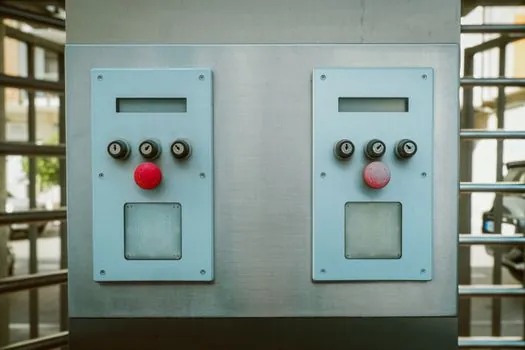
IP66 front-face protection is the de facto indoor MCC standard, sealing against dust and powerful water jets that match typical switchroom washdown and outdoor-aisle exposure [S1][S4]. The Honeywell Smart Display series and FactoryMation's industrial line both publish IP66 from the front as a baseline; rear-side IP is normally IP20 and depends on the cabinet gasket [S1][S4].
Operating temperature windows run roughly 14 to 140 °F (-10 to +60 °C) on mainstream industrial HMIs, which covers most unconditioned MCC rooms [S4]. Where the line sits next to a VFD-driven section, the radiated heat can push the local ambient 10 to 15 °C above room setpoint, so a panel rated only to 50 °C will derate or fault unless the RFQ explicitly demands the upper bound. The Smart Display HMI-15C11WL0 is specced for "wide range of operating temperatures" but the exact limits are not in the public datasheet, so buyers should request the vendor's derating curve rather than assume equivalence [S1].
Protocol coverage and the controller-side match
Protocol count decides whether a single HMI can serve a mixed-vintage MCC without external gateways. FactoryMation lists "over 380 protocols" on its current industrial HMI line, which covers Modbus TCP/RTU, PROFINET, EtherNet/IP, PROFIBUS-DP, DeviceNet, CANopen, and CC-Link through plug-in network cards [S2][S4]. Carlo Gavazzi's CGHMI series publishes the same family: ModBus, ProfiBus-DP, ProfiNet, DeviceNet, Ethernet/IP, CANopen, CCLink on a WinCE 6.0 platform with USB host, two serial ports, Ethernet, and SD card slot [S2].
For a motor-control line, the practical protocol floor is Modbus TCP or EtherNet/IP back to a gateway or PLC, with PROFIBUS-DP as the legacy fallback for older MCC cubicles [S2][S4]. Honeywell's WEB-HMI line takes a different route: it is an HTML5 browser panel that pulls graphics from a Niagara WEBs-N4 station, Saia PCD PLC, Trend IQ5, or any third-party web server, which removes the on-panel protocol stack entirely but adds a hard dependency on the supervisory network [S1][S3]. The RFQ must therefore state either "on-panel runtime with native driver for X" or "web-thin-client with browser to controller Y"; mixing the two models in one line is the second most common cause of requotes.
Power, interfaces, and cybersecurity for connected MCCs
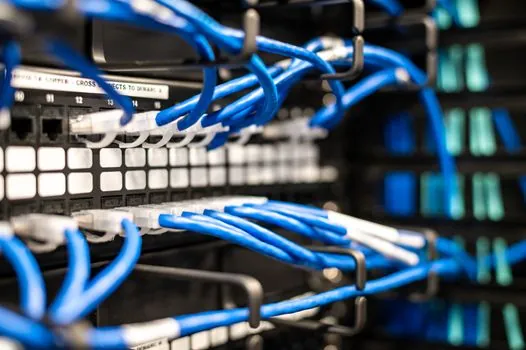
24 VDC is now the universal supply for industrial HMIs, and the Smart Display series, WEBs line, and CGHMI all publish 24 VDC as the nominal input with reverse-polarity and over-voltage protection on the better units [S1][S2][S3]. Ethernet port count matters more than buyers expect: the 4.3" and 7" WEB-HMI carry one Ethernet port, while the 10.1", 15.6", and 21.5" versions carry three, which lets the panel segment the supervisory LAN from the fieldbus without an external switch [S3].
Cybersecurity is a 2025-2026 procurement gate, not a nice-to-have. The Honeywell Smart Display series ships with secure boot, embedded HTML5 on Linux, and protection from unauthorized access as published features, and the 31-00389-01 datasheet advertises a "high cyber security level" with protection from unauthorized access and a 10-year-plus industrial-grade touch-panel life span [S1][S3]. The 4.3" and 7" capacitive Smart Display units (HMI-05C11WL0, HMI-07C11WL0) are the only models in that family that publish secure boot in the public datasheet; buyers who need IEC 62443-4-2 evidence on a 10" or larger panel must request the certificate rather than assume carry-over [S1].
RFQ line-by-line checklist for an MCC HMI specification
The cleanest way to write the HMI line on an MCC RFQ is to lock each parameter with a value or an "or approved equal" clause: display diagonal (4.3 / 7 / 10.1 / 15.6 / 21.5"), cutout in mm, depth behind bezel under 35 mm for shallow gutters, resolution floor (800 × 480 minimum for 7" and up), touch technology (resistive single-touch for glove use, or capacitive multi-touch glove-tuned), front-face ingress (IP66 minimum), operating temperature window (typically -10 to +60 °C), supply (24 VDC ±20%), Ethernet port count (1 for browser-only, 2 to 3 for segmented networks), protocol list (Modbus TCP, EtherNet/IP, PROFINET, PROFIBUS-DP as a floor), runtime model (on-panel vs HTML5 thin client), and cybersecurity (secure boot, signed firmware, IEC 62443-4-2 evidence) [S1][S3][S4].
Two optional fields consistently inflate quotes by 15 to 30 percent when omitted and re-added mid-cycle: sunlight-readable high-bright displays (typically 1000 cd/m² versus 400 cd/m² standard), and extended operating temperature beyond 60 °C for unconditioned outdoor MCC skids [S4]. Two spec mistakes force requote loops: writing "HMI" without naming the size family so vendors default to 7" stock, and writing "PROFINET" or "EtherNet/IP" without naming the controller-side master, since the panel-side driver and the controller certification are sold as a pair on most platforms [S2][S4]. For cabinet builders working on a related enclosure, the ALC panel selection guide covers the lightweight partitioning that often houses the HMI section inside a modular MCC, and buyers comparing partition strategies for indoor switchrooms can also cross-reference the lightweight partition panel reference for the same door-space trade-off. Trackable next signals for Q3-Q4 2026: vendor IEC 62443-4-2 certification disclosures on 10" and larger capacitive panels, and any refresh of the WEB-HMI21/C cutout to align with the Smart Display 15.6" faceplate geometry [S1][S3].
Related analysis: Pillow Block Bearing Types and Application Map for 2026 Specs.