Industrial barcode scanner selection is a five-step filter: symbology, reading mechanism, scan range, environment rating, and form factor (handheld corded, cordless, fixed-mount, or ring). Getting the order wrong typically shows up later as mis-reads on damaged labels, range shortfalls on rack scanning, or premature scanner failure in washdown or cold-storage aisles [S1][S3].
On a factory floor or in a distribution centre, the same SKU can pass through a receiving dock, a freezer, a conveyor, and a shipping door. Each station stresses a different spec, so the scanner choice should be driven by the worst-case cell, not the average one [S2][S7]. A scanner that performs at room temperature will not necessarily read at -20°F cold storage, and a USB-tethered unit will not survive the mobility needs of a pick-and-pack line [S4].
Symbology: 1D Linear vs 2D Area Imager
1D (linear) barcodes have been used since 1974 and hold up to 25 characters depending on the code type; 2D codes read both horizontally and vertically and can hold up to 2,000 characters, which is why they now dominate item-level and shipping-carton labels [S3]. The reading mechanism has to match the symbology mix actually printed on your assets, not the codes that marketing would like to use.
1D laser scanners reflect light off the barcode and read the returned signal; they are economical but limited to a 2-24 in scanning range and tend to fail on damaged or low-contrast labels [S3]. 1D linear imagers use a CCD array, hundreds of light sensors, similar to a digital camera, and can read poor or damaged barcodes at two feet or more [S3]. 2D area imagers take a full image, optimize it for contrast, decode the symbol, read any orientation from over three feet away, and can read a barcode off a monitor or phone screen, which makes them the safe default for mixed-code environments [S3].
For most industrial sites stocking a mix of legacy 1D rack labels and modern DataMatrix or QR codes, a 2D area imager is the lowest-risk choice because one device handles 1D, stacked, 2D, and QR; an all-1D fleet should be reserved for clean, short-range, single-symbology sites such as retail checkout [S3][S5].
Reading Mechanism vs Duty: Matching the Optics to the Job
Laser scanners read linear 1D codes from six inches to two feet; they contain moving glass or plastic mirrors, so they are more vulnerable to impact damage than solid-state imagers [S5]. That makes them a reasonable fit for low-duty retail counters but a poor fit for a forklift-mounted picking application or a sub-zero aisle where shock and condensation stress the mechanism.
Image scanners (CCD/digital-camera based) read 1D codes at a few inches in basic models, while newer long-range imagers reach distances competitive with the average laser scanner and are mechanically simpler, so they tolerate drops better [S5]. 2D area imagers go a step further: with a 2D imager, the barcode can cross the scanner in any position, vertical, horizontal, right side up, or upside down, and certain models such as those in the Honeywell 1900 family can read codes off non-label surfaces like smartphones and computer screens [S5].
The practical differentiator is what gets misread at the workstation. If operators regularly scan codes on glossy cartons, on curved cylinders, through shrink-wrap, or off a WMS screen, the 2D imager removes a category of no-reads that a 1D laser simply cannot resolve, regardless of laser power [S3][S5].
Scan Range, Density, and Label Geometry
1D laser scanners are limited to a 2-24 in scanning range [S3]. 1D linear imagers extend to two feet or greater, including on damaged codes [S3]. 2D area imagers scan from contact to over three feet, reducing the need to walk around a pallet to find a readable line [S3]. The longer the reach, the more important aiming tolerance and on-screen aiming feedback become.
Beyond raw distance, the scanner-lens combination has to resolve the mil (thousandths of an inch) size of the narrowest bar on the smallest label actually in use. Rack labels printed at 7.5 to 10 mil are easy for a general-purpose area imager; DPM (direct part mark) codes at 3 to 5 mil on metal or plastic often require a high-density variant. If the same scanner is expected to read shipping cartons and serialized engine blocks, two devices may be cheaper than one compromised optic. A facility manager working through the industrial barcode scanner sizing workflow should list the three smallest and three largest codes in circulation before evaluating any model.
Environment: IP Rating, Drop Spec, and Temperature
Industrial scanners are typically rated to IP65 against dust and water jets, with drop specs in the 1.5-2 m range onto concrete, and operating-temperature windows that include sub-zero cold-storage and elevated ambient-heat cells [S1][S7]. If the scanner must read codes in refrigerated or freezing warehouse environments as cold as -20°F, the model datasheet must explicitly include that temperature, not just "indoor industrial" [S4].
Where the same scanner lives on a production line, dust, oil mist, and washdown are the real failure drivers, so IP65 or higher is the practical minimum, and IP67 makes sense around chemical or food-and-beverage lines where daily hosing is normal [S1]. The same is true for an industrial barcode scanner specified for water treatment duty, where the combination of humidity, chlorine vapour, and UV exposure punishes any housing that is not fully sealed.
Form Factor, Connectivity, and Daily Scan Volume
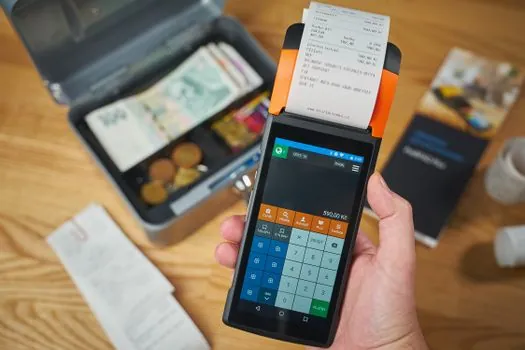
Handheld is the most common form factor; the operator aims, pulls a trigger, and receives audio or visual confirmation of a successful read [S3]. Within handheld, the split is corded (USB, serial, Ethernet, or keyboard wedge) for fixed workstations and cordless (Bluetooth or proprietary RF) for mobile operators, with battery life and wireless infrastructure as the two design constraints [S3].
For high-volume picking, a ring scanner worn on the index finger frees both hands; for forklift or conveyor duty, a fixed-mount or in-counter scanner with a presentation mode removes the trigger press entirely [S2][S3]. The right scanner accelerates receiving and put-away, order picking and packing, point-of-sale transactions, and cycle counts; the wrong one creates the queue that every shift manager complains about [S2].
Decision Matrix: Which Scanner for Which Duty
Comparing the three main reading mechanisms on the criteria that actually drive purchasing decisions produces a shortlist that survives the engineering review: [S3]
1D laser, criteria: 1D only, 2-24 in range, lowest unit cost, poor on damaged codes, moving optics are impact-sensitive; best for retail point-of-sale and clean, short-range label reading [S3][S5].
1D linear imager (CCD), criteria: 1D only, around 2 ft or more range including damaged codes, solid-state, better drop tolerance than laser, no moving parts; best for warehouse rack labels and asset tags where 1D symbology is fixed and label quality varies [S3].
2D area imager, criteria: reads 1D, stacked, 2D, QR from contact to over 3 ft, any orientation, screen-readable, solid-state; higher unit cost but the lowest total-cost option when multiple symbologies coexist; best for distribution centres, manufacturing WIP, and any site using DataMatrix on parts or cartons [S3][S5].
Two practical shortlist rules: pick a 2D area imager if more than 20% of the codes are 2D, if any code is read off a screen, or if label damage is a recurring complaint; otherwise a 1D linear imager is the cost-effective default [S3]. The 1D laser should be reserved for benign, short-range, single-symbology duty where price is the dominant constraint.
Limitations, Failure Modes, and What to Avoid

A 1D laser will not read a 2D code under any circumstances, so specifying a laser-only fleet on a site that is rolling out DataMatrix is a guaranteed re-spec within 12 months [S3][S5]. Cordless models depend on the wireless infrastructure: Bluetooth range drops sharply around racking and concrete walls, and RF scanners need their own access-point plan, so the scanner decision and the Wi-Fi/RF survey should be done together [S2][S3].
For a safety-integrated site, the scanner itself is not a safety device, but a mis-read on a lockout tag, a chemical drum, or a WMS-controlled tool can route a worker into a hazard, so barcode integrity on labels and tags is a safety-adjacent control; this is the same logic that drives safety relay selection for warehouse conveyor and robot-cell duty in adjacent systems. A scanner that returns a wrong read is functionally identical to a misconfigured safety relay.
Watch for: scanner datasheets that quote "operating temperature 0-50°C" with no cold-storage option (the unit will not survive -20°F), IP54-rated units specified for washdown areas (they will fail), and Bluetooth-only cordless scanners on sites with metal racking that blocks 2.4 GHz signals. Each of these is fixable at specification time and expensive to fix after deployment [S1][S3][S4].
Sourcing, Standards, and Selection Signals
Buying decisions should be cross-checked against a structured buying guide covering type, form factor, environment, and symbology mix [S1][S3][S7]. For a deeper drilldown on symbology families and label geometry, the same engineer's reference covers industrial barcode scanner symbology and reading range; related plant-equipment sizing is covered in linear guide sizing for automation cells and construction machinery and equipment selection when a barcode station is integrated into a larger machine build.
Track these signals on the next sourcing cycle: vendor datasheets that quote concrete IP and drop numbers (IP65, 2 m drop) rather than "rugged" wording; explicit cold-storage temperature ratings down to -20°F; battery-cycle counts (typically 500-1,000 cycles to 80% capacity) on cordless models; and 2D area imagers that publish a minimum element size in mil for both printed and DPM codes. Those four numbers, on one datasheet, separate a serious industrial scanner from a commercial handhelder with a rubber boot.