Industrial displays use six principal mounting methods: embedded, VESA, open, rack-mounted, desktop, and suspended, each requiring a different mechanical and thermal approach [S2][S3].
The correct installation matches the display form to the enclosure, operator position, host system, cable path, environmental exposure, and maintenance plan, with panel mount, rack mount, front IP65, open frame, and outdoor formats serving distinct duties [S4].
Select the mounting method from the operating environment
Embedded installation fits a display into a machine panel, control console, tool, or instrument; the aperture must be measured accurately so the unit seats firmly while preserving dust and shock protection [S2]. VESA installation uses standardized hole patterns, including 75 x 75 mm and 100 x 100 mm examples, for walls, brackets, or cantilevers [S2].
Open installation fits a display without a complete housing into a machine frame, vending equipment, medical equipment, or an exhibition structure [S2]. Rack mounting is one of the common installation methods for industrial displays [S2]. Common industrial-display installation methods include desktop and hanging installation [S2], while cable-supported product families include rail/track tensioned displays and displays with cable/rod systems [S1].
This decision sequence is a selection rule rather than a universal construction detail: first establish the installation class, then verify dimensions, load, environment, and maintenance access. The broader industrial display reference distinguishes display categories before the mechanical method is selected.
Compare mounting methods against four decision criteria
Embedded mounting scores well on space saving and integration but depends on an accurate cut-out; VESA mounting offers flexible angle adjustment but requires a bracket rated for the display mass; open mounting permits deep equipment integration but shifts more of the enclosure, thermal, and protection burden to the integrator [S2].
Verify the mechanical interface before mounting
A panel-mount installation is acceptable only after the drawing confirms the display aperture, visible bezel, retention method, and rear clearance; embedded mounting is specifically dependent on accurate opening dimensions [S2][S3]. A VESA installation requires confirmation of both the hole pattern and the bracket capacity for the display weight, because flexible positioning is useful only if the support remains firm [S2].
Available cable-supported product families include LED-backlit displays with cable systems, rail/track tensioned displays, and displays with cable/rod systems [S1].
The acceptance criterion is mechanical, not cosmetic: every fixing point must be engaged, the display must not shift under its intended loading, and cables must not transfer load or tension into the screen, frame, connector, or enclosure.
Protect heat, dust, water, and impact exposure
Open-frame displays need deliberate heat dissipation and physical protection during installation because the integrating enclosure becomes part of the thermal and mechanical system [S2]. Rack-mounted displays also require ventilation, heat dissipation, and orderly cable management to support reliable operation and maintenance access [S2].
Winmate's industrial-display product lineup includes a Front IP65 category and multi-touch displays [S4]. For a new enclosure, verify the rating for the exact model and orientation rather than assuming that every panel, connector, and rear surface carries the same protection.
Route signal, touch, power, and service cables deliberately
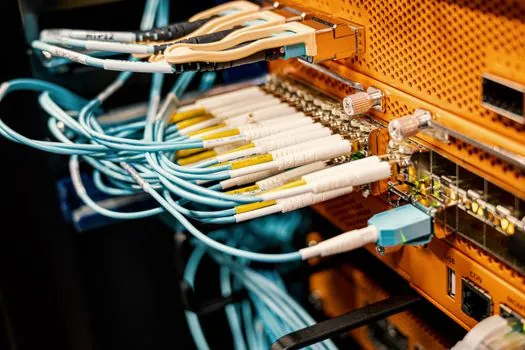
The host interface must be selected before final mechanical placement because video inputs, touch connections, and power wiring determine cable bend radius, connector access, and rear clearance. Winmate's industrial-display product lineup includes USB Type-C, PoE, and multi-touch displays [S4].
Do not assume that every signal or touch option is present on every model. For integrated systems, compare the industrial PC video outputs and USB topology with the display inputs, then reserve space for the correct cable type without blocking fans, heat sinks, or service covers.
Suspended and cable-mounted systems require the wiring to be fixed firmly so it cannot fall or interfere with operation [S2]. The acceptance test should confirm uninterrupted display output, responsive touch if applicable, unobstructed connectors, and strain relief that does not load the electrical terminations.
Commission each installation by failure symptom
Symptom: the display moves after mounting. Root cause: an undersized bracket, weak fixing, unstable desktop base, or unverified suspended load path. Corrective action: match the support to the intended load, verify every fixing point, and replace an unsuitable base or hanger rather than relying on adjustment [S1][S2].
Symptom: the enclosure is warm, intermittent, or fails during extended operation. Root cause: obstructed airflow or an open-frame design integrated without a thermal path. Corrective action: restore ventilation and heat dissipation, fit the display within a housing designed for its heat output, and replace the unit if the enclosure cannot maintain safe operation [S2].
Symptom: the image flickers or touch is intermittent. Root cause: loose signal or touch connections, unsuitable routing, or a host-to-display interface mismatch. Corrective action: reconnect the specified HDMI, VGA, DisplayPort, USB, RS232, USB Type-C, or PoE path as applicable, relieve connector strain, and verify compatibility between the host and display [S4].
Symptom: dust or water reaches the display interface. Root cause: an unsuitable mounting class or damaged enclosure seal. Corrective action: use a front IP65 or appropriately protected configuration for the exposure, restore panel and enclosure integrity, and replace the display if sealing cannot be maintained [S4]. For deeper format selection, compare industrial display types for machine integration.
Plan service access before the enclosure closes

Installation is incomplete until an operator can view the screen and a technician can remove or service the display without dismantling unrelated equipment. Panel-mount units need access to retained edges and rear connections, rack-mounted units need service clearance within the 19-inch rack, and suspended systems need a safe route for electrical disconnection and physical removal [S2][S3].
Record the verified dimensions, mounting pattern, fixing hardware, cable part numbers, host interface, thermal provisions, and environmental rating in the installation record. For future maintenance, replace a damaged mount or unsupported bracket instead of reusing it, and escalate any installation that lacks a verified load path, thermal route, or service procedure [S1][S2].
The final go or no-go decision rests on six physical checks: correct mounting method, secure mechanical retention, controlled cable routing, adequate thermal management, defined environmental protection, and accessible service points.