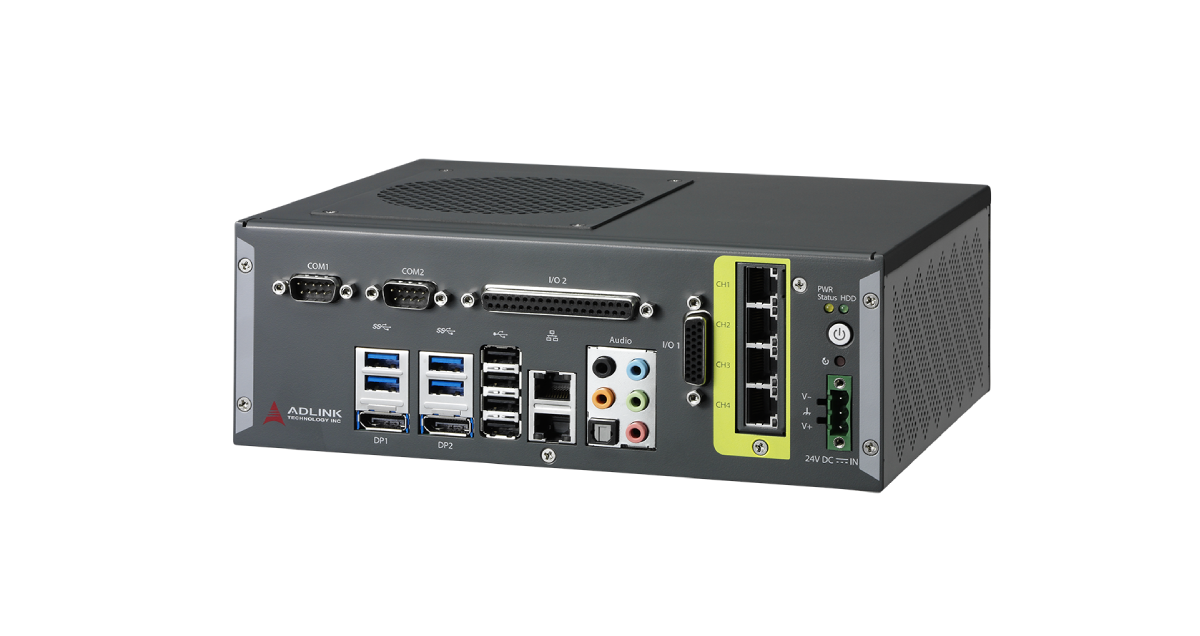
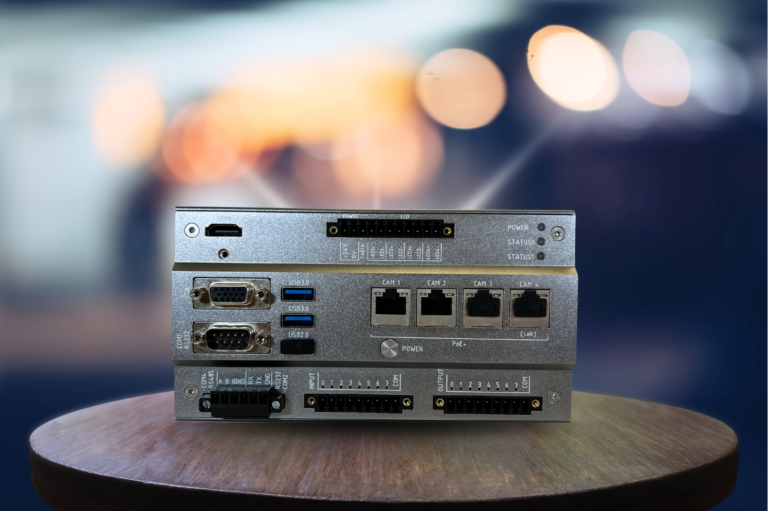
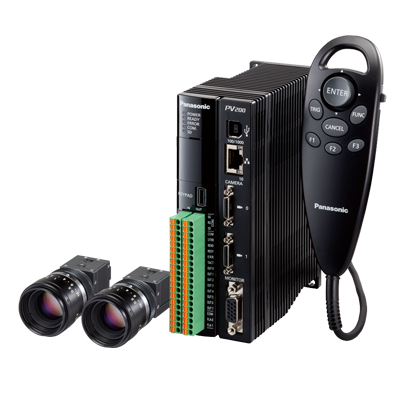
A vision controller is a dedicated, factory-rated industrial computer that sits at the center of a machine vision system. It connects several separate cameras, runs the inspection software, synchronizes lighting, and exchanges pass/fail results and measurements with a PLC over an industrial network. It is the middle ground between the all-in-one smart camera and the fully open PC-based vision system: more scalable than a smart camera, more sealed and qualified than a generic PC.
This guide explains where the vision controller fits in the three vision architectures, how the GigE Vision, USB3 Vision, Camera Link, and CoaXPress camera interfaces differ, what the processing hardware and frame grabber do, how I/O and lighting control work, how to read a controller spec sheet, and how to select one for a production line.
This guide is aimed at industrial purchasing engineers and automation engineers. It covers 6 chapters, from vision system architectures, camera interface standards, processing hardware and frame grabbers, I/O and lighting control, to spec-sheet decoding and selection, with 7 FAQs and manufacturer references. Parameters reference the GenICam, GigE Vision, USB3 Vision, Camera Link HS, and CoaXPress standards maintained by the A3 (formerly AIA), JIIA, and EMVA, plus the EMVA 1288 (ISO 24942) sensor characterization standard.
Chapter 1 / 06
What is a Vision Controller
A vision controller is the processing and integration core of a multi-camera machine vision system. In a typical inspection cell, one or more industrial cameras capture images of a moving part, a lighting unit illuminates it at the right instant, and the vision controller receives the image data, runs the inspection algorithm, and reports a result to the line control system within a few milliseconds. Where a smart camera collapses all of this into one housing and a PC-based system spreads it across off-the-shelf components, the vision controller is a purpose-built, ruggedized appliance designed to run vision software reliably on the factory floor for years.
Functionally, a vision controller does five things. First, image acquisition: it provides the camera interface, whether a direct GigE or USB3 connection or a frame grabber slot for Camera Link and CoaXPress. Second, processing: it runs the vision toolset, from classical algorithms such as edge gauging, pattern match, optical character recognition (OCR), and verification (OCV), through to deep-learning defect classification. Third, lighting synchronization: it triggers a strobe controller in step with camera exposure. Fourth, communication: it returns results to the PLC over EtherNet/IP, PROFINET, or Modbus TCP and exchanges hard-wired 24 V discrete I/O for triggers and reject signals. Fifth, operator interface: it drives an HMI or remote display for setup, monitoring, and result review.
The major instrument makers all sell controller-based platforms. Keyence positions its CV-X and XG-X series as controller-based vision systems, arguing that the dedicated controller, rather than a smart camera, is what lets the system stay fast and versatile while supporting cameras up to 64 megapixels. Cognex offers the VisionPro software ecosystem and dedicated hardware such as the VC5 vision controller, an industrial-class unit built around an Intel processor that connects up to four area-scan or line-scan cameras with parallel image acquisition. Other suppliers including Basler, Teledyne, MVTec, and Omron provide controllers, frame grabbers, and vision software that follow the same architecture.
The reason a separate controller class exists, rather than just using a smart camera or a desktop PC, is engineering discipline. A smart camera runs out of compute and physical room once an application needs multiple high-resolution views or heavy deep-learning inference. A consumer or even generic industrial PC introduces uncontrolled variables: operating-system updates, driver changes, cooling fans that ingest dust, and storage that wears out. A vision controller answers both problems by being a qualified, sealed, long-life appliance with vendor-supported software, deterministic I/O, and a defined operating-temperature and vibration envelope, so that an inspection validated today still behaves identically two years from now.
Machine vision itself spans an enormous range of duties: presence and absence checking, dimensional gauging to micrometer tolerances, surface defect detection, barcode and data-matrix reading, OCR and label verification, color and assembly verification, and robot guidance. The controller is the constant across all of them. Choosing it well means understanding the data path from camera to PLC, because the controller is where every one of those bytes is received, processed, and turned into a decision.
Chapter 2 / 06
Vision System Architectures
Industrial machine vision is built on three architectures: the smart camera, the PC-based system, and the controller-based vision system. They differ in where the processing lives, how many cameras they support, and how much they can be reconfigured. Picking the wrong architecture is the most expensive early mistake, because it sets the ceiling on compute, camera count, and serviceability for the life of the line. The table below summarizes the core differences.
Smart cameras are all-in-one units that combine the image sensor and the processor in one compact housing, often with integrated lighting and lens. They are easy to mount and program, and ideal for straightforward, single-view tasks such as part presence, orientation, or code reading. The trade-off is a fixed compute ceiling and a single field of view: when an application needs several angles, a very large sensor, or heavy deep-learning inference, the smart camera runs out of room. The user interface is also typically simpler than a full software suite.
PC-based systems are the classic high-end architecture: an industrial computer manages all peripheral cameras and lighting and analyzes images in software, usually with frame grabbers for the high-speed interfaces. This delivers the most computing power and the most flexibility, including custom algorithms, multiple monitors, and the latest GPU acceleration. The cost is size, price, and the burden of maintaining a general-purpose computer in a production environment, where operating-system patches, driver versions, and cooling reliability all become engineering responsibilities.
Controller-based vision systems occupy the middle. The vision controller is a separate, ruggedized component selected alongside cameras and lighting to meet the application. It scales past a single smart camera to two, four, or more cameras and runs a full vision toolset, while remaining a sealed, qualified appliance rather than an open PC. Industry guidance from the A3 (Association for Advancing Automation) and component makers such as Balluff and Opto Engineering describes this as the most advanced and flexible of the three classes for inline industrial inspection, precisely because the components are chosen to fit the job rather than forced into one box.
A useful way to decide: count the views and estimate the compute. One camera and a simple decision points to a smart camera. Two to four cameras, a mix of gauging, reading, and defect tools, and a need for long-term repeatability points to a vision controller. A research environment, an unusual algorithm, or a need for the absolute maximum throughput and GPU horsepower points to a PC-based system. The vision controller exists because the large middle of real factory inspection lives between the smart camera's limits and the PC's overhead.
Chapter 3 / 06
Camera Interface Standards
The link between camera and controller is governed by a small set of standardized interfaces. Each balances bandwidth, cable length, cost, and whether it needs a frame grabber. Choosing the interface is really choosing the constraint pair of data rate versus distance, because no single interface is best at everything. The five mainstream interfaces are GigE Vision, USB3 Vision, Camera Link, Camera Link HS, and CoaXPress. The table below compares their headline figures; cited rates and lengths come from Basler, Teledyne, and the A3 / JIIA standards.
Interface
Max Data Rate
Max Cable Length
Power / Trigger over Cable
Frame Grabber
GigE Vision
1 Gbit/s
100 m
PoE
No
5GigE / 10GigE
5 to 10 Gbit/s
60 to 100 m
PoE (variant)
No
USB3 Vision
~350 to 380 MB/s
1 to 5 m
Bus power
No
Camera Link HS (SFP+)
9.6 Gbit/s per lane
300+ m (fiber)
No
Yes
CoaXPress 2.0 (CXP-12)
12.5 Gbit/s per lane
~40 m
Power + trigger
Yes
GigE Vision runs over standard Gigabit Ethernet cabling, giving 1 Gbit/s of bandwidth over cable runs up to 100 m without signal degradation, with Power over Ethernet so a single cable carries data and power. Its long reach at low cable cost makes it the default for distributed, multi-camera cells. The 5GigE and 10GigE variants raise bandwidth to 5 and 10 Gbit/s respectively; 10GigE typically holds up to around 60 m on copper while preserving the Ethernet ecosystem. GigE is direct-connect to a network interface, so no frame grabber is required.
USB3 Vision offers roughly 350 to 380 MB/s, about four times GigE's throughput, using inexpensive USB cables and a direct host port. The catch is distance: the official USB cable spec is around 1 m, and even with special cabling practical runs stay near 3 to 5 m. USB3 Vision suits a single camera close to the controller. Like GigE, it needs no frame grabber, but it cannot match GigE's reach or CoaXPress's bandwidth.
Camera Link is the established deterministic interface prized for reliability and data integrity, requiring a frame grabber. Its successor Camera Link HS raises the ceiling sharply: on a CX4 connection it reaches 16.8 Gbit/s per lane over about 15 m, and on SFP+ fiber it delivers 9.6 Gbit/s per lane over more than 300 m. Camera Link HS is favored for line-scan cameras and the highest-reliability, highest-bandwidth inline applications where a deterministic, low-latency link is mandatory.
CoaXPress (CXP) sends very high bandwidth over coaxial cable while also carrying power and the trigger signal on the same line. CoaXPress 2.0 adds CXP-10 and CXP-12 speeds, the latter delivering 12.5 Gbit/s per lane; a 4-lane cable provides about 4 GB/s continuously from camera to frame grabber. Crucially, the 12.5 Gbit/s rate does not collapse the cable length the way high-speed USB does: CXP-12 supports roughly 30 to 40 m on standard RG-6 coax. CoaXPress requires a GenICam-compliant frame grabber and is the choice for the most demanding high-resolution, high-frame-rate imaging.
Tying the interfaces together is GenICam, the Generic Interface for Cameras hosted by the EMVA. GenICam gives software one identical interface to a camera or frame grabber regardless of the physical link, so the same acquisition code works across GigE Vision, USB3 Vision, Camera Link, Camera Link HS, and CoaXPress. The transport standards themselves are maintained by the A3 (GigE Vision, USB3 Vision, Camera Link, Camera Link HS) and the JIIA (CoaXPress), while the EMVA 1288 standard, recently adopted as ISO 24942, defines how camera and sensor performance such as responsivity, dynamic range, and noise is measured and reported, making spec sheets comparable across brands.
Chapter 4 / 06
Processing Hardware, Frame Grabbers and I/O
Once images reach the controller, three subsystems determine performance: the processor that runs the algorithms, the frame grabber that ingests high-speed interfaces, and the I/O and lighting control that ties the system to the physical line. Each must be sized together, because a fast CPU starved by a slow ingest path, or a slow CPU fed by a CoaXPress grabber, both waste money.
The processor is usually an industrial-grade Intel CPU; the Cognex VC5 vision controller, for example, is built around an Intel Core i5 class processor. Classical vision tools (edge, blob, pattern match, OCR, gauging) are CPU-bound and benefit from clock speed and core count. Deep-learning inference for defect classification benefits from a GPU or a dedicated AI accelerator, so controllers aimed at AI inspection add an embedded GPU. RAM and solid-state storage round out the compute: storage should be industrial SSD with adequate write endurance, since vision systems frequently archive images for traceability and revalidation.
The frame grabber is a PCIe acquisition card needed only for the frame-grabber interfaces, Camera Link, Camera Link HS, and CoaXPress. It de-serializes the high-speed link, performs DMA transfer into system memory with low CPU load, and provides deterministic timing plus dedicated trigger and encoder inputs. A PCIe Gen3 x8 grabber can sustain on the order of 4 GB/s, enough to capture from multiple CXP-12 links simultaneously. GigE Vision and USB3 Vision are direct-connect and need no grabber, since the CPU handles the protocol. When specifying a controller, confirm it has the right PCIe slot, lane count, and thermal headroom for the intended grabber.
Subsystem
Typical Implementation
What It Drives
Selection Note
CPU
Industrial Intel Core i5 / i7
Classical vision tools, OCR, gauging
Clock and cores set tool latency
GPU / AI accelerator
Embedded GPU module
Deep-learning defect classification
Needed only for AI inference
Frame grabber
PCIe Gen3 x8 card
Camera Link HS / CoaXPress ingest
~4 GB/s; not needed for GigE/USB3
Discrete I/O
24 V DC opto-isolated
Trigger-in, reject-out, handshake
Lowest-latency hard-wired signals
Fieldbus
EtherNet/IP, PROFINET, Modbus TCP
Results and recipes to PLC
Match the plant PLC family
The I/O and communication layer connects the controller to the line. Hard-wired 24 V DC opto-isolated discrete I/O provides the fastest and most deterministic signals: a trigger input fired by a sensor or encoder tells the system exactly when a part is in position, and a reject output drives an ejector. For richer data, the controller publishes results over an industrial network. Cognex In-Sight systems, for example, support EtherNet/IP, PROFINET, and Modbus, mapping inspection inputs and outputs into the PLC's process memory so that pass/fail flags, measured values, and defect coordinates synchronize at the bus update rate. Match the protocol to the plant: EtherNet/IP for Rockwell, PROFINET for Siemens, Modbus TCP as a broad fallback.
Finally, the controller drives the lighting. Rather than leaving LEDs constantly on, the controller triggers a dedicated strobe controller in sync with exposure. Gardasoft strobe and pulse controllers, a widely used reference, fire pulses down to about 20 microseconds and deliver pulse currents up to 20 A while limiting continuous output to around 3 A and 30 W per channel. This overdrive makes the LED briefly far brighter than its steady rating without overheating, which freezes motion on fast lines, stabilizes brightness against ambient interference, and extends LED life. Strobing is one of the most effective ways to improve image quality, and it is the controller's job to time it correctly.
Chapter 5 / 06
Key Specification Parameters
Reading a vision controller spec sheet means separating the few parameters that bound the application from the many that are merely informative. Eight items truly drive the selection: supported camera count and interface, aggregate ingest bandwidth, processor and any GPU, frame-grabber slots, discrete I/O channels, supported fieldbus protocols, operating-temperature and cooling design, and software ecosystem with its license model. Each is explained below.
Camera count and interface is the first filter. A spec stating up to four cameras is meaningless without the interface: four GigE cameras and four CoaXPress cameras are completely different data loads. Confirm both the maximum number of ports and which standards (GigE Vision, USB3 Vision, Camera Link, CoaXPress) the controller natively supports, and whether mixed interfaces are allowed in one chassis.
Aggregate ingest bandwidth is the real ceiling. Sum every camera's worst-case pixel throughput, resolution times bit depth times frame rate, and confirm the controller can receive and process it. A controller comfortable with four 5-megapixel GigE cameras may saturate on a single 64-megapixel camera at high frame rate. Bandwidth, not port count, is what limits how many cameras a controller can actually drive.
Processor and GPU set algorithm latency. For classical tools, CPU clock and core count matter; an Intel Core i5 class part, as in the Cognex VC5, handles typical multi-tool inspections. For deep-learning defect detection, an embedded GPU or AI accelerator is required, because neural-network inference on CPU alone is too slow for line rate. Decide whether the application is classical, AI, or hybrid before sizing compute.
Frame-grabber capacity, discrete I/O, and fieldbus together describe connectivity:
Frame-grabber slots: number and type of PCIe slots, needed for Camera Link, Camera Link HS, and CoaXPress; irrelevant for GigE and USB3.
Discrete I/O: count of 24 V DC opto-isolated inputs and outputs for trigger-in, reject-out, and PLC handshake, the lowest-latency signals.
Encoder input: for line-scan and conveyor tracking, a quadrature encoder input synchronizes acquisition to belt position.
Fieldbus protocols: EtherNet/IP, PROFINET, Modbus TCP support, plus how results map into PLC process data.
Operating temperature and cooling decide whether the controller survives its installation. Industrial units commonly cover 0 to 50 degrees Celsius; fanless designs avoid dust ingestion and a moving failure point but cap thermal budget, while fan-cooled designs allow more compute at the cost of maintenance and filter care. Check vibration and shock ratings per IEC 60068-2 for cells mounted on machinery, and confirm a wide-range 24 V DC input matched to the plant's control voltage.
Software ecosystem and licensing often outweigh hardware over a line's life. Confirm the vision software (for example Cognex VisionPro, Keyence CV-X firmware, or MVTec HALCON) supports the required tools, that the platform is GenICam-compliant for camera interchangeability, the license model (per-seat, per-tool, runtime), the operating-system image and its support horizon, and image-archiving for traceability. A controller is only as useful as the toolset and support that ship with it.
Chapter 6 / 06
Selection Decision Factors
To turn the preceding chapters into a specific model, follow the decision sequence below. Most selection failures come not from one wrong parameter but from deciding compute before the imaging requirement is fixed. These eight steps work as a fixed RFQ template for a vision controller.
Fix the inspection task and tolerance: Define exactly what is checked (presence, gauging dimension and tolerance, defect type and minimum size, code symbology, OCR string) and the required accuracy. This determines resolution and lens before anything else, and whether classical tools suffice or deep learning is needed.
Count cameras and views: One view points toward a smart camera; two to four views point toward a controller; many views or research flexibility point toward a PC-based system. The view count sets the architecture and the controller's port requirement.
Choose the camera interface: Map bandwidth and cable distance to GigE Vision (long cable, moderate rate, PoE), USB3 Vision (short, single camera), Camera Link HS (deterministic, line-scan, high rate), or CoaXPress (highest rate plus power and trigger over coax). The interface decides whether a frame grabber slot is mandatory.
Size aggregate bandwidth and compute: Sum the worst-case pixel throughput of all cameras and confirm the controller's ingest and processing budget covers it at line rate. Add a GPU or AI accelerator only if deep-learning inference is in scope.
Specify I/O and fieldbus: Define trigger source (sensor or encoder), reject actuation, and PLC handshake on 24 V DC discrete I/O, then select the fieldbus (EtherNet/IP, PROFINET, or Modbus TCP) to match the plant PLC family.
Set the lighting and trigger scheme: Decide strobe versus continuous, choose a strobe controller (such as Gardasoft) rated for the pulse width and current the application needs, and confirm the vision controller can trigger it in sync with exposure to freeze motion on the line.
Define the environment: Operating temperature range, fanless versus fan cooling, vibration and shock per IEC 60068-2, ingress protection, 24 V DC supply, and SSD write endurance for image archiving. Treat the controller as factory equipment, not office IT.
Lock the software and licensing: Confirm the vision software supports every required tool, the platform is GenICam-compliant, the license and runtime model are acceptable, and the OS image plus firmware are supported for the line's expected lifespan.
One last commonly overlooked dimension is manufacturer serviceability and long-term support: availability of spare controllers across a 5 to 10 year line life, firmware and security updates, a long-term-support operating-system image, image-archiving for revalidation, and local engineering support. These matter little at purchase but determine downtime years later when a controller fails on a running line. Cognex, Keyence, Basler, Teledyne, Omron, and MVTec maintain global support and documentation, which makes them dependable choices for production deployments where the inspection must behave identically for years.
FAQ
What is the difference between a vision controller, a smart camera, and a PC-based vision system?
A smart camera packs the image sensor, processor, lighting trigger, and I/O into a single housing, ideal for one-camera tasks like presence checks or barcode reading. A PC-based system uses a standard or industrial PC plus frame grabbers and separate cameras for maximum compute and flexibility. A vision controller sits between the two: it is a dedicated, ruggedized industrial computer that connects several separate cameras (typically 2 to 4, sometimes more), runs the vision software, drives lighting, and exchanges results with a PLC over an industrial network. It trades the smart camera's compactness for multi-camera scale, and trades the open PC's flexibility for a sealed, qualified, factory-rated package.
How many cameras can one vision controller drive?
It depends on interface bandwidth, resolution, and frame rate, not on a fixed port count. Mainstream industrial controllers such as the Cognex VC5 connect up to four area-scan or line-scan cameras with parallel acquisition. Keyence CV-X controllers support multiple cameras up to 64 megapixels each. The real limit is aggregate data rate: a controller with one PCIe Gen3 x8 frame grabber can sustain roughly 4 GB/s, enough for four CoaXPress CXP-12 links, but far fewer 64 MP cameras running at high frame rate. Always sum the worst-case pixel throughput of every camera and confirm it sits below the controller's ingest and processing budget.
Which camera interface should I choose: GigE Vision, USB3 Vision, Camera Link, or CoaXPress?
Match interface to bandwidth and cable distance. GigE Vision gives 1 Gbit/s over 100 m of CAT cable with Power over Ethernet, the default for multi-camera, long-cable cells. USB3 Vision gives about 350 to 380 MB/s but only 1 to 5 m, suited to a single nearby camera. Camera Link and the newer Camera Link HS deliver deterministic high bandwidth (Camera Link HS reaches 16.8 Gbit/s on CX4 over 15 m, or 9.6 Gbit/s on SFP+ fiber beyond 300 m) for line-scan and high-speed work, but require a frame grabber. CoaXPress 2.0 carries 12.5 Gbit/s per lane over about 40 m of coax while also delivering power and trigger, the choice for the highest-resolution, fastest cameras.
What is GenICam and why does it matter for a vision controller?
GenICam (Generic Interface for Cameras) is a standard hosted by the European Machine Vision Association that gives software one identical programming interface to any camera or frame grabber, regardless of whether the physical link is GigE Vision, USB3 Vision, Camera Link, or CoaXPress. The transport standards (GigE Vision, USB3 Vision, CoaXPress, Camera Link HS) all reference GenICam for feature naming and register access. A GenICam-compliant controller lets you swap a camera brand or interface without rewriting acquisition code, which protects the integration investment over a 5 to 10 year line life.
Does a vision controller need a frame grabber?
Only for the interfaces that require one. GigE Vision and USB3 Vision are direct-connect: the camera plugs into a standard NIC or USB port and the controller's CPU handles the protocol, so no frame grabber is needed. Camera Link, Camera Link HS, and CoaXPress are frame-grabber interfaces: a PCIe acquisition card de-serializes the high-speed link, offloads DMA transfer, and provides deterministic timing and trigger I/O. If your application uses line-scan cameras, very high frame rates, or CoaXPress, the controller must have a free PCIe slot for a compatible grabber and the thermal headroom to run it.
How does a vision controller talk to a PLC?
Through an industrial fieldbus or Ethernet protocol layered on the result data. The three dominant choices are EtherNet/IP (common with Allen-Bradley/Rockwell PLCs), PROFINET (common with Siemens), and Modbus TCP. The controller publishes inspection results, pass/fail flags, measured values, and defect coordinates into cyclic process data that the PLC reads at its scan rate; the PLC in turn sends triggers, recipe IDs, and handshake bits. Discrete I/O lines (24 V DC) provide hard-wired trigger-in and reject-out for the lowest-latency, most deterministic signals such as ejector actuation.
Why does a vision controller drive the lighting instead of leaving lights always on?
Controlled strobing improves image quality and LED life. A dedicated lighting controller, triggered by the vision controller in sync with exposure, fires the LED for a few microseconds at high current (overdrive). Gardasoft strobe controllers, for example, deliver pulses down to about 20 microseconds and pulse currents up to 20 A while limiting continuous output to roughly 3 A and 30 W per channel, so the LED is briefly far brighter than its steady rating without overheating. Strobing freezes motion on fast lines, stabilizes brightness against ambient light, and extends LED service life compared with constant-on operation. For the controller hardware itself, treat it as factory-floor equipment: confirm the rated operating temperature range (industrial units commonly cover 0 to 50 degrees Celsius), fanless versus fan cooling, vibration and shock rating per IEC 60068-2, a wide-range 24 V DC input, and solid-state storage with adequate write endurance for image archiving.
Vision Controller Manufacturers
Source-backed product routes. Open a company dossier for procurement scope and cited evidence.