A fully populated AI rack is a high-value, high-density assembly, commonly 30 to 100+ kW per rack with a single NVIDIA HGX H100 8-GPU baseboard drawing over 10 kW on its own, so the factory exit gate is treated as a hard engineering milestone, not a checkbox [S3].
Pre-ship testing for AI racks spans four gates: extended burn-in under thermal load, firmware and I/O verification, automated optical inspection of cabling and components, and in-transit shock/environmental monitoring that proves the rack arrived intact [S2][S3][S4][S5].
Burn-In and Thermal Stress Validation
Burn-in testing on AI racks should run for at least 24 to 72 hours, with monitors watching GPU temperatures, power consumption, network error rates, and storage I/O throughout the cycle [S3]. The thermal envelope is the binding constraint: a 50 kW rack rejects roughly 170,000 BTU per hour, an order of magnitude above the 5 to 10 kW per rack that precision air cooling was designed for, so the burn-in cell itself needs in-row cooling, rear-door heat exchangers, or direct-to-chip liquid loops to sustain the workload [S3].
Burn-in is not a passive soak. The cycle is meant to expose infant-mortality GPU and memory faults, VRM thermals, NIC link-training stability, and firmware bugs that only surface under sustained load, which is why integrators running AI rack assembly treat it as standard, not optional, before the rack leaves the build hall [S2]. For wider context on how this compute hardware lives inside the wider cabinet ecosystem, see the server rack reference page.
Firmware, Network, and I/O Verification
AI rack deployment is a tightly coupled compute cluster, not a stack of independent servers, so firmware and network checks verify that GPU-to-GPU fabric links train at rated speed, that high-bandwidth interconnects come up error-free, and that storage can feed the GPUs fast enough to prevent compute idle time [S3]. Each GPU server in a dense rack typically consumes 1,500 to 3,000 W or more, so firmware-level power-capping and telemetry are also validated in this stage to keep the rack inside its design envelope [S3].
The verification stage typically covers BMC and management-plane firmware versions, NIC and switch OS images, GPU driver stacks, and topology maps, with the network fabric checked end-to-end because distributed training throughput collapses immediately if a single link is degraded. Process engineers familiar with industrial control will recognise the same acceptance logic used on a serial server cabinet before it ships, where every port is loopback-tested and the firmware baseline is frozen on the asset record.
Automated Visual and Mechanical Inspection

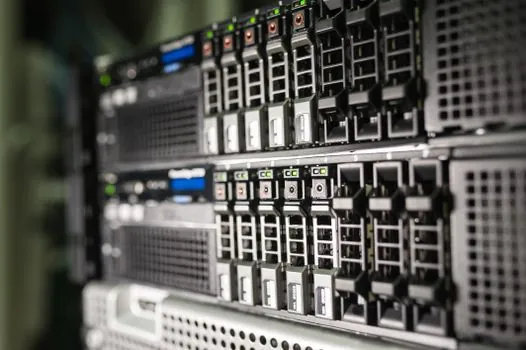
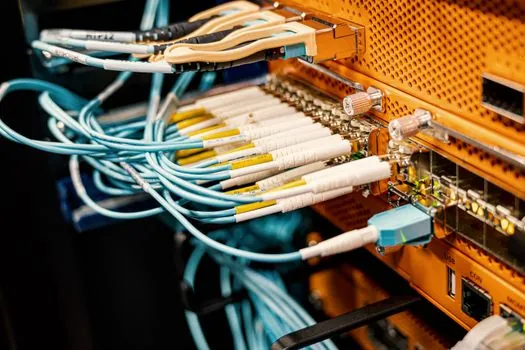
Human flashlight inspection inside a populated rack misses things: bent pins on high-speed connectors, broken frame members, and foreign objects left over from assembly, which is why NVIDIA-class manufacturers now run machine-vision inspection on server racks to catch these defects automatically [S6]. Vision systems on the line verify component placement, detect disconnected or mis-routed cables, flag missing hardware, and read port IDs and asset labels so the rack is physically and informationally consistent before it is crated [S5].
Inspection coverage typically spans three layers: a component-presence check (every GPU, NIC, PSU, and cable accounted for), a defect check (bent pins, plastic injection flash, broken sheet metal), and a labelling check (asset tags, port IDs, cable tags match the build sheet). When a defect is found, the vision system flags the exact location, and the rack is routed back to rework rather than packed.
Packaging Engineering and In-Transit Impact Monitoring
Engineered packaging is one of three pillars that keep high-value AI racks damage-free at scale, alongside standardised handling and supply chain visibility, and missing any one of the three measurably increases transit loss rates [S1]. AI server racks are also subject to dedicated transport damage monitoring, where impact and environmental sensors detect shocks, tilt, humidity, and temperature excursions before the rack is accepted at the data centre dock [S4].
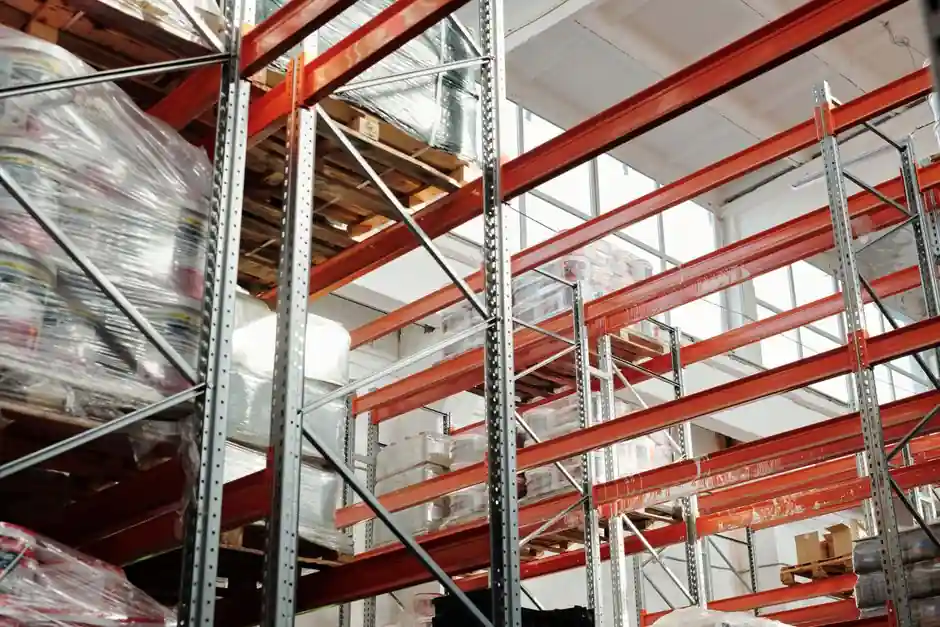
The economics drive this investment: AI infrastructure is now large enough that transport damage is a billion-dollar annual problem, and impact data is reviewed both for carrier accountability and for root-cause analysis of field failures that turn out to have begun in transit. In a hyperscale build-out, the same crates and shock-logger workflow that protects GPUs also protects the pallet rack and storage rack staging lanes in the staging warehouse, where any rack that trips an impact threshold is quarantined for re-test rather than pushed onto the data centre floor.
Comparison of Pre-Ship Test Stages
The four test stages are complementary, not alternatives, and each catches a failure mode the others miss:
- Burn-in (24 to 72 h): catches electrical and thermal infant-mortality faults under full workload, but does not see mechanical defects or transit damage [S3].
- Firmware and I/O verification: catches software/fabric configuration errors and link-training issues, but assumes the hardware is already sound [S3].
- Automated optical inspection: catches bent pins, missing cables, and labelling errors in seconds across the whole rack, but cannot see electrical or thermal faults [S5][S6].
- In-transit impact and environmental monitoring: catches shock, tilt, and humidity excursions between factory and data centre, but only protects the rack from acceptance onward [S1][S4].
A buyer who skips any one stage is accepting that class of failure as a field risk, which on a 30 to 100+ kW rack is rarely worth the savings.
Failure Modes the Test Stack Must Catch
Three classes of failure dominate AI rack field returns, and each maps to a specific test stage. Electrical and thermal infant mortality, including GPU retraining errors, VRM overheating, and memory faults, is the target of the 24 to 72 hour burn-in under realistic load [S2][S3]. Mechanical and assembly defects, including bent connector pins, broken frames, foreign objects, and disconnected cables, are the target of machine-vision inspection [S5][S6]. Transit damage from shock, vibration, tilt, and humidity is the target of engineered packaging and impact/environmental loggers that travel with the rack [S1][S4].
A useful sanity check for any AI rack integrator is whether their acceptance procedure names all three classes explicitly, with pass/fail criteria and a quarantine path for any rack that trips a threshold. If the procedure only covers power-on smoke testing, the rack is being shipped on a partial gate.
Sourcing, Standards, and What to Ask the Integrator
AI rack deployment differs fundamentally from traditional enterprise IT in power density, thermal load, networking complexity, and operational demands, so a generic enterprise IT acceptance procedure is not a valid substitute [S3]. The same point applies to packaging: engineered packaging, standardised handling, and supply chain visibility are the three documented pillars of secure rack logistics, and integrators should be able to show evidence for each before contract signature [S1].
When evaluating an integrator, ask for: the burn-in duration and the exact telemetry streams captured, the vision-inspection coverage and defect list, the impact-monitor thresholds that trigger quarantine, and the firmware baseline frozen on the asset record. The presence of all four is a reliable signal that the rack is being shipped through a real factory acceptance test rather than a power-on smoke test. Related reading on broader data centre controls architecture is covered in SCADA licensing and tag limit trade-offs and on the controls-side scan-time bottleneck in PLC scan time and machine throughput.
The next trackable signal is the publication of integrator burn-in telemetry summaries with per-rack GPU temperature and link-error rates, since hyperscale operators are beginning to require that data as a contractual artefact alongside the impact-logger report. Watch for that requirement to land in 2026 RFPs.