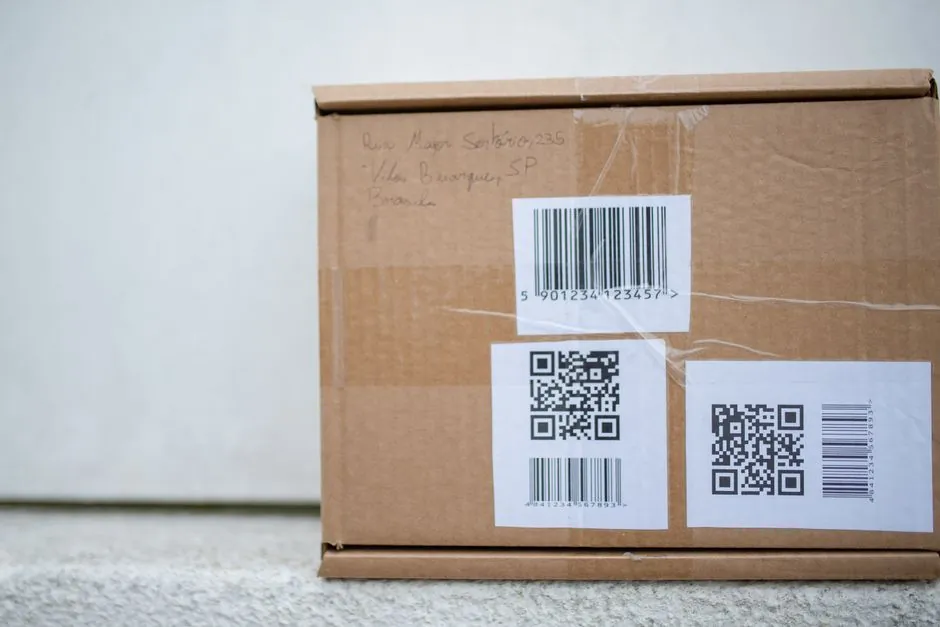
Case-coding barcodes fail at the scanner for three concrete, fixable reasons: low printer resolution producing fuzzy bar edges, low ink-to-substrate contrast on brown corrugated, and inconsistent case presentation at the printhead [S1][S2][S4].
Print resolution is the single most specifiable lever, because bar width and edge sharpness scale directly with dpi; a 300 dpi thermal-transfer print produces denser bars than most drop-on-demand inkjet systems printing direct-to-case [S5].
Resolution vs. Substrate: Where the Grade Drops
Inkjet barcodes printed onto brown or kraft corrugated typically scan at ANSI/ISO grade "C" because the dark-to-light contrast between the ink and the board is the limiting variable; thermal-transfer labels on a white face stock reach "A" or "B" on the same case at 300 dpi [S5]. A barcode grade is only as high as its lowest sub-score, so a high-resolution print with poor contrast still grades out as "C" [S5]. The substrate rule of thumb across the research: white or clay-coated board plus high-density ink plus 300 dpi class resolution is the only direct-to-case combination that reliably clears an "A"/"B" threshold without a label [S1][S4][S5].
For glossy, decorative or clay-coated chipboard, even most high-resolution large-character inkjet inks will not dry reliably; the practical spec is to switch to a print-and-apply label on those surfaces, not to push inkjet dpi higher [S5].
Inkjet Direct-to-Case: 12 mm Text and TIJ vs Piezo
Case coding line 1 typically uses a minimum 12 mm font height, which is 4-6x the ink volume of a 2-3 mm primary-packaging mark, so the printer has to throw ink further and cure it on porous corrugated at line speed [S7]. Within inkjet, thermal inkjet (TIJ) units such as the ANSER X1 are positioned for high-resolution barcode work with a built-in barcode database; piezo large-character heads from Foxjet-class systems reach print heights up to 50 mm (2 in.) for compliant barcodes, graphics, and alphanumerics on porous corrugated [S4][S5]. Selection rule from the sources: TIJ when the mark is small, dense, and label-quality; large-character piezo when the spec is a tall date/batch/lot stack plus a 1D or 2D code on the same pass [S5][S7].
Inkjet case-coding decisions for 2026 are compared in detail in Case Coding 2026: Large-Character Inkjet vs Laser Marker for Carton Lines, which lines TIJ, piezo, and CO2 laser against substrate, contrast, and operating-cost criteria on the same kind of line.
Print Resolution vs. Bar Width: The 300 dpi Baseline

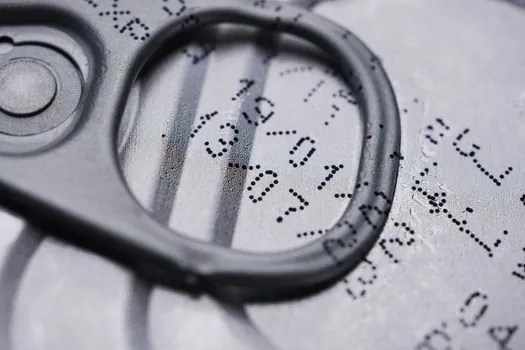
A 300 dpi printer places one dot every 0.085 mm; image-setter class output at 2400+ dpi lets you specify the bar width reduction (BWR) exactly, while a 300 dpi device is constrained to whole-pixel bar widths [S6]. The practical implication for case coding: narrow-bar symbologies such as GS1-128 with small X-dimensions need either a 600 dpi thermal-transfer head or a pre-printed label, because most drop-on-demand inkjets cannot resolve the bar edges consistently enough to keep an "A" grade [S5][S6]. When dense narrow-bar codes are mandatory, thermal-transfer print-and-apply at 300 dpi remains the workhorse spec, and product mishandling matters less because the code is printed inside the applicator before label placement [S5].
Contrast, Reflectivity, and the "No-Read" Triggers
Three readability killers show up across every source: low contrast between ink and substrate, glossy/reflective packaging that confuses the scanner, and indistinct bar edges from under-resolution printing [S1][S4]. On consumer-facing packaging, protective films add reflectivity that drops effective contrast even when the ink is dense, and some regulators forbid reflective substrates outright for food and drug traceability so that lot and expiry data cannot be obscured [S1][S4]. The fix sequence engineers actually use: raise dpi first, swap ink chemistry for higher contrast on the chosen board, and only then add a white label patch when the substrate stays out of spec [S1][S4][S5].
Material Handling: The Hidden Resolution Killer
Conveyor vibration and inconsistent case presentation can destroy a 600 dpi print just as easily as a 150 dpi print; the print quality ceiling is mechanical, not electrical [S2]. Two engineering moves are recommended across the sources: mount the inkjet printer to a floor stand rather than directly to the conveyor, and use sensors or guides to keep each case passing the printhead at a predictable position and orientation [S2]. Squid Ink's framing of "right printer + right material handling + right validation" is the same logic that drives the rest of the line, including the upstream conveyor spec discussed in Extending or Rerouting an Existing Overhead Conveyor Loop, where loop geometry and case pacing dictate printhead standoff.
Automatic Print Inspection: Closing the Readability Loop
Real-time print inspection systems scan every code in production, verifying presence, legibility, and grade as the case moves past, so a fading printhead or a substrate change is caught before a pallet leaves the line [S3]. Keyence's framing of these systems as in-line verifiers rather than offline spot-checks is the operational shift that pairs with 300 dpi thermal-transfer or high-density TIJ: the printer hits its resolution spec, and the vision system audits it on every cycle [S3]. For lines that already run an integrated print-and-apply cell, this is the same control architecture you would spec for a coding-only station, with the difference that barcode grade is reported per-case instead of sampled.
Selection Criteria: Inkjet vs Thermal-Transfer Label vs Large-Character
Three options line up against the four decision criteria the sources actually use: contrast on corrugated, dense narrow-bar capability, code placement flexibility, and per-case cost [S1][S4][S5]. Direct inkjet on white-coated board wins on consumable cost (up to 10x cheaper than label print-and-apply per the LINC Systems source) and on code placement on the top or side of a moving case, but loses on dense narrow-bar grades and on brown kraft where contrast caps the grade at "C" [S5]. Thermal-transfer print-and-apply at 300 dpi wins on dense codes, glossy board, and any non-standard placement (front, back, top, or bottom) because the label is printed and then applied, decoupling print quality from in-line handling [S5]. Large-character piezo up to 50 mm height wins on tall alphanumerics plus a same-pass 1D/2D code, but only on porous corrugated where the ink dries [S5][S7].
For a full ANSI/ISO grade-A spec on a brown corrugated case, the only configuration the sources support is a white label applied via print-and-apply, not a direct inkjet upgrade, because contrast is the limiting sub-score and ink chemistry cannot fix it [S5].
Trackable next nodes for spec work: confirm the symbology X-dimension and required grade with the trading partner before choosing dpi, and pull the substrate MSDS to verify the ink chemistry is compatible with the board's coating and any recyclability claims.
Component reference pages worth checking: coding machine, case packing machine, and industrial barcode scanner.