The audible click and the brief image freeze on a microbolometer thermal imager are the same physical event, the shutter-driven Non-Uniformity Correction (NUC), and they are unavoidable on most handheld units [S1][S2][S5]. During a NUC, a mechanical shutter swings in front of the sensor, the live frame is replaced by a uniform reference, and the firmware recalculates offset and gain for every pixel before the video stream resumes [S2][S3][S6].
The same calibration is also called Flat Field Correction (FFC) because the shutter itself acts as the flat source the detector calibrates against [S1][S5]. The freeze is what users notice: the sensor is no longer imaging the scene, so the stream has nothing new to display [S3][S5]. On uncooled microbolometer cameras this happens routinely, and on photonic cooled cameras it can still occur occasionally [S5].
What the NUC actually corrects
Every microbolometer pixel has a slightly different responsivity and a small offset, and both values drift with sensor temperature, self-heating of the camera body, and ambient conditions [S3]. The NUC closes the shutter, captures a frame of known uniform radiance, and uses it to build per-pixel correction maps that suppress fixed-pattern noise, streaks, and slow offset drift [S1][S3]. Self-radiation from the camera's own optics and housing is the largest single error source the NUC is designed to remove [S1][S5].
Because pixel offsets track the die temperature, NUC frequency is high at cold start and falls as the camera stabilises: handheld units deliver a usable picture roughly 20 seconds after power-on, but measurement-grade accuracy usually requires around 20 minutes of warm-up in a stable ambient [S1]. The same principle explains why outdoor inspections on a cold morning show more frequent corrections than a bench unit that has been running for an hour [S1][S5].
When the click happens, and how often
Three trigger conditions cover almost every NUC event in the field. First, a timer: many pocket and plug-in modules run an automatic cycle roughly every 5-10 seconds during warm-up, then stretch it out as internal temperature settles [S3]. Second, a thermal threshold: when the on-die temperature or the front-panel temperature moves more than a configured delta, the camera re-calibrates to keep the offset maps valid [S3][S5]. Third, manual demand: a button press, an SDK call, or a hardware trigger forces a NUC before a critical measurement [S1][S5].
At power-on the freeze is more visible because the cycles are clustered while the housing warms through several degrees; once the unit reaches a stable operating point the click becomes a soft, occasional background event [S5]. For high-stakes readings, a field best practice is to manually trigger a NUC immediately before capture, rather than trusting the automatic interval to land in the right second [S1].
Handheld vs automation: who can actually turn it off
On most handheld thermography cameras the NUC cannot be disabled, because without it pixel offsets drift visibly and radiometric temperature readings become unstable [S1][S5]. The trade-off is simple: a clean, accurate image plus an occasional freeze, or a continuous stream that slowly degrades into a noisy, drifting picture. Apliter's documentation and FLIR's support note both confirm this default behaviour on the consumer and prosumer lines [S4][S5].
On automation, OEM, and science-grade thermal cores the picture changes. The NUC can usually be switched from automatic to manual, and the calibration event can be driven by software command, by GPIO, or by a configured front-panel temperature delta, so the integrator decides exactly when the freeze happens relative to the production cycle [S1][S5]. For a continuous monitoring loop, the typical pattern is to schedule NUC between critical frames, or to gate it behind a hardware input that the PLC only asserts during a safe window, similar to how a pressure transmitter loop is often held during a calibration event on a process skid.
Shutter NUC vs scene-based NUC
Shutter-based NUC is the default on essentially every microbolometer product, because the shutter is a true, known blackbody-like reference and gives the cleanest correction map [S1]. The cost is mechanical: a moving part, an audible click, and a frozen frame every time it fires. For machine-vision cells where any frame loss is a frame loss, scene-based NUC is the alternative, since it estimates the correction from motion and statistics in the live scene and needs no shutter event [S1].
Scene-based NUC trades a true reference for a continuous stream: useful in surveillance, traffic monitoring, and inline process inspection where the freeze would break the downstream analytics, but it cannot match a shutter pass for absolute radiometric accuracy [S1]. For a fixed installation that has to feed both a live display and a process flow meter-style logging pipeline, the integration decision usually comes down to whether the application can tolerate a periodic, scheduled freeze or needs an unbroken frame stream.
Optics side note: why the camera cannot use glass
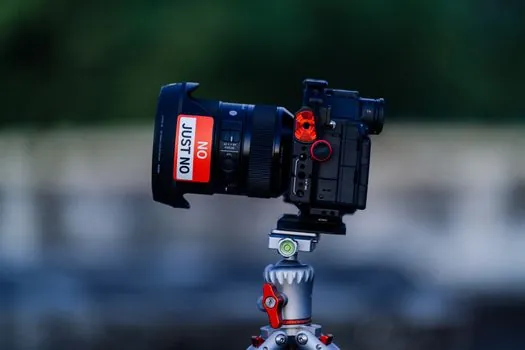
The same microbolometer module that clicks also carries a lens that looks opaque to the human eye, which is why the front element of a thermal camera often appears as a dark mirror [S3]. Standard optical glass absorbs long-wave infrared in the 8-14 micrometre band, so thermal optics use germanium or chalcogenide glass, both of which transmit LWIR efficiently and look black in visible light [S3]. This is independent of the NUC but it explains a common user confusion when comparing a phone-plug thermal module to a normal phone camera. The same idea of choosing the right sensing element is what drives the spec sheets of a pressure sensor or an industrial valve, where the material sets the operating envelope.
What to verify before you call it a fault
Three quick checks separate a normal NUC from a real problem on a microbolometer camera. First, confirm the click cadence matches warm-up behaviour: frequent at power-on, then dropping to seconds-to-minutes between events once the housing stabilises [S1][S5]. Second, look at the frozen frame: during a NUC the image goes to a single uniform shade rather than tearing, going black, or showing sensor artefacts, and the live stream returns within a fraction of a second [S3][S5]. Third, check whether your unit exposes a manual NUC command in the SDK or app, and whether there is a documented toggle to disable the automatic shutter, which TOPDON and several automation vendors document in their app and firmware notes [S3].
For a process or automation deployment, the integration checklist is the same one you would run for a PLC-controlled calibration cycle: can the NUC be triggered by a hardware input, can the host tolerate a known frame dropout, and is the radiometric error budget still met when the cycle runs at the configured interval. If any of those answers is no, the fix is a manual-mode configuration or a move to a scene-based NUC algorithm, not a return-to-vendor. Trackable signals over the next development cycle: more automation-grade cores shipping with documented scene-based NUC modes, and clearer SDK support for scheduling the shutter event from external servo motor or PLC timing.
For related coverage, see Fail-safe inductive sensors to IEC 60947-5-3 for guard door monitoring.