Remote I/O brings the I/O cards physically closer to the field devices and lets the PLC sit in a protected control room, reducing copper runs and giving more hardware configuration freedom [S3]. Every remote-I/O station on the plant network, whether it rides EtherNet/IP or ControlNet, needs two distinct identifiers before the scanner will accept it: a Layer-3 address (IP on Ethernet, MAC-derived on ControlNet) and a Layer-2 node or station address used by the I/O adapter's own configuration tools [S1][S2].
Configuring those identifiers in the wrong order is the single most common reason a new chassis shows up as "Bad" or "Not Responding" in RSLogix/Studio 5000. The steps below match what AutomationDirect Do-more, Host Engineering BRX, and Allen-Bradley ControlLogix documentation actually walk the integrator through [S1][S2].
Why a remote I/O station has two addresses, not one
An Ethernet I/O slave such as the AutomationDirect DMIO, EBC100, or EDRV100 must carry a valid TCP/IP address and Subnet Mask before the Do-more CPU will accept it as a slave under the Ethernet I/O Master function [S1]. On top of that IP address, the I/O adapter itself usually carries a node address that the I/O configuration tool (BOOTP/DHCP utility, RSLinx, or the adapter's rotary switches) uses to identify the module on the CIP level [S2].
The two addresses serve different layers: the IP address is consumed by the TCP/IP stack to route Ethernet frames, while the node address is consumed by the scanner's I/O tree to map rack/slot data. A 1734-ACNR or 1756-EN2T module, for example, can present one IP to the office network and a separate ControlNet node (1-99) to the ControlLogix scanner [S2]. EtherNet/IP itself is implemented on top of standard TCP/UDP/IP plus CIP, which is why IP exhaustion is a real planning concern for large plants [S4].
Pre-configuration checklist before you touch any address
Confirm the physical layer first: copper vs fibre, managed vs unmanaged switch, and whether the segment is shared with office traffic. The Do-more manual explicitly warns that the Ethernet I/O Master keeps slave traffic in sync with local I/O, which produces a high packet rate, so isolating I/O on its own port (BRX secondary adapter BX-P-ECOMEX) is a documented mitigation [S1].
Pull the plant's IP allocation table, mark any reserved subnets (DLR rings, PRP cells, machine-builder OEM blocks), and reserve a contiguous block for the remote-I/O subnet. For ControlNet, the node address range is 1-99 and the address chosen must be unique on the segment, not just on the project [S2]. Have the I/O adapter's catalog number and firmware revision ready: 1734-ACNR ControlNet adapters and 1756-EN2T EtherNet/IP modules are configured through different paths even inside the same ControlLogix rack [S2].
Step-by-step: node address then IP address
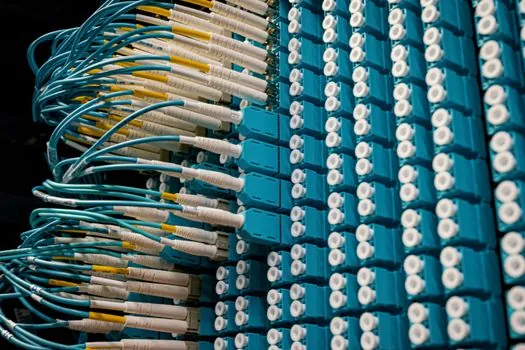
Step 1. Set the node/station address at the adapter. On legacy ControlNet POINT I/O, this is the two rotary switches on the 1734-ACNR; the valid range is 1-99, and the chosen value must not collide with any other device on the same ControlNet segment [S2]. For EtherNet/IP modules without rotary switches, the node value is internal and is set via the configuration tool after the IP is in place.
Step 2. Assign IP address, Subnet Mask, and (where required) Gateway. Do-more requires both IP and Subnet Mask on every DMIO/EBC100/EDRV100 before the master will discover the slave [S1]. Common methods, in order of preference: static reservation by MAC, DHCP with reservation, or the legacy BOOTP tool. Step 3. From the controller's programming software, add the new module to the I/O configuration tree, confirm the requested packet interval (RPI) for EtherNet/IP or the scheduled connection for ControlNet, then download to the PLC.
Step 4. Verify the master/slave error policy. Do-more exposes three switches: stay-in-RUN on slave error (default unchecked, drops to PROGRAM), require-slave-online before allowing RUN (default checked), and what to do with the input image on a slave fault (Hold last state is default; Be cleared forces discretes to OFF and analogs to 0) [S1]. These choices affect how a misconfigured node behaves during commissioning, not just during steady-state operation.
Comparison: addressing across the three common transports
ControlNet (1734-ACNR style): one ControlNet node address 1-99, configured by rotary switch, with no IP needed for the adapter itself. Ethernet/IP: 32-bit IPv4 (or v6 in newer designs) per the standard CIP-over-TCP/UDP stack, plus an internal slot/rack concept in the scanner [S4]. Do-more Ethernet I/O slaves (DMIO/EBC100/EDRV100): IP + Subnet Mask only, no separate node number, and the CPU treats the slave as a remote I/O drop using the same scan logic as local I/O [S1].
Selection rule of thumb: pick ControlNet if the segment is dedicated to I/O and the integrator wants hard real-time scheduling; pick EtherNet/IP if the plant already runs a managed Ethernet backbone and wants CIP data plus web/HTTP services coexisting on the same wire [S4]. The deciding factor is rarely bandwidth and almost always existing infrastructure and the qualification burden of the site's I/O team.
Common failure modes and how to read them
"Module not found" on download usually means IP or Subnet Mask mismatch: the Do-more master will not even attempt a slave handshake if the slave's address is outside the master's subnet [S1]. "Duplicate node" on ControlNet means another device on the same coax or fibre segment already owns the rotary-switched address 1-99 value you chose, even if it is a different vendor [S2]. "Connection timed out" on EtherNet/IP is more often a switch issue (IGMP snooping, broadcast storm, ACL blocking UDP/2222) than an addressing issue.
Plan for IPv6 transition. The ODVA/Rockwell white paper already flagged IP depletion as a driver for v6 adoption; any greenfield remote-I/O design should reserve a v6 addressing plan and a dual-stack strategy, because EtherNet/IP's CIP layer is transport-agnostic and the work to migrate later is largely on the IT side, not the controls side [S4].
Standards, tools, and sourcing signals
The underlying protocol is EtherNet/IP from ODVA, with CIP running over TCP/UDP/IP as documented in the Rockwell/ODVA white paper ENET-WP001 [S4]. Configuration toolchains vary: AutomationDirect Do-more Designer for DMIO/EBC100/EDRV100 [S1], Studio 5000 / RSLinx for Allen-Bradley 1734-ACNR and 1756-EN2T [S2], and BOOTP/DHCP utilities from the controller vendor for the initial IP load. New remote-I/O chassis ship with default IP 0.0.0.0 and default ControlNet node 99, both of which must be changed before commissioning.
For broader plant context and how a remote I/O retrofit interfaces with adjacent systems such as construction-machinery and equipment skids, link to the digital-twin piece for planning documentation depth. The integration of remote I/O into a wider control scope is also covered in remote IO module reference material, and the test/commissioning side ties into checking and testing apparatus workflow.
Two trackable signals to watch through 2026-Q4: ODVA's continued CIP Security rollout (affecting how the IP-side of remote I/O is hardened), and the migration of POINT I/O firmware toward dual-stack IPv4/IPv6 default configuration. Plant-side procurement should ask vendors for the firmware revision and CIP Security conformance statement on every quote, not just price and lead time.
This topic is covered further in Conveyor Chain Selection for Agriculture Machinery: Pitch, Series, and Attachment Logic.