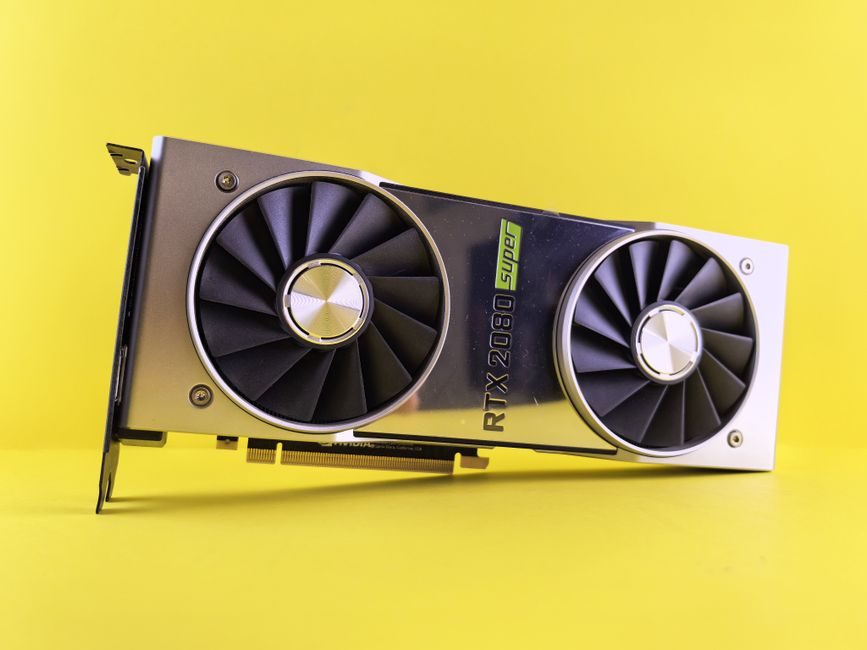
Capacity planning for GPU-bound production lines now has to reconcile two very different planning engines: the classical MRP/MPS loop where rough-cut capacity planning (RCCP) flags constraints at critical work centers, and the discrete-GPU scheduler loop where a single compute node has to report available device memory and SM count before a job is admitted [S1].
On the manufacturing side, JD Edwards EnterpriseOne's Capacity Planning module ships three explicit layers — Resource Requirements Planning (RRP), RCCP, and Capacity Requirements Planning (CRP) — and ties capacity to the work-center "available hours" defined by MPS, MRP, and Shop Floor Management [S1]. On the compute side, the Bacalhau project's open-source "GPU capacity manager" was patched in 2022-11 to make its unit tests run against a real installed GPU (PR #1042, commit 957887d) so the scheduler's GPU-resource claims could be exercised instead of stubbed [S2].
Two Planning Loops, One Capacity Question
RCCP's job is to identify capacity constraints at critical work centers and force a choice between revising the plan or adding resources; CRP then matches available personnel and equipment hours to the MRP-generated load, again with a binary output — keep the plan or increase resources [S1]. Translated to a GPU line, the work center becomes a compute node, the "available hours" become available device memory and SM time, and the same binary discipline applies: either the schedule fits the device, or the job is shed or queued. The Bacalhau PR #1042 change targets exactly that point by making the capacity manager's tests honor a real GPU install, so the scheduler's admission logic is no longer validated only against a no-device mock [S2].
Selection Criteria: Which Capacity Model Fits
For a fab or back-end line, pick RRP for a 12-month to 3-year horizon at the product-family level when the question is facility expansion, headcount loads, or capital-equipment spend; pick RCCP for a single critical-work-center bottleneck check; pick CRP for a bill-of-resources match against MRP output [S1]. For a GPU cluster, the equivalent gate is whether the orchestrator treats each accelerator as a typed resource (model, VRAM, SM count, MIG slice) and whether the admission test exercises that code path against actual hardware — PR #1042 merged that capability into the Bacalhau capacity manager in November 2022 and the merged commit 957887d remains the reference state in the project's CI pipeline [S2].
Concretely, RRP's deliverable is a critical-work-center capacity plan generated by program P3380 from forecast sales data, validated against the strategic business plan's monetary allotment and used to decide on new facilities, new equipment, or additional skilled labor before MRP is run [S1]. On the GPU side, the analogous deliverable is a typed-resource inventory (device model, VRAM in GiB, SM count, NVLink/PCIe topology) that the scheduler can consume before it admits a job — the same pre-flight gate, just expressed in device primitives rather than labor hours.
Decision Matrix: MRP-Style vs. Accelerator-Aware
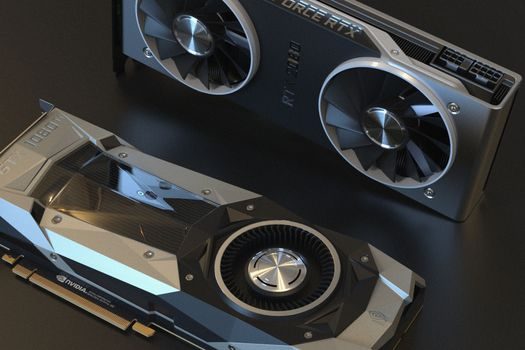
Compare the two on four axes that drive whether a line scales or stalls: (1) planning horizon — RRP is 12 months to 3 years, while a GPU scheduler's planning horizon is typically a single job or a 24-hour rolling window; (2) resource unit — RRP measures available hours at a work center, Bacalhau's capacity manager measures installed GPU devices and their device memory; (3) failure mode — RRP forces a plan-vs-resource decision when RCCP flags a gap, the GPU manager rejects or queues a job when VRAM or SM count is insufficient; (4) test coverage — Oracle's E1 flow is validated end-to-end through P3380 and the Shop Floor Management module [S1], whereas the open-source path gained hardware-in-the-loop coverage only after PR #1042 in 2022-11 [S2]. The result is a planning pair that looks the same in the abstract but diverges sharply on the unit of measure and on whether the test suite actually exercises the constrained path.
Who This Is For — and Who It Is Not
RRP/RCCP/CRP is built for discrete and batch manufacturers that already run MRP, need to defend a long-range capital plan, and have to translate product-family forecasts into work-center hours and headcount loads [S1]. It is the wrong tool for a pure software or AI-training shop that has no MPS, no critical work center, and no Shop Floor Management module to feed it. The Bacalhau-style GPU capacity manager is built for distributed compute networks that need per-job admission control over heterogeneous accelerators and where a scheduler bug at the GPU gate is acceptable to find in CI rather than in production [S2]. It is the wrong tool for a line that needs to certify a 3-year capacity expansion to a board, because it has no facility or capital-expenditure model and no product-family rollup.
Real Use Cases and Failure Modes
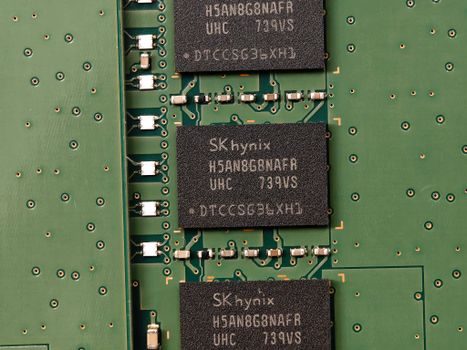
RRP's documented use cases are expanding existing facilities, acquiring new ones, sizing staffing loads, and determining capital expenditure for equipment — all driven by a forecast that is explicitly not the plan but is used as input [S1]. The documented failure mode is treating the demand forecast as the plan, which collapses the long-range answer and forces MRP to compensate downstream. On the GPU side, the failure mode that PR #1042 closes is the silent one: a capacity-manager test suite that runs only against a no-GPU stub will pass even when the production scheduler overcommits VRAM or misreports SM count, because the constrained path was never executed — the fix wires the tests to a real installed GPU so the CI run actually exercises the admission gate [S2].
Sourcing, Standards and Trackable Signals
Two public artifacts anchor this topic as of 2026-07-11: Oracle's JD Edwards EnterpriseOne "Planning Production Capacity" reference (chapter 7, with RRP/RCCP/CRP and program P3380 named explicitly), and Bacalhau project pull request #1042, "Make GPU capacitymanager tests work when you have a GPU installed," merged in 2022-11 with commit 957887d [S1][S2]. The Oracle WebLogic Portal Capacity Planning Guide, dated 2016, remains the canonical reference for portal-tier hardware sizing — useful when the GPU line's front-end portal is the bottleneck rather than the shop floor [S3].
For an industrial buyer weighing the two, the next node to track is whether a future Oracle E1 release couples RRP output directly to an accelerator-resource table; on the open-source side, the next signal is whether the Bacalhau capacity-manager tests now run across more than one GPU model in CI, which would extend the PR #1042 fix from a single-device pass to a heterogeneous-fleet pass [S1][S2]. A process engineer building a spec sheet today should demand both — a typed-resource inventory on the GPU side and a critical-work-center RCCP report on the MRP side — before signing off capacity for a new line. For related reading on capacity-driven selection, see this concrete mixer truck capacity spec band guide, this expansion joint EJMA movement bands reference, and this cold-box core shooter spec band breakdown.
For component-level specifications, see pressure transmitter, flow meter, and industrial valve.