A fiber media converter is a compact networking device that links a copper Ethernet segment to an optical fiber segment, converting electrical signals on twisted-pair cable into optical signals on glass fiber and back again. It exists to solve two persistent problems: copper Ethernet is limited to about 100 m per run, and copper is vulnerable to electromagnetic interference, ground-potential differences, and lightning surge in industrial plants. Fiber media converters extend a link from hundreds of meters to tens of kilometers while providing complete galvanic isolation between buildings or machines.
This guide treats the converter as a procurement object, not a black box. The same physical conversion can be packaged as a plug-and-play unmanaged unit, a DIN-rail hardened industrial unit, a PoE injecting unit, or a managed unit with optical diagnostics. Choosing correctly means matching speed, fiber type, wavelength, distance budget, power, and environmental rating to the actual link.
Photo: Njabulo19, CC BY-SA 4.0, via Wikimedia Commons
This guide is written for industrial purchasing engineers and network design engineers. It covers 6 chapters spanning what a converter is and how it works, the converter types and form factors, switching modes and the fiber and wavelength decision, PoE and the governing standards, the spec-sheet parameters that drive selection, and a step-by-step selection sequence, followed by 7 selection FAQs and manufacturer comparisons. All parameters reference the IEEE 802.3 Ethernet family (802.3u 100Base-FX, 802.3z 1000Base-X, 802.3ab 1000Base-T, 802.3af/at/bt Power over Ethernet), the SFP MSA, IEC 61850-3, and IEEE 1613 public standards.
Chapter 1 / 06
What is a Fiber Media Converter
A fiber media converter, also called an Ethernet-to-fiber converter or copper-to-fiber converter, is a layer-1 (physical layer) device that connects two dissimilar media: a copper RJ45 twisted-pair port on one side and an optical fiber port on the other. Inside, an Ethernet physical-layer transceiver (PHY) recovers the data from the copper side, and an optical transceiver re-emits that data as modulated light on the fiber side, with the reverse path working symmetrically. Because the conversion happens at the bit level, a basic converter is transparent to higher protocols: it carries any Ethernet frame, any IP traffic, and any industrial protocol such as PROFINET, EtherNet/IP, or Modbus TCP without inspecting it, in contrast to a protocol gateway, which translates between protocols rather than between media.
The motivation is physical, not logical. Unshielded twisted-pair Ethernet (10Base-T, 100Base-TX, 1000Base-T) is specified for a maximum channel length of 100 m, of which 90 m is permanent horizontal cabling. Beyond that distance, signal attenuation and crosstalk break the link. Fiber, by contrast, carries gigabit traffic over 550 m of multimode glass or tens of kilometers of single-mode glass. Equally important in industrial settings, fiber is a dielectric: it conducts no current, so it immunizes a link against electromagnetic interference from variable-frequency drives, eliminates ground loops between separately earthed buildings, and survives lightning-induced surges that would destroy copper transceivers, the same threat that a copper segment would otherwise mitigate with a surge protective device.
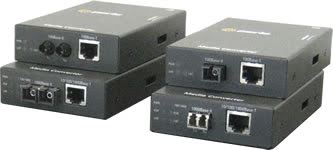
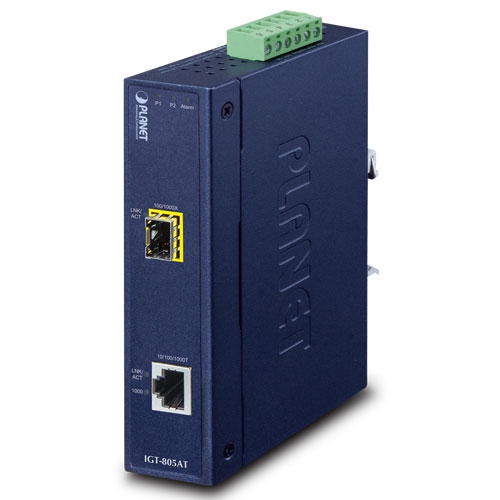
Structurally a converter has four parts: the copper PHY and RJ45 jack, the optical transceiver (either fixed optics with an SC, ST, or LC connector, or an open SFP cage that accepts a pluggable module), the conversion and buffering logic, and the power and housing. Fixed-optics units bake the wavelength and distance into the chassis at the factory and cost less. SFP-based units let the buyer choose and later change the optic, decoupling the converter purchase from the fiber-plant decision, which is why SFP slots dominate gigabit and 10-gigabit converters today.
The industrial lineage runs through Ethernet itself. The IEEE 802.3 working group standardized 10Base-FL fiber Ethernet in 1993, 100Base-FX fast-Ethernet fiber in 802.3u (1995), and 1000Base-X gigabit fiber in 802.3z (1998). The small form-factor pluggable (SFP) Multi-Source Agreement appeared around 2001, making interchangeable optics a commodity. Power over Ethernet arrived with IEEE 802.3af in 2003, was raised to PoE+ in 802.3at (2009), and to 60 to 90 W with 802.3bt in 2018. Each of these standards has a direct counterpart in the converter market, which is why a converter datasheet reads like an index of the 802.3 family.
In application scale, converters span the full Ethernet speed range: legacy 10/100 Mbit/s links for field devices and serial-over-Ethernet from a serial device server, gigabit links for machine vision and IP video backbones, and 10-gigabit SFP+ links for data-center and substation aggregation. A converter is not a switch and not a router; it adds no addressing intelligence by default. That simplicity is the point: it is the cheapest, lowest-latency way to put one device on the far end of a fiber strand.
Chapter 2 / 06
Converter Types and Form Factors
Converters are classified along several independent axes: management capability (unmanaged versus managed), form factor (standalone, chassis-card, DIN-rail, mini), power delivery (data-only versus PoE PSE), and grade (commercial versus industrial hardened). A single purchase decision combines a value from each axis. The table below summarizes the management and form-factor split, which is usually the first branch in the decision tree.
Type
Configuration
Optical Diagnostics
Typical Use
Unmanaged standalone
DIP switch only
None
Single point-to-point link extension
Managed standalone
Web / SNMP / CLI
DDM Rx power, temperature
Mission-critical or remote links
Chassis card
Per-card or central CPU
Optional, slot dependent
High-density telecom / ISP racks
DIN-rail industrial
DIP / software
Optional on managed units
Factory, substation, outdoor cabinet
Mini / pocket
Fixed
None
Desktop, surveillance edge
Unmanaged converters are the default and the majority of the market. They convert at full wire speed with zero configuration, exposing at most a bank of DIP switches for options such as Link Fault Pass-Through, forced versus auto-negotiation, full versus half duplex, and fiber link mode. They have no IP address, nothing to log into, and consequently nothing to misconfigure or to attack. For a fixed point-to-point fiber run between two known devices, an unmanaged unit is the correct and cheapest answer.
Managed converters add a small processor and a management plane reachable by web GUI, SNMP, or serial CLI. Their decisive feature is Digital Diagnostic Monitoring (DDM, also called DOM), which reports the optical transmit power, receive power, module temperature, and supply voltage of the SFP in real time. A network operator can watch the receive power on a 40 km link drift downward as a connector degrades and schedule a repair before the link fails, which is impossible with an unmanaged unit. Managed converters also pass VLAN tags, apply bandwidth rate limits, and raise SNMP traps, so they behave like a one-port-pair managed bridge.
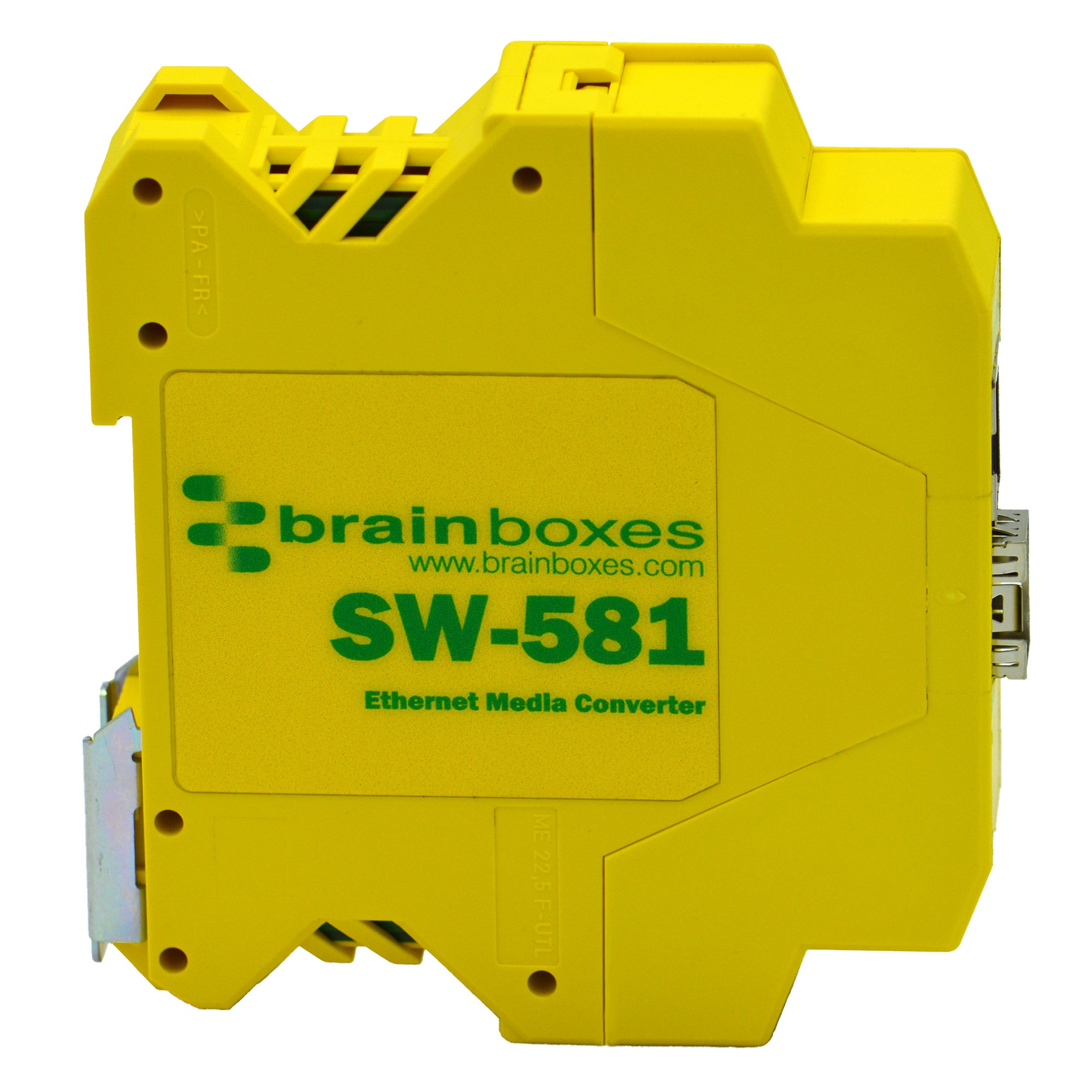
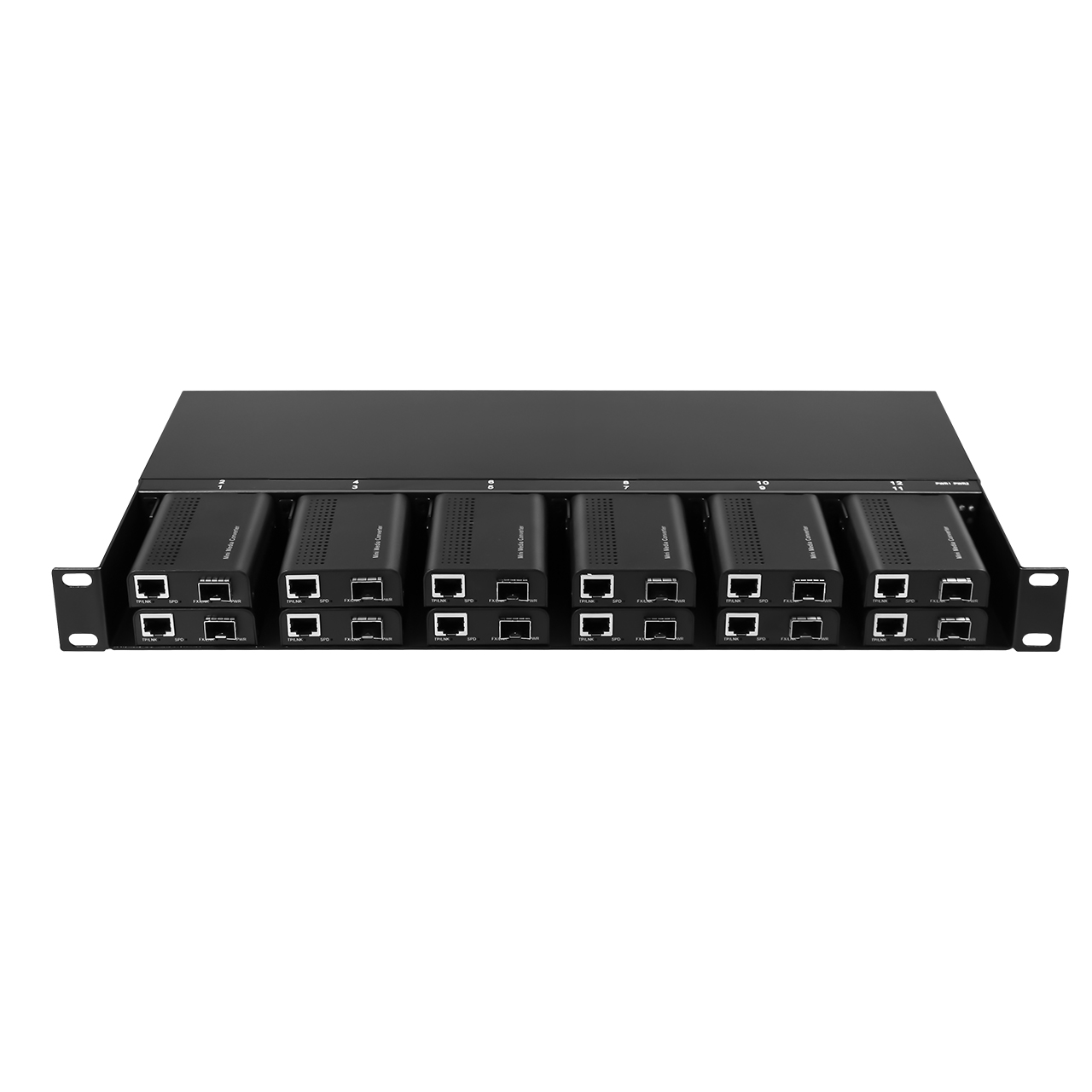
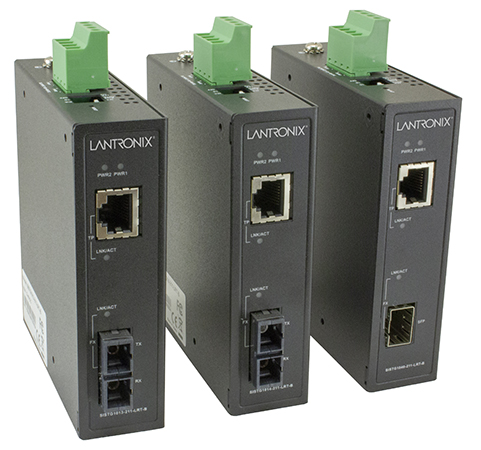
Chassis-based converters are blade cards inserted into a powered rack chassis (often 14 to 19 slots in a 1U to 3U frame) with shared redundant power and a central management module. Telecom carriers and large ISPs use them to terminate dozens of fiber drops in one rack with a single point of management and hot-swappable cards. DIN-rail industrial converters trade rack density for environmental hardening: they clip onto a 35 mm DIN rail inside a control cabinet, accept 12 to 48 VDC field power with redundant inputs, tolerate -40 to +75 degrees C, and carry relay alarm contacts. Mini converters are pocket-sized, USB or barrel-jack powered units for a single camera or desktop drop.
A second axis worth calling out is the fiber-to-fiber converter, which has no copper port at all. It converts between two optical formats, most often between multimode and single-mode fiber, or between dual-fiber duplex and single-strand BiDi, or between two wavelengths in a wavelength-division scheme. These are used to splice an existing multimode campus into a new single-mode backbone, or to repeat and regenerate a long fiber run, rather than to add copper.
Chapter 3 / 06
Switching Modes, Fiber and Wavelength
Two technical decisions inside the converter shape its behavior and its link budget: the forwarding mode (how frames cross between copper and fiber) and the optical recipe (fiber type, wavelength, and distance). These are independent of management capability and must both be matched between the two ends of the link.
Forwarding mode. Pure pass-through converters operate at the physical layer and re-clock the bitstream symbol by symbol with sub-microsecond latency, but both sides must run at the same speed and the same duplex, because there is no buffer to bridge a mismatch. Store-and-forward converters buffer each whole Ethernet frame, check its CRC, and re-transmit it, which lets the copper and fiber sides negotiate different speeds (for example 10/100/1000Base-T auto-negotiation on copper feeding a fixed 1000Base-X fiber) and which discards corrupted frames. Store-and-forward adds latency and a small buffer, and some real-time protocols that depend on precise timing are sensitive to it, so converter datasheets state the mode explicitly. The fault-handling features (LFP and FEF) live here too: Link Fault Pass-Through forces the opposite link down on a fault, and Far-End Fault, defined for 100Base-FX in IEEE 802.3u, signals a detected fiber fault back across the strand so both ends drop their copper links.
Fiber type. Multimode fiber (MMF) has a wide core (50 or 62.5 micrometres) that supports many light paths; it is cheaper to terminate and uses low-cost 850 nm sources, but modal dispersion limits its reach. Single-mode fiber (SMF) has a 9 micrometre core that carries one light path with far lower dispersion and attenuation, enabling long distances at the cost of higher-precision optics. The two are not interchangeable: a single-mode transceiver will not link reliably over multimode fiber, and vice versa. The table below compares the dominant optical options that a converter or its SFP can carry.
Optical Standard
Fiber
Wavelength
Typical Reach
Attenuation
1000Base-SX
Multimode OM3/OM4
850 nm
300 to 550 m
~3.0 dB/km
1000Base-LX
Single-mode
1310 nm
10 to 20 km
~0.35 dB/km
1000Base-EX/ZX
Single-mode
1550 nm
40 to 80 km
~0.20 to 0.25 dB/km
1000Base-BX (BiDi)
Single-strand SMF
1310/1550 nm
10 to 40 km
~0.35 dB/km
100Base-FX
Multimode
1310 nm
2 km
~1.0 dB/km
Wavelength and the optical power budget. The 850 nm window suits short multimode reach; 1310 nm is the workhorse single-mode wavelength for metro distances with about 0.35 dB/km attenuation and low dispersion; 1550 nm has the lowest fiber attenuation (around 0.20 to 0.25 dB/km) and is reserved for the longest runs, reaching 80 km without amplification and 120 km or more with higher-power optics. Whether a link works is decided by the optical power budget: the transmitter launch power minus the receiver sensitivity, expressed in dB, must exceed the total link loss, which is fiber length times attenuation, plus roughly 0.5 dB per connector and 0.1 dB per splice. Sound engineering practice keeps at least 3 dB of unused margin to absorb optical aging, dirty connectors, and future repair splices.
Single strand versus dual fiber. A conventional duplex link uses two fibers, one for each direction, both at the same wavelength such as 1310 nm. A BiDi (single-strand) link uses one fiber and a complementary wavelength pair: one end transmits 1310 nm and receives 1550 nm, the other transmits 1550 nm and receives 1310 nm. BiDi halves the fiber count, which is valuable where fiber strands are scarce or leased per strand, but the two ends must be ordered as a matched complementary pair, and mixing them up is a common field error.
Chapter 4 / 06
PoE and Governing Standards
A growing share of converters also deliver Power over Ethernet on the copper side, so the remote IP camera, wireless access point, or VoIP phone draws both data and power from one RJ45 cable while the fiber carries data over distance. When a converter sources power it is a Power Sourcing Equipment (PSE); the camera is the Powered Device (PD). The power classes are fixed by the IEEE 802.3 PoE standards, and getting them right is a function of how much the device needs plus cable loss, not a free choice.
Standard
Common Name
PSE Power
PD Power
Pairs Used
IEEE 802.3af
PoE
15.4 W
12.95 W
2 pair
IEEE 802.3at
PoE+ (Type 2)
30 W
25.5 W
2 pair
IEEE 802.3bt Type 3
PoE++ / 4PPoE
60 W
51 W
4 pair
IEEE 802.3bt Type 4
Hi-PoE
90 to 100 W
71.3 W
4 pair
The PSE always sources more than the PD receives because power is lost in the copper run: a 90 m Cat5e cable can dissipate several watts. That is why an 802.3af source is rated 15.4 W but a compliant device is guaranteed only 12.95 W. The practical selection check is twofold: confirm the converter PSE power class covers the powered device class, and confirm the DC input feeding the converter can supply the full PoE draw plus the converter overhead. An industrial 802.3bt PoE converter can pull more than 95 W on a single port, so its 48 VDC supply and wiring must be sized accordingly rather than reusing a small data-only adapter.
Beyond PoE, the standards that govern a converter datasheet fall into three groups. Ethernet PHY standards define the electrical and optical interfaces: IEEE 802.3 (10Base-T), 802.3u (100Base-TX copper and 100Base-FX fiber), 802.3ab (1000Base-T copper), and 802.3z (1000Base-SX/LX fiber). A converter claims conformance to the specific clauses for the speeds it carries. Optical module standards are governed by the SFP and SFP+ Multi-Source Agreements, which fix the mechanical cage, the electrical interface, and the I2C management bus that exposes DDM data; SFF-8472 defines the diagnostic memory map that managed converters read.
Industrial and environmental standards matter for hardened converters. IEC 61850-3 and IEEE 1613 define electrical-substation environmental and EMC requirements for communication equipment, covering surge, fast transient, and temperature; converters that carry these marks are qualified for utility and power-plant networks. IEC 60068-2 series shock and vibration, EN 61000-4 EMC immunity, and ingress protection ratings (IP30 for cabinet units up to IP67 for sealed outdoor units) round out the environmental profile. For hazardous areas, ATEX Zone 2 and ANSI/ISA 12.12.01 Class 1 Division 2 certify operation in potentially explosive atmospheres. A converter destined for a substation or an offshore platform is selected as much on these marks as on its optical reach.
Chapter 5 / 06
Key Specification Parameters
A converter datasheet typically lists 15 to 30 lines, but only a handful drive the selection decision. Read them in the order below, because each one constrains the next: the data rate constrains the optics, the optics constrain the reach, and the environment constrains the chassis. Each parameter is decoded here.
Data rate and port speed. The copper port is one of 10Base-T, 10/100Base-TX, or 10/100/1000Base-T (auto-negotiating). The fiber port is 100Base-FX, 1000Base-X, or 10G SFP+. A pass-through converter requires the two sides to run the same speed; a store-and-forward converter can bridge a multi-speed copper port to a fixed fiber speed. Mismatching speeds (linking a 100Base-FX converter to a 1000Base-X converter) is the single most common cause of a dead link.
Fiber connector and optics. Fixed-optics units name the connector (SC, ST, or LC) and bake in fiber type, wavelength, and distance. SFP-cage units leave the optic open, so the converter spec only states the cage type (SFP or SFP+) and you select the module separately. LC has displaced SC and ST in new gigabit designs because of its smaller footprint, but legacy plant often still uses SC and ST.
Optical budget and reach. The link distance is governed by the optics, and the meaningful numbers are transmit power (dBm), receiver sensitivity (dBm), and the resulting budget (dB), not the headline kilometres. A managed converter additionally reports live DDM receive power, which is the field metric for link health. Always compare the budget against the measured or calculated link loss with 3 dB of margin.
Latency and forwarding mode. Pass-through latency is sub-microsecond; store-and-forward latency is frame-size dependent and is stated in microseconds for the largest frame. Real-time motion and PTP timing applications prefer the lowest deterministic latency and may require a transparent (cut-through or pass-through) converter.
Power input and consumption. Commercial units use an external 5 to 12 VDC adapter; industrial DIN-rail units accept a wide field range, commonly 12/24/48 VDC (often 9.6 to 60 VDC) with dual redundant inputs. PoE PSE units need a supply sized for the full output class. The converter's own consumption is small (around 2 W for a gigabit data-only unit) but the PoE budget dominates the supply sizing.
Environmental and mechanical. The operating temperature range separates commercial (0 to +50 degrees C) from industrial (-40 to +75 degrees C) grades. Ingress protection, vibration and shock ratings (IEC 60068-2-6 and 2-27), and EMC immunity (EN 61000-4 series) qualify the unit for its physical environment. Mounting is rack ear, DIN rail, or wall bracket.
Diagnostics and alarms. Unmanaged units expose link and activity LEDs and sometimes a dry relay contact that closes on power or link failure. Managed units add DDM telemetry, SNMP traps, and a syslog feed. The fault-propagation features, Link Fault Pass-Through and Far-End Fault, belong here: they convert a silent half-open link into an actionable alarm, and their presence on the datasheet is a strong quality signal for industrial duty.
Chapter 6 / 06
Selection Decision Factors
To turn the preceding chapters into a specific model, follow the ordered sequence below. Most selection errors come not from a single wrong parameter but from deciding the optics before the speed, or the chassis before the environment. These eight steps double as a fixed RFQ template that an engineer can hand to a supplier.
Speed and ports: Fix the copper speed (10/100 or 10/100/1000) and the fiber speed (100Base-FX, 1000Base-X, or 10G SFP+). Confirm both ends of the link will run the same fiber speed unless you deliberately choose a store-and-forward unit to bridge speeds.
Fiber type and connector: Identify the installed fiber as multimode or single-mode and the connector in the patch panel (LC, SC, or ST). The converter optic must match the existing plant exactly. If the plant is undecided, choose an SFP-cage unit to defer the optic.
Distance and optical budget: Measure or calculate the link length and loss, pick the wavelength (850 nm short, 1310 nm metro, 1550 nm long), and verify the optical budget exceeds link loss by at least 3 dB. For single-strand routes, choose a matched BiDi complementary pair.
Power delivery: Decide whether the remote device needs PoE. If so, match the PSE class (802.3af / at / bt) to the powered device and size the DC supply for the full PoE budget plus converter overhead.
Management and diagnostics: Choose unmanaged for a fixed point-to-point drop, or managed (web / SNMP, with DDM optical telemetry, VLAN, and traps) for mission-critical or hard-to-reach links where remote optical visibility justifies the cost.
Fault handling: For any link feeding a PLC, camera, or safety device, require Link Fault Pass-Through and, on 100Base-FX, Far-End Fault, so a break anywhere forces both ends down and raises an alarm rather than leaving a silent half-open link.
Environment and certification: Match operating temperature, ingress protection, vibration, and EMC to the install location. Substation and utility duty needs IEC 61850-3 and IEEE 1613; hazardous areas need ATEX Zone 2 or Class 1 Division 2; outdoor cabinets need wide-temperature industrial units.
Form factor and power input: Choose rack chassis for high density, DIN rail with redundant 12/24/48 VDC for cabinets, or a mini unit for a single edge device. Confirm the field power available at the install point matches the converter input range.
One dimension that is easy to overlook is serviceability over the link lifetime. A fiber run installed in a cable tray or duct may remain in service for 10 to 20 years, far longer than the active electronics. Favor SFP-cage converters so the optic can be swapped or upgraded without recabling, keep spare DDM-capable units to localize a degrading link, and confirm the supplier maintains a stable part number and firmware line. Established industrial suppliers such as Moxa (IMC-101 and IMC-21GA series), Perle (SR/SRS-1110 and S-1110), Antaira (FCU and IMC series), Planet, and Omnitron all maintain wide-temperature DIN-rail lines with documented certifications and long product lifecycles, which is the practical hedge for an asset that outlives the engineer who specified it.
FAQ
What is the difference between a fiber media converter and an industrial Ethernet switch?
A media converter performs media conversion only: it transparently bridges one copper Ethernet port and one fiber port at the physical layer, with no MAC address table and usually no port-to-port switching. An industrial Ethernet switch has multiple ports, a MAC learning table, store-and-forward forwarding, and features like VLAN, QoS, and spanning tree. A standalone converter is the right tool when you only need to extend a single link over fiber. If you need to aggregate three or more devices, terminate several fiber rings, or run managed network policies, a fiber switch with SFP uplinks is the better fit. Many vendors blur the line: a managed converter can carry VLAN tags and SNMP, while a two-port switch behaves almost like a converter.
Do both ends of a fiber link need the same media converter model?
The two ends do not need identical models, but the optical parameters must match exactly. Both transceivers must use the same data rate (100Base-FX cannot link to 1000Base-X), the same fiber type (single-mode to single-mode, multimode to multimode), and a compatible wavelength pairing. For a dual-fiber duplex link, both ends run the same wavelength such as 1310 nm. For a single-strand bidirectional (BiDi) link, the two ends must be a complementary pair, for example one transmitting 1310 nm and receiving 1550 nm, the other transmitting 1550 nm and receiving 1310 nm. Mixing converter brands is acceptable as long as both comply with IEEE 802.3 and the SFP optical budgets overlap.
What is Link Fault Pass-Through and why does it matter?
Link Fault Pass-Through (LFP) propagates a fault on one segment of the converted link to the opposite segment. Without it, if the copper cable to a remote PLC fails, the local converter still shows the fiber link as up, so the switch and operator believe the device is reachable when it is not. With LFP enabled, the converter pulls down the fiber link on a copper fault, and the related Far-End Fault (FEF, defined for 100Base-FX in IEEE 802.3u) signals a fiber fault back across the strand. The result is that a break anywhere in the chain forces both end links down within milliseconds, so the upstream switch raises an alarm and spanning tree can reconverge. LFP is usually a DIP switch on unmanaged units and a software toggle on managed units.
How far can a fiber media converter transmit?
Distance is set by the SFP or fixed optics, not the converter chassis. Multimode at 850 nm (OM3/OM4) reaches roughly 300 to 550 m at gigabit speed. Single-mode at 1310 nm typically reaches 10 to 20 km, and 1550 nm reaches 40 to 80 km. With higher-power single-mode optics, gigabit BiDi or CWDM links can extend to 120 km on a single strand. The governing figure is the optical power budget: transmit power minus receiver sensitivity, in dB, must exceed total link loss (fiber attenuation of about 0.35 dB/km at 1310 nm and 0.20 to 0.25 dB/km at 1550 nm, plus connector and splice loss). Always leave 3 dB of margin for aging and repairs.
Can a media converter supply Power over Ethernet?
Yes. A PoE PSE media converter injects power onto the copper RJ45 port so the remote IP camera, access point, or VoIP phone needs no local outlet, while the fiber side carries data over long distances. Power class follows IEEE: 802.3af delivers up to 15.4 W at the source (about 12.95 W at the device), 802.3at PoE+ delivers up to 30 W, and 802.3bt (Type 3 and Type 4) delivers up to 60 W and 90 to 100 W using all four pairs. Confirm the converter PSE budget covers the powered device plus cable loss, and that the DC input to the converter is sized for the full PoE draw, which for an 802.3bt unit can exceed 95 W on a single port.
What is the difference between an unmanaged and a managed media converter?
An unmanaged converter is plug-and-play: it converts media at line rate with no configuration, using DIP switches for options such as LFP, auto-negotiation force, and fiber link mode. It is cheaper, lower-latency, and has nothing to misconfigure. A managed converter adds a CPU and management interface (web, SNMP, CLI) so an operator can read optical Digital Diagnostic Monitoring (DDM/DOM) data such as Rx power and temperature, set VLAN pass-through, configure bandwidth limits, and receive trap alarms. Managed units are justified where the link is mission-critical, the fiber run is hard to access, or the network team requires remote visibility of optical health for predictive maintenance.
Which manufacturers and series fit industrial fiber-converter duty?
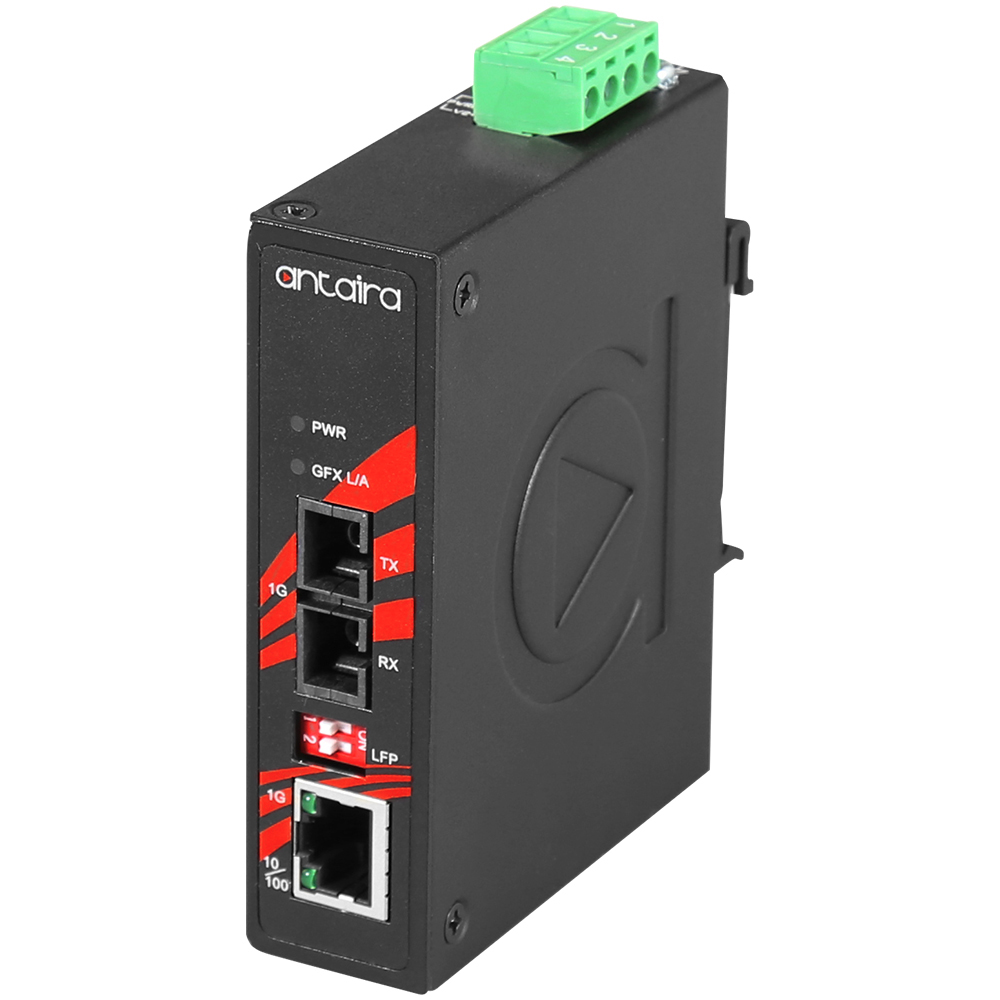
For industrial DIN-rail duty with wide temperature and hazardous-area ratings, established series include Moxa IMC-101 (10/100, SC/ST, -40 to +75 degrees C, 24 VDC redundant, Class 1 Div 2) and IMC-101G/IMC-21GA (gigabit), Perle SR/SRS-1110 and S-1110 (10/100/1000, IEC 61850-3, IEEE 1613, ATEX Zone 2), Antaira FCU and IMC series, Planet IGT/IGTP industrial converters with 802.3bt PoE, and Omnitron iConverter managed platforms. For commercial and data-center duty, FS.com, Perle, Omnitron, and TP-Link offer rack and standalone units. Verify the exact optics, temperature rating, and certification on the specific datasheet, because one series number can span many fiber and connector options.
Fiber Media Converter Manufacturers
Source-backed product routes. Open a company dossier for procurement scope and cited evidence.
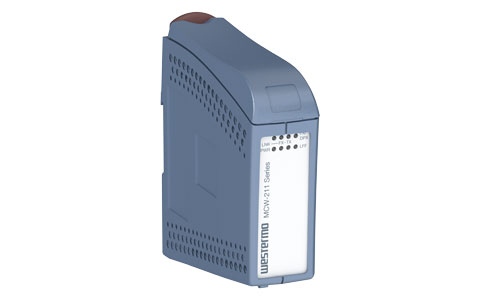
Westermo Network Technologies AB documents Westermo MCW-211-MM-SC2 industrial Ethernet media converter as an industrial fiber media converter offering.
Published product fact
Westermo MCW-211-MM-SC2 industrial Ethernet media converter

-50/EKI-2741SX_Banner20200326135755.jpg)
.jpg)